Secure Link Sharing: Protecting Sensitive Content in 2026
Digital collaboration demands constant link sharing, yet every shared URL creates a potential security vulnerability. Whether distributing confidential client documents, time-sensitive proposals, or private campaign data, understanding how to implement a secure link strategy has become essential for modern businesses. The wrong approach can expose sensitive information to unintended recipients, while the right security measures ensure controlled, trackable access without sacrificing convenience.
Understanding the Foundation of Link Security
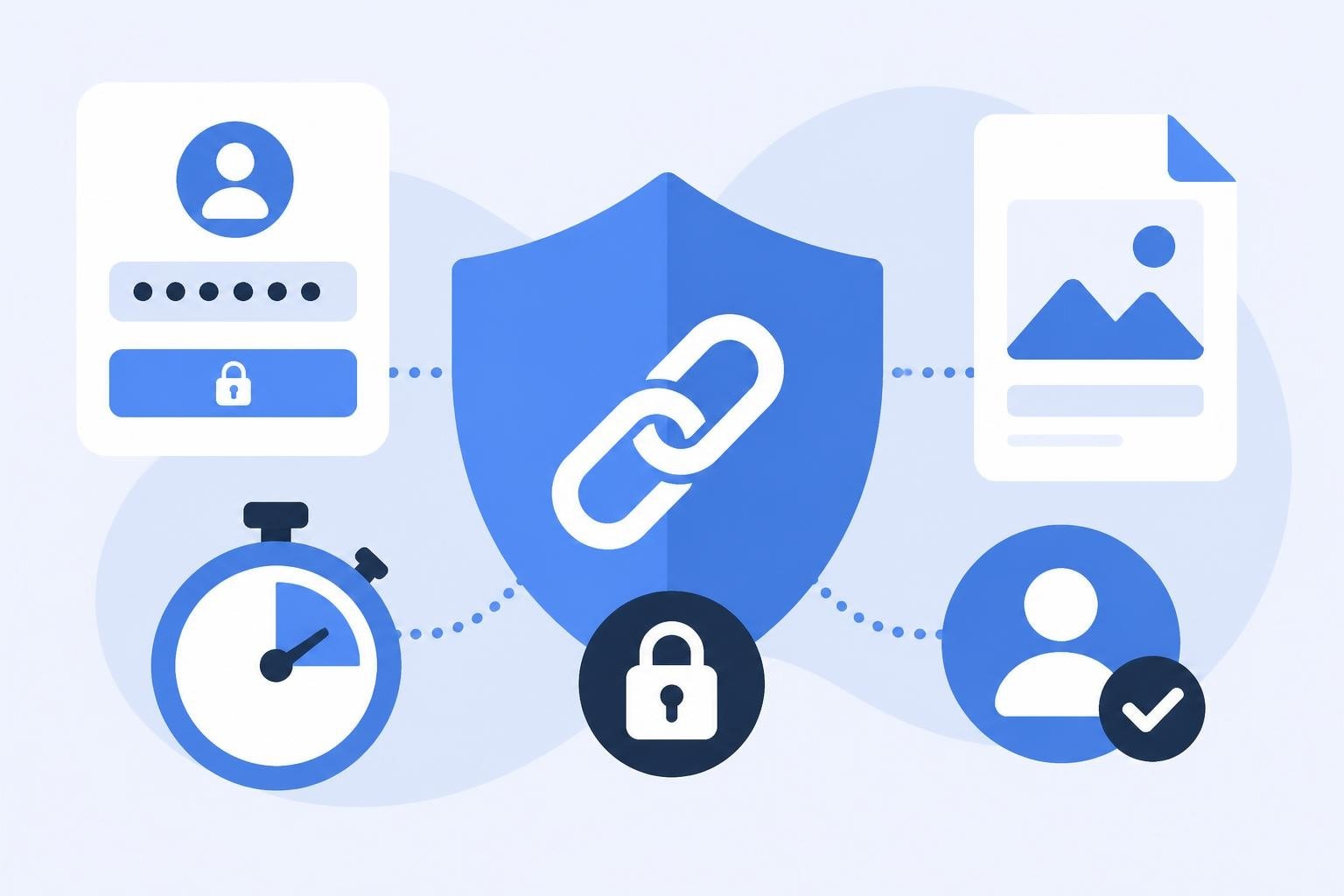
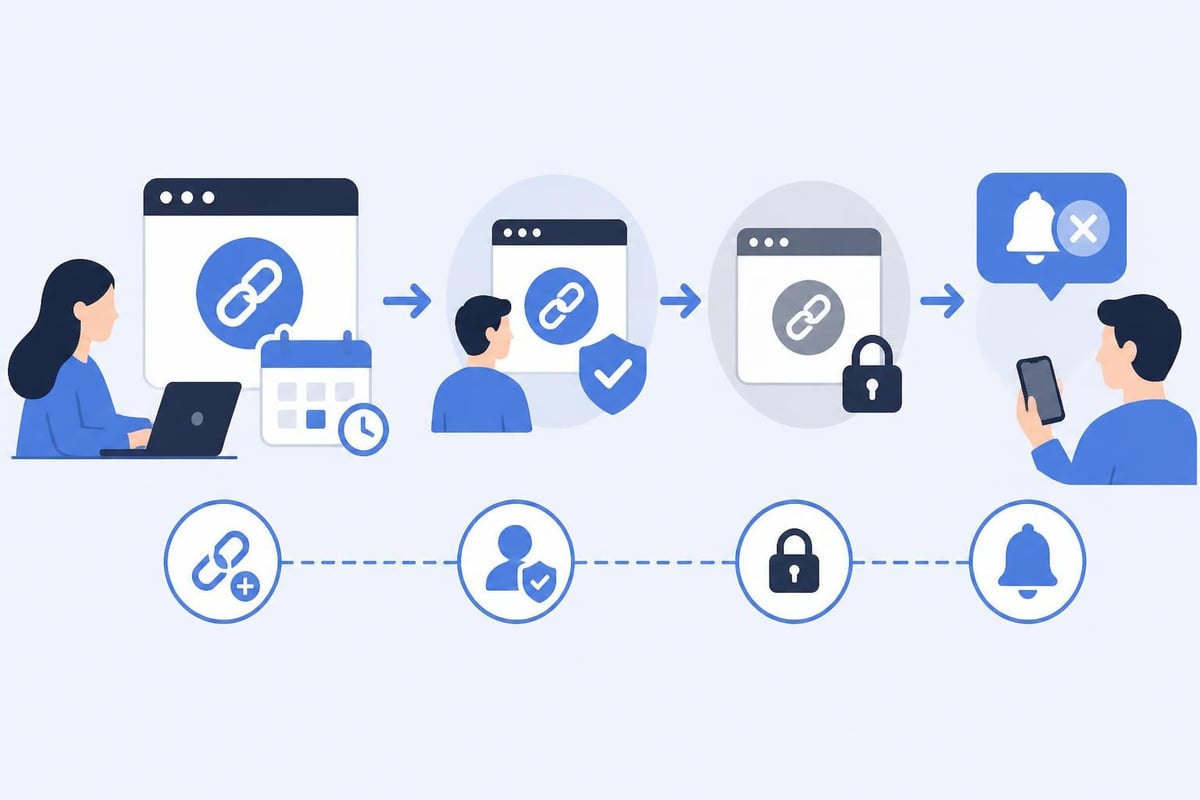
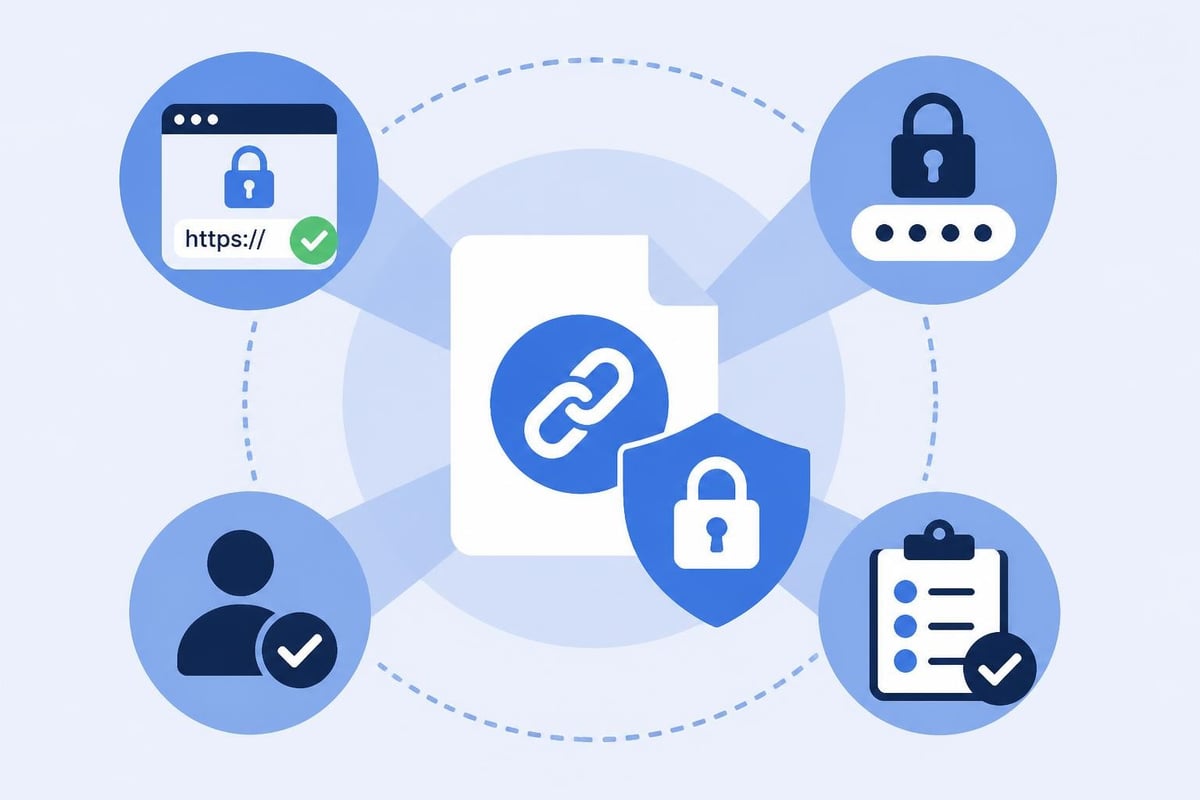
A secure link operates on three fundamental principles: authentication, authorization, and time-bound access. Authentication verifies who is attempting to access the resource, authorization determines what they can do with it, and time constraints limit how long the access remains valid.
These principles work together to create layers of protection. When you share a link without security measures, you're essentially creating a public gateway to your content. Anyone who obtains the URL-through forwarding, shoulder surfing, or intercepted communications-gains immediate access.
Common Vulnerabilities in Traditional Link Sharing
Standard URL sharing exposes organizations to several critical risks:
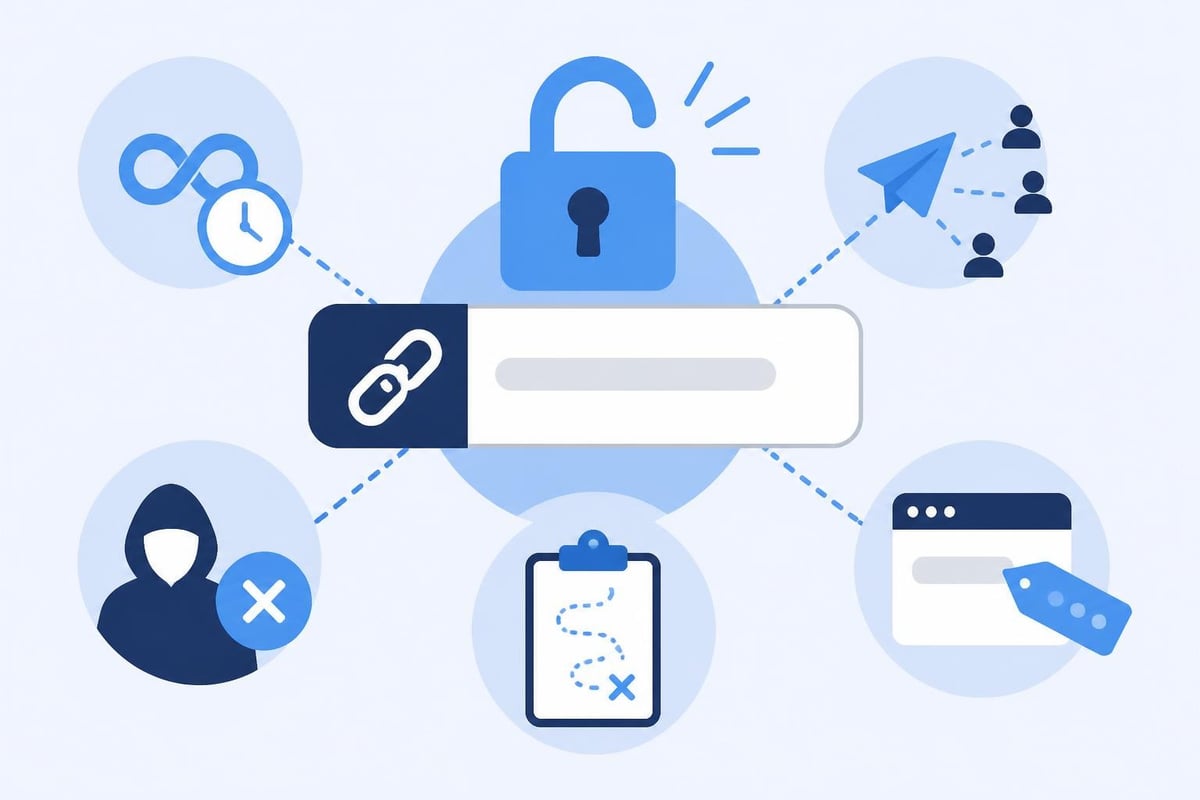
- Unlimited access duration: Links remain active indefinitely, creating permanent security holes
- Unrestricted sharing: Recipients can forward links to anyone without oversight
- No identity verification: Systems cannot confirm who actually accesses the content
- Lack of audit trails: Organizations cannot track when or by whom links were accessed
- Exposed parameters: Sensitive data embedded in URLs can leak through browser history or server logs
According to common file sharing security risks, these vulnerabilities compound when teams use multiple platforms without standardized security protocols. Each unsecured link represents a potential breach point.
Implementing Password Protection for Shared Links
Password protection serves as the first line of defense for any secure link strategy. This authentication layer ensures only recipients with the correct credentials can access your content.
Selecting Strong Password Strategies
Effective password protection requires more than just adding a simple code. Consider these approaches:
- Generate unique passwords for each link rather than reusing the same credential across multiple shares
- Use sufficient complexity with a mix of uppercase, lowercase, numbers, and special characters
- Avoid predictable patterns like sequential numbers or common dictionary words
- Set minimum length requirements of at least 12 characters for sensitive content
- Implement rate limiting to prevent brute force attempts
When establishing password requirements, balance security with usability. An overly complex system frustrates legitimate users, while weak passwords provide minimal protection.
Secure Password Distribution Methods
Creating a strong password is only half the equation. The distribution method determines whether your secure link remains protected. Best practices include:
| Distribution Method | Security Level | Use Case |
|---|---|---|
| Separate communication channel | High | Highly sensitive documents |
| Phone or SMS | Medium-High | Time-critical shares |
| Encrypted email | Medium | Standard business content |
| Same email as link | Low | Not recommended |
| Shared messaging platform | Medium | Team collaboration |
As outlined in best practices for securely sharing sensitive links, never send passwords through the same channel as the link itself. If an attacker intercepts one message, they'll have both components needed for access.
Setting Expiration Dates for Time-Bound Content
Expiration dates transform links from permanent access points into temporary portals. This approach dramatically reduces your security exposure window.
Determining Appropriate Expiration Timeframes
The ideal expiration period depends on your content type and business requirements:
- 1-24 hours: Password resets, one-time verification, urgent approvals
- 1-7 days: Project proposals, contract reviews, temporary contractor access
- 1-4 weeks: Marketing campaigns, event registrations, seasonal promotions
- 1-3 months: Long-term projects, client portals, extended partnerships
Shorter timeframes minimize risk but may inconvenience users who need legitimate access. Evaluate your specific use case and err toward shorter periods when dealing with sensitive information.
Automatic Revocation Benefits
Expiring links provide several advantages beyond basic security:
Reduced attack surface: Each expired link eliminates a potential entry point for unauthorized access. Unlike permanent links that remain vulnerable indefinitely, time-bound URLs automatically close security gaps.
Compliance alignment: Many regulations require organizations to limit data access duration. Expiration dates help satisfy these requirements while creating auditable records of access windows.
Forced content updates: When links expire, recipients must request new access, giving you opportunities to share updated versions or verify continued authorization.
Advanced Access Controls and Permission Management
Beyond passwords and expiration dates, granular access controls enable precise management of who can view, edit, or share your content.
Role-Based Access Restrictions
Implementing role-based permissions allows you to define exactly what each recipient can do:
- View-only access: Recipients can see content but cannot download, edit, or share
- Download permissions: Users can save local copies while preventing online sharing
- Edit capabilities: Collaborators can modify content within controlled parameters
- Share rights: Trusted users can distribute links while maintaining your security settings
- Administrative control: Designated managers can modify permissions and monitor activity
These granular controls prove especially valuable for team collaboration where different stakeholders require different access levels to the same resource.
Domain and IP Restrictions
For maximum security, limit access based on network parameters:
- Domain whitelisting: Allow access only from specific email domains (e.g., @clientcompany.com)
- IP address filtering: Restrict access to corporate networks or approved locations
- Geographic limitations: Block access from certain countries or regions
- Device authentication: Require access from registered devices only
These restrictions work best when you know your recipient's technical environment and can configure settings accordingly.
Monitoring and Analytics for Security Compliance
A truly secure link strategy includes comprehensive monitoring to detect anomalies and verify proper usage.
Essential Tracking Metrics
Monitor these key indicators to maintain security oversight:
| Metric | Purpose | Red Flags |
|---|---|---|
| Access attempts | Track who tries to open links | Multiple failed password attempts |
| Geographic sources | Verify access locations | Requests from unexpected countries |
| Access timing | Monitor when links are opened | Activity during unusual hours |
| Device fingerprints | Identify accessing devices | New or suspicious device types |
| Referrer sources | See how users found the link | Access from unexpected websites |
Regular review of these metrics helps identify potential security breaches before they escalate. Establish baseline patterns for normal activity, then investigate deviations.
Creating Audit Trails
Comprehensive audit trails provide several benefits:
Compliance documentation: Many industries require detailed records of data access. Your secure link system should automatically log who accessed what content, when they accessed it, and what actions they took.
Incident investigation: When security questions arise, audit trails provide the evidence needed to reconstruct events and identify the source of potential breaches.
User accountability: Knowing that access is tracked and logged encourages appropriate usage and discourages unauthorized sharing.
Encryption and Transport Layer Security
While access controls protect who can view content, encryption protects the data itself during transmission. Understanding Transport Layer Security implementation is essential for maintaining end-to-end protection.
HTTPS and Certificate Verification
Every secure link should use HTTPS rather than HTTP. This protocol encrypts data traveling between the server and user's browser, preventing interception by third parties monitoring network traffic.
Verify that your link management platform:
- Uses valid SSL/TLS certificates from trusted authorities
- Implements current encryption standards (TLS 1.2 or higher)
- Automatically redirects HTTP requests to HTTPS
- Displays security indicators that users can verify
These technical foundations ensure that even if someone intercepts network traffic, they cannot read the transmitted data.
End-to-End Encryption Considerations
For highly sensitive content, consider end-to-end encryption where data remains encrypted on the server and only decrypts in the authorized recipient's browser. This approach means even the hosting platform cannot access unencrypted content.
Best Practices for Secure Link Management in Marketing
Marketing teams face unique challenges when implementing secure link strategies. Campaign requirements often conflict with strict security measures, requiring thoughtful balance.
Balancing Security with User Experience
Marketing links need to be simultaneously secure and frictionless. Consider these approaches:
- Risk-based security: Apply stricter controls to sensitive content while using lighter protection for general marketing materials
- Progressive authentication: Request basic information initially, then require additional verification for deeper content access
- Single sign-on integration: Reduce friction by leveraging existing authentication systems
- Smart defaults: Configure automatic security settings based on content type
The goal is protecting data without creating barriers that reduce campaign effectiveness.
Campaign-Specific Security Strategies
Different marketing initiatives require different security approaches:
Product launches: Use expiring links with moderate password protection to control information flow before public announcement while enabling media and partner previews.
Client reporting: Implement strong authentication and extended expiration periods for recurring access to analytics dashboards and performance data.
Event registration: Balance open accessibility for promotion with fraud prevention through rate limiting and device tracking.
Partner resources: Create tiered access with role-based permissions allowing different partner categories to access appropriate materials.
Integrating Security into Link Management Workflows
Effective secure link implementation requires integration into existing business processes rather than creating separate, isolated systems.
Workflow Automation Opportunities
Streamline security through automation:
- Template-based creation: Pre-configure security settings for common use cases
- Automatic categorization: Apply appropriate protections based on content type or destination
- Scheduled expiration: Set links to expire at specific campaign end dates
- Renewal notifications: Alert users before important links expire
- Access request workflows: Enable recipients to request extensions or additional permissions
These automations reduce manual work while ensuring consistent security application across your organization.
Team Training and Adoption
Even the most sophisticated security measures fail without proper team understanding and buy-in. Successful implementation requires:
- Clear documentation of when and how to apply different security levels
- Regular training on emerging threats and updated best practices
- Simple interfaces that make secure sharing easier than insecure alternatives
- Visible leadership support demonstrating commitment to security protocols
When security becomes part of normal workflow rather than an added burden, compliance rates increase significantly.
Platform Selection for Secure Link Management
Choosing the right link management platform determines your available security options and ease of implementation. As highlighted in best practices for secure link sharing, using reputable services with proven security track records is essential.
Critical Platform Features
Evaluate potential platforms based on these security capabilities:
- Native password protection with customizable complexity requirements
- Flexible expiration date settings with automatic enforcement
- Granular access controls and permission management
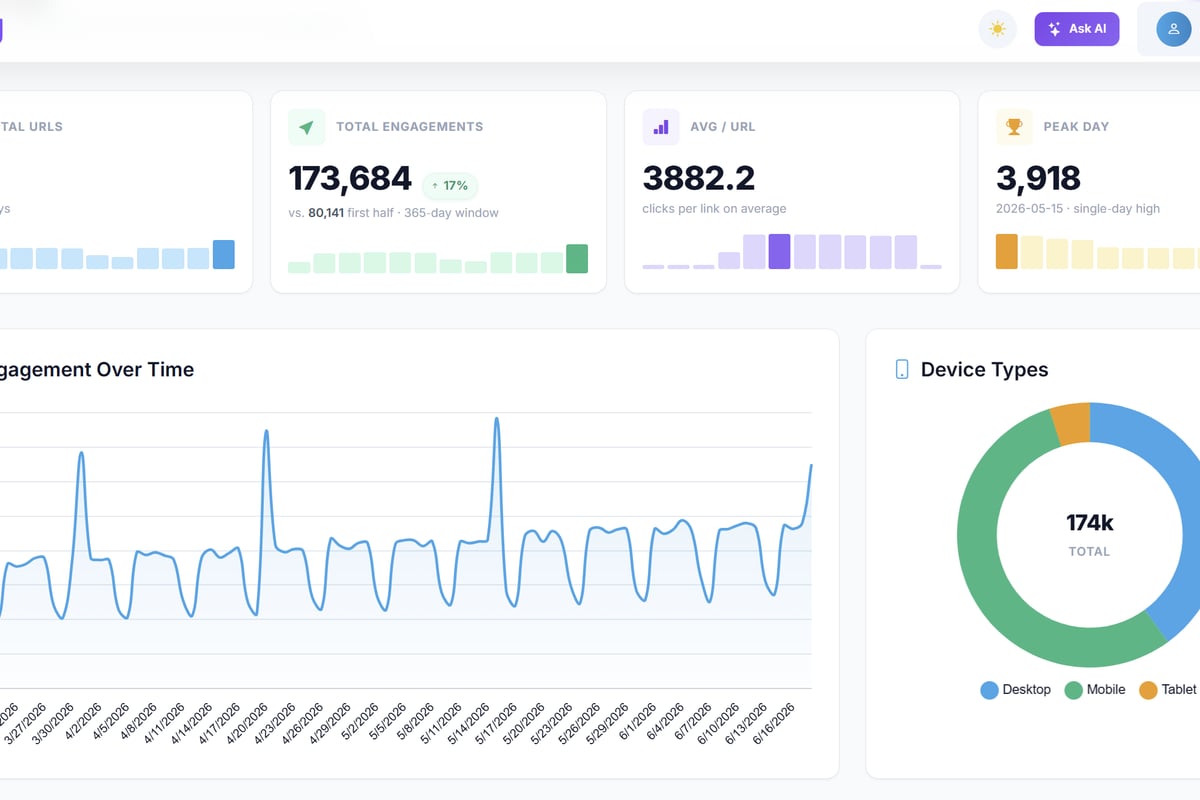
- Comprehensive analytics and audit logging
- Transport encryption and certificate management
- API access for workflow integration
- Multi-user account management with role separation
Platforms offering robust security features at accessible price points enable organizations of all sizes to implement professional-grade link protection. Trimy provides these security capabilities alongside advanced analytics and A/B testing, allowing teams to maintain both protection and performance optimization within a unified platform.
Scalability and Enterprise Requirements
As your organization grows, your secure link needs will evolve. Select platforms that can scale with you:
| Requirement | Small Team | Growing Business | Enterprise |
|---|---|---|---|
| User seats | 1-10 | 10-100 | 100+ |
| Link volume | Hundreds/month | Thousands/month | Millions/month |
| Custom domains | 1-2 | 3-10 | Unlimited |
| SSO integration | Optional | Recommended | Required |
| Dedicated support | Priority email | Account manager |
Choosing a platform that grows with your needs prevents costly migrations and maintains security consistency as you scale.
Regulatory Compliance and Legal Considerations
Secure link practices intersect with various regulatory requirements across industries and jurisdictions.
GDPR and Data Privacy
European data privacy regulations impose specific requirements on how you handle personal information in links:
- Data minimization: Avoid including personal data directly in URLs when possible
- Processing basis: Ensure you have legal grounds to share the linked content
- Right to erasure: Implement systems allowing link deletion upon request
- Transfer controls: Apply appropriate safeguards when sharing links across borders
These requirements apply whether your organization is based in Europe or simply processes data from European residents.
Industry-Specific Standards
Certain sectors face additional compliance obligations:
Healthcare (HIPAA): Require encryption, access logging, and automatic expiration for any links containing protected health information.
Finance (SOX, PCI-DSS): Implement multi-factor authentication and detailed audit trails for financial data access.
Education (FERPA): Protect student information through access controls and usage monitoring.
Understanding your industry's specific requirements ensures your secure link strategy satisfies both security and compliance objectives.
Emergency Response and Link Revocation
Even with comprehensive security measures, situations arise requiring immediate link deactivation.
Building Rapid Response Capabilities
Prepare for security incidents by establishing:
- Instant revocation tools: One-click link deactivation accessible to authorized team members
- Bulk management: Ability to disable multiple links simultaneously if broader breach suspected
- Emergency contacts: Clear escalation paths for security concerns
- Incident documentation: Templates for recording breach details and response actions
Quick response capabilities minimize damage when security events occur.
Post-Incident Analysis
After revoking compromised links, conduct thorough reviews:
- Identify how unauthorized access occurred
- Determine what data was exposed and for how long
- Assess whether similar vulnerabilities exist in other links
- Implement corrective measures to prevent recurrence
- Update security protocols based on lessons learned
This analysis transforms security incidents into improvement opportunities, strengthening your overall secure link strategy.
Future-Proofing Your Link Security Strategy
The threat landscape continuously evolves, requiring adaptive security approaches that can accommodate emerging challenges.
Emerging Security Technologies
Stay informed about developing protective measures:
- Behavioral biometrics: Verify users based on typing patterns and interaction styles
- Blockchain verification: Create immutable access records and distributed authentication
- AI-powered threat detection: Identify suspicious access patterns through machine learning
- Zero-trust architectures: Verify every access request regardless of source or history
While some technologies remain experimental, understanding their potential helps you prepare for future implementation.
Regular Security Audits
Schedule periodic reviews of your secure link practices:
- Quarterly: Review active links and revoke unnecessary access
- Semi-annually: Audit user permissions and role assignments
- Annually: Comprehensive security assessment including penetration testing
- Ongoing: Monitor security advisories affecting your link management platform
Regular audits identify gaps before they become breaches, maintaining robust protection as your operations evolve.
Implementing comprehensive secure link practices protects your sensitive content while maintaining the flexibility modern business demands. By combining password protection, expiration dates, access controls, and monitoring, you create multiple defense layers that significantly reduce security risks. Trimy empowers marketers and developers to build these security features into their link management workflows alongside advanced analytics and optimization tools, transforming every shared URL into a protected, intelligent asset that drives results while safeguarding your data.