How to Add Link to TikTok Bio: Complete 2026 Guide
Adding a clickable link to your TikTok bio transforms your profile from a passive showcase into an active traffic driver. Whether you're directing followers to a product page, content hub, or landing page, understanding how to add link to TikTok bio is essential for anyone using the platform for business or personal branding. This guide walks you through the complete process, from eligibility requirements to advanced optimization strategies that turn bio clicks into measurable results.
Understanding TikTok Bio Link Eligibility
TikTok has specific requirements that determine whether you can add a clickable link to your profile. Not every account sees the same options in their settings.
The most common eligibility pathways include:
- Business or Creator accounts with at least 1,000 followers
- Verified accounts regardless of follower count
- TikTok Shop sellers with an active storefront
- Accounts in certain regions where TikTok has enabled the feature broadly
Personal accounts with fewer than 1,000 followers typically cannot add clickable bio links, though this varies by region and TikTok's ongoing feature rollouts. If you don't meet the follower threshold, switching to a Business or Creator account type won't automatically grant access-the follower requirement still applies.

Account Type Matters
Switching from a personal account to a Business or Creator account unlocks additional features beyond bio links. Business accounts gain access to TikTok's advertising platform, comprehensive analytics, and contact buttons. Creator accounts offer similar analytics with more flexibility for certain content types.
To switch your account type:
- Tap your profile icon in the bottom right
- Select the three-line menu in the top right
- Tap Settings and privacy
- Choose Manage account
- Select Switch to Business Account or Switch to Creator Account
Keep in mind that business accounts cannot use certain licensed music tracks. If your content strategy relies heavily on popular music, a Creator account might better suit your needs while still providing bio link access once you reach 1,000 followers.
Step-by-Step: How to Add Link to TikTok Bio
Once you've confirmed your account is eligible, adding a link to your TikTok bio takes just a few minutes. The process is straightforward but requires navigating the right menus.
Accessing Your Profile Settings
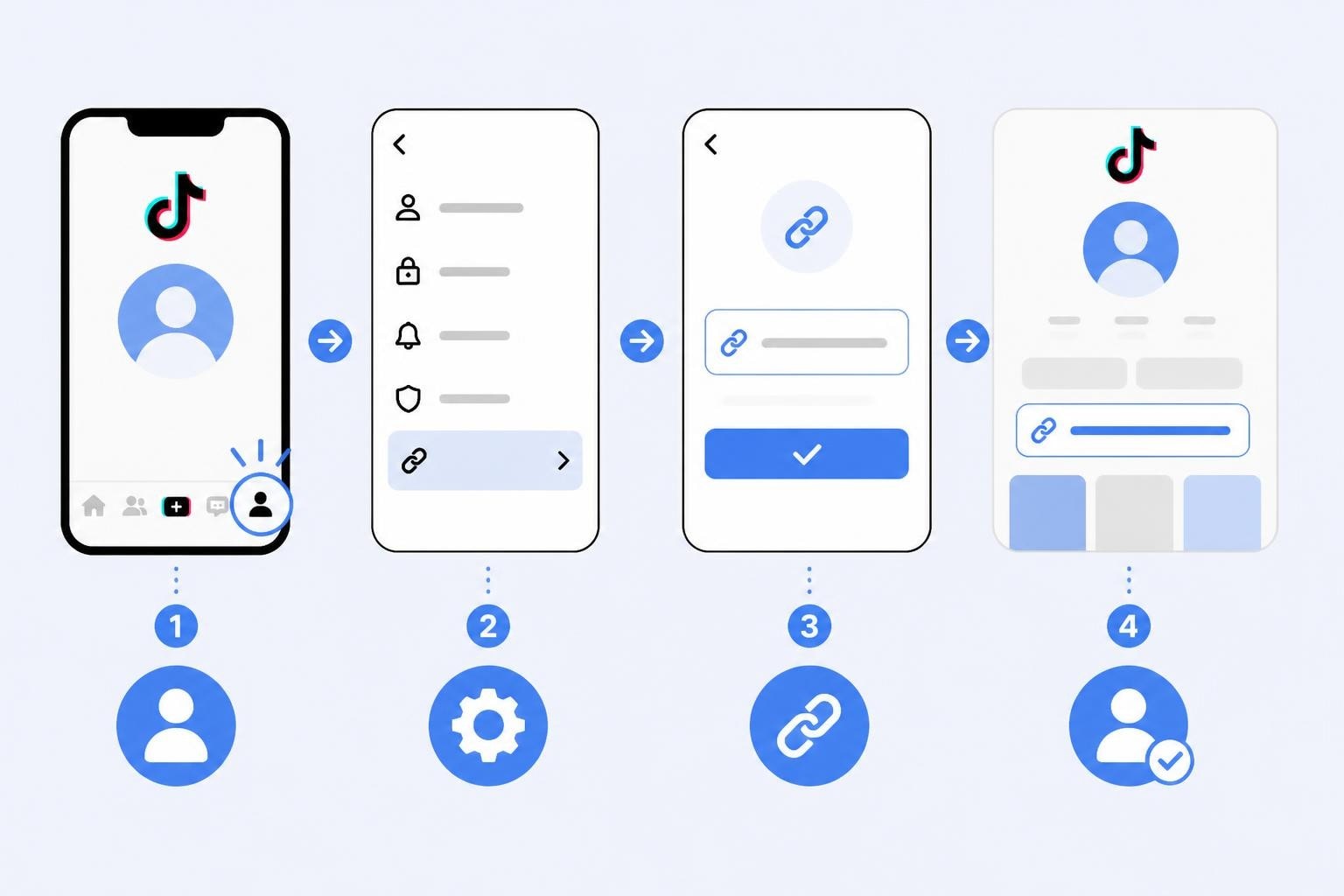
Start by opening the TikTok app and navigating to your profile by tapping the Me icon. From your profile screen, tap the Edit profile button located just below your username and bio.
This opens your profile editor, where you can modify your name, username, bio text, and-if eligible-add website links and other contact information.
Adding Your Link
In the Edit Profile screen, look for the Website field. This is where you'll add your clickable link. If you don't see this field, your account likely hasn't met the eligibility requirements yet.
When you find the Website field:
- Tap the field to activate the text input
- Enter your full URL including https:// (for example: https://yourdomain.com)
- Verify the URL is correct-typos will send followers to broken pages
- Tap Save in the top right corner
The link will now appear on your profile as a clickable element that opens in TikTok's in-app browser or the user's default browser, depending on their settings.
Buffer's comprehensive guide provides additional troubleshooting steps if the Website field isn't visible, including regional considerations and account verification status.
Verifying Your Link Appears
After saving, return to your profile and view it as your followers would. Tap the link to ensure it directs to the correct destination. Test on multiple devices if possible-occasionally formatting issues or regional restrictions can affect link visibility.
Choosing the Right Link for Your TikTok Bio
The single-link limitation in TikTok bios creates a strategic challenge. You must carefully select which destination provides the most value to your audience and your goals.
| Link Type | Best For | Pros | Cons |
|---|---|---|---|
| Direct website homepage | Brand awareness campaigns | Simple, memorable | Doesn't segment traffic by content |
| Product landing page | E-commerce sales | High conversion intent | Limited to single product |
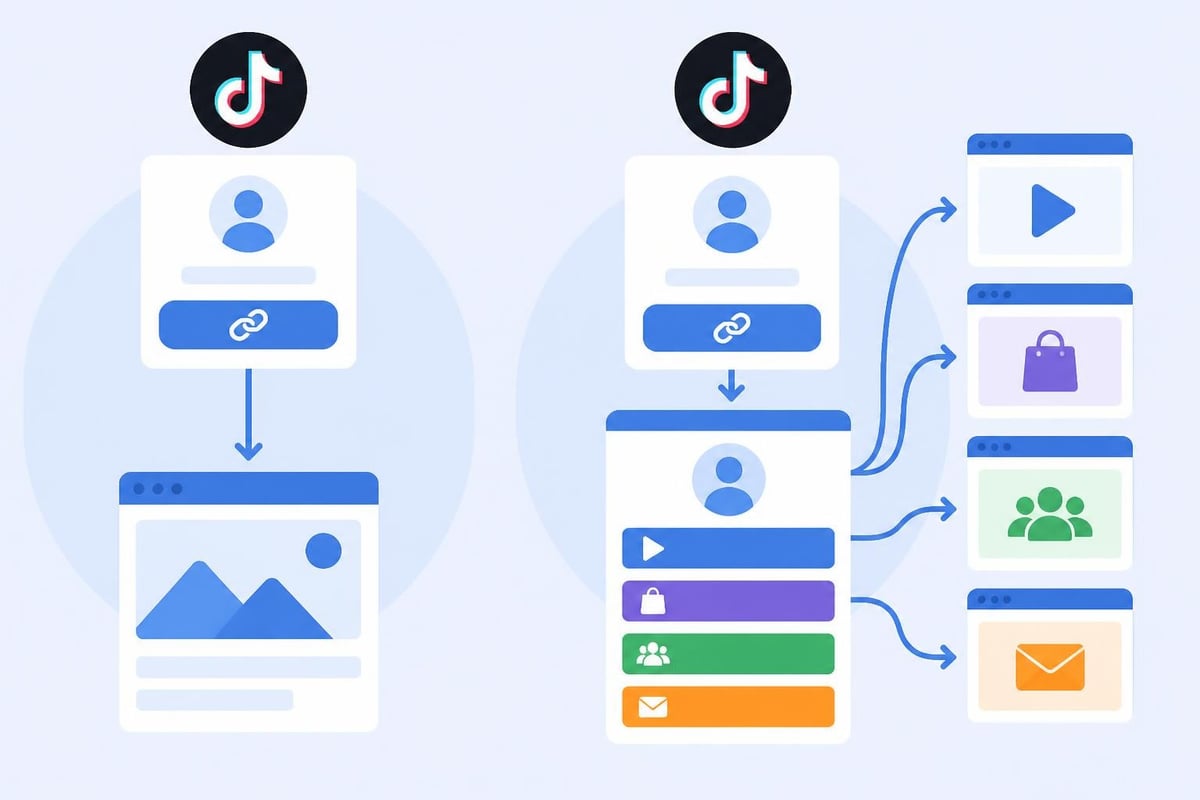
| Link-in-bio tool | Multiple destinations | Offers choices, tracks clicks | Extra step for users |
| Content hub | Building community | Centralizes resources | Requires maintenance |
Link-in-Bio Solutions
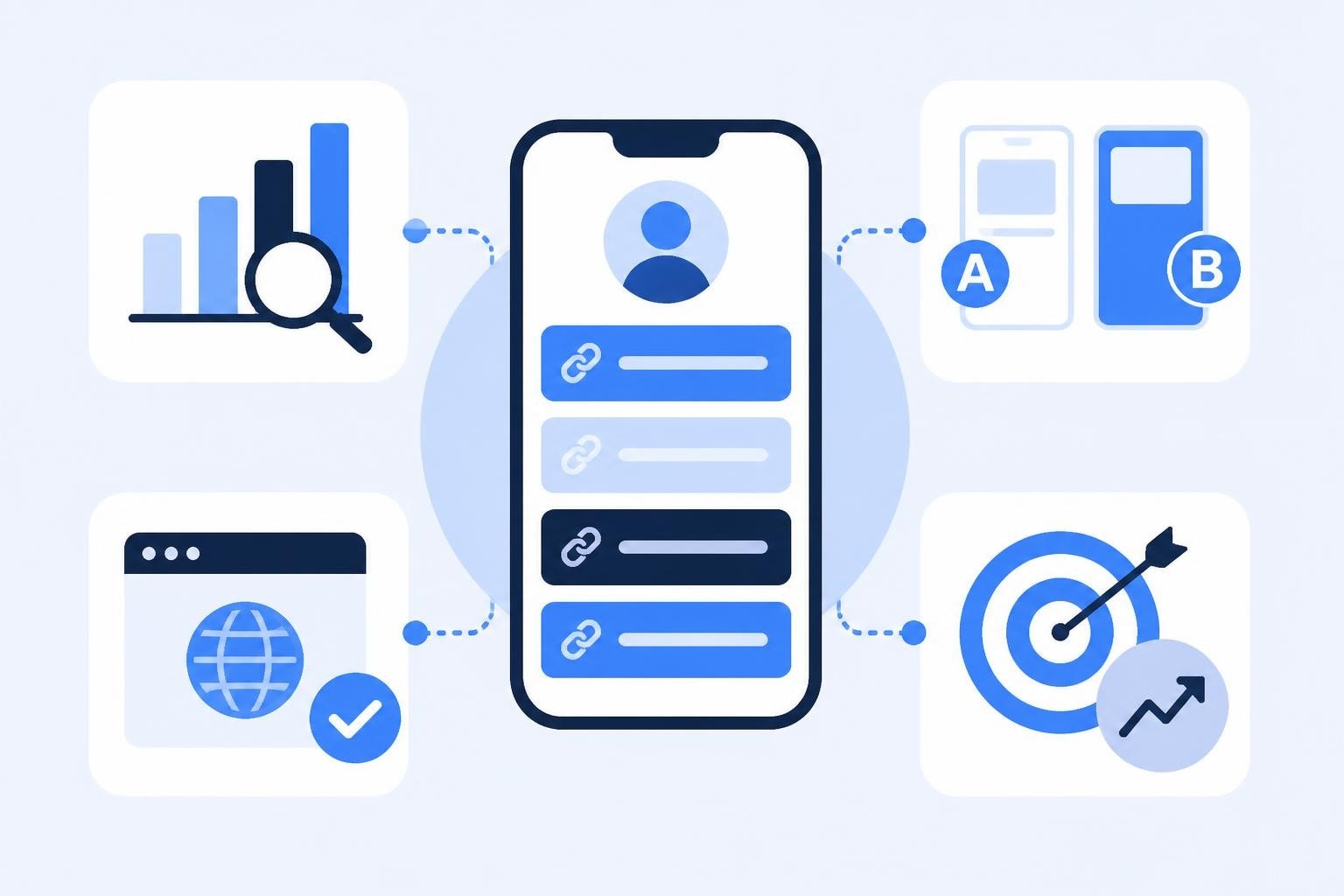
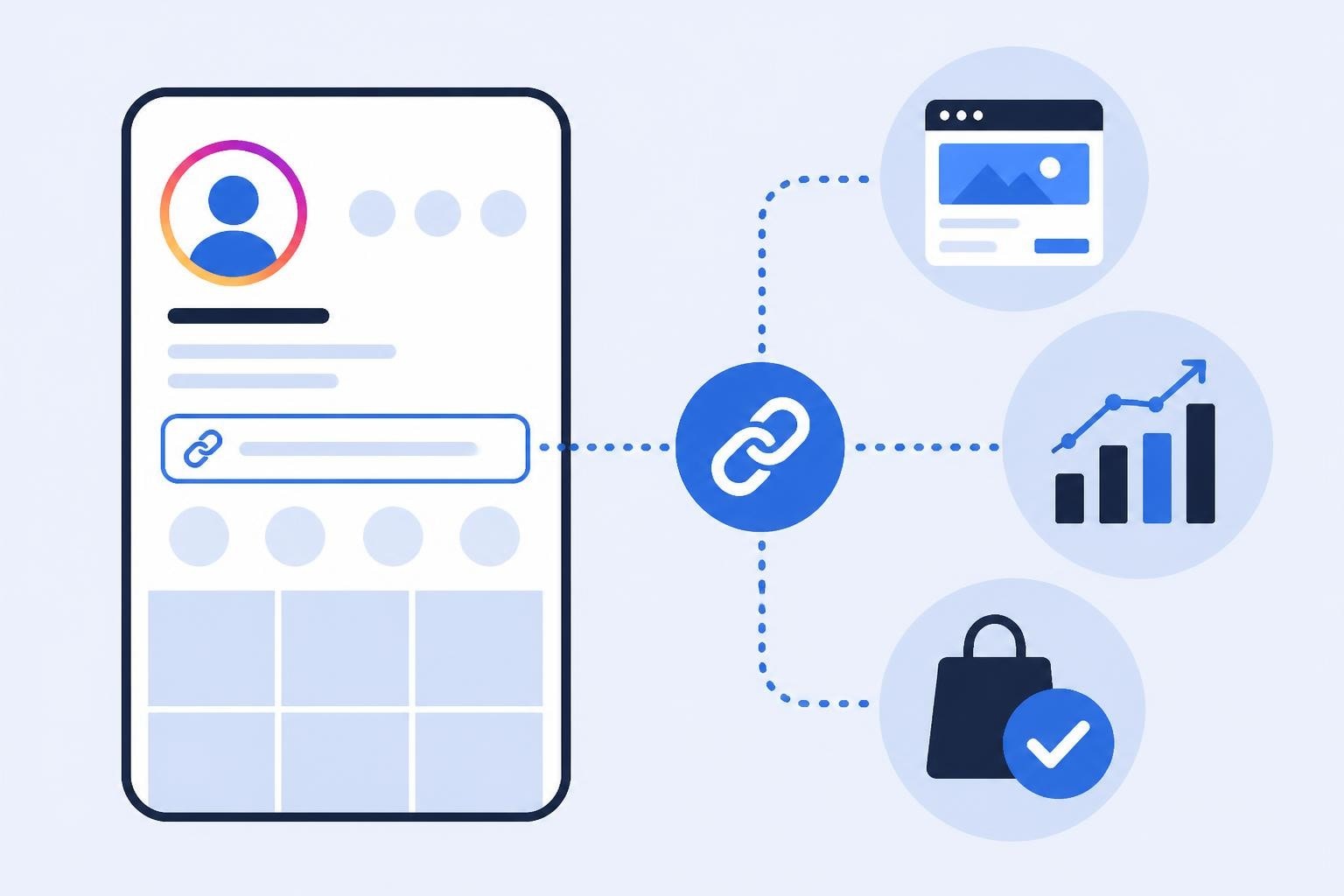
Many marketers use link-in-bio tools that host a single page with multiple onward links. This approach maximizes the value of your single TikTok bio slot by offering followers several destinations.
When selecting which link to feature, consider your current campaign priorities. If you're running a product launch, direct followers there. If you're building long-term community, a resource hub makes sense. The key is aligning your bio link with your active content strategy.
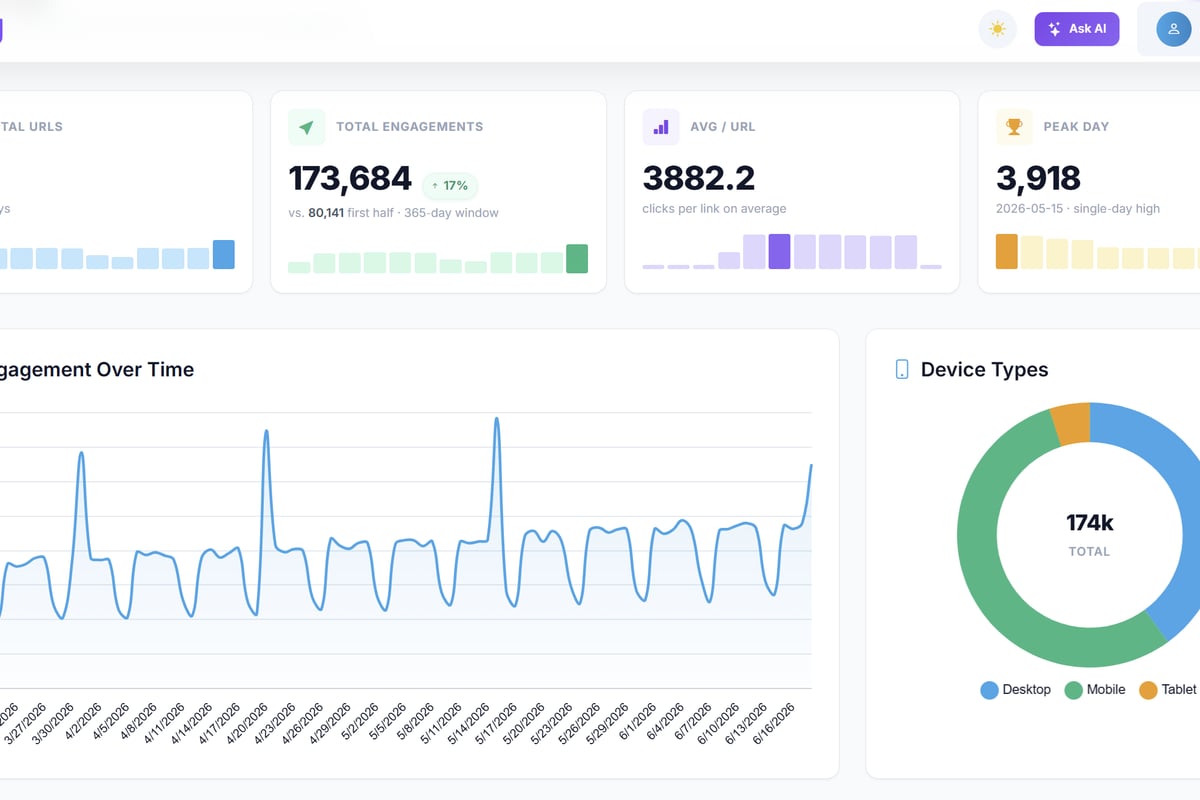
Modern link management platforms help you make this decision by providing data on which destinations drive the most valuable actions. Trimy offers advanced analytics that show not just click volume but conversion paths, letting you track which TikTok bio clicks lead to purchases, sign-ups, or other revenue-generating actions. With A/B testing built in, you can rotate different destinations and measure which performs best with your TikTok audience.
Optimizing Your Bio Text Around the Link
The clickable link is only part of the equation. The bio text you write around it significantly impacts click-through rates.
Writing Compelling Bio Copy
Your TikTok bio has 80 characters to communicate who you are and why someone should click your link. Make every character count.
Effective bio formulas include:
- Value proposition + CTA: "Daily productivity hacks 📊 Get my free template ⬇️"
- Identity + benefit: "Fitness coach | Transform in 12 weeks | Start here ⬇️"
- Authority + resource: "Featured in Forbes | Free marketing guide ⬇️"
Use emojis strategically to create visual breaks and highlight your call-to-action. The downward arrow (⬇️) is particularly effective for drawing eyes to your link.
HubSpot's research on profile optimization and link placement demonstrates that clear calls-to-action increase link click rates by up to 30% compared to passive bio text.
Aligning Bio with Content
Your bio should reflect your content themes. If your videos focus on sustainable fashion, your bio should mention sustainability. This consistency helps the right audience find and click your link.
Consider updating your bio text seasonally or when running specific campaigns. While changing the link destination frequently can confuse followers, refreshing the bio copy around it keeps your profile current and signals active management.
Troubleshooting Common Issues
Even when you meet eligibility requirements, you might encounter issues when trying to add or update your TikTok bio link.
Website Field Not Appearing
The most common problem is the Website field simply not showing up in your Edit Profile screen. This typically indicates:
- Your account hasn't reached 1,000 followers yet
- You're using a personal account type (not Business or Creator)
- Your region hasn't received the feature rollout
- There's a temporary app bug
Try these fixes:
- Update your TikTok app to the latest version
- Log out and log back in
- Clear your app cache in Settings
- Verify your account type and follower count
- Wait 24-48 hours after switching account types
Shopify's guide offers detailed workarounds for merchants experiencing persistent issues, including alternative methods for e-commerce businesses.
Links Not Clickable
If you've added a link but it appears as plain text rather than a clickable element, check that you've included the full protocol (https://) at the beginning of your URL. TikTok requires this for proper link formatting.
Some regions or account types may also experience restrictions on certain domain types. Avoid URL shorteners that TikTok flags as potentially suspicious-use custom branded domains when possible.
Business Center Configuration
For business accounts managed through TikTok's Business Center, account-level settings can sometimes override profile editing permissions. If you manage multiple accounts or work with an agency, verify that your profile editing permissions haven't been restricted at the Business Center level.
Tracking Performance of Your TikTok Bio Link
Adding a link is just the beginning. Understanding how that link performs tells you whether your TikTok strategy is working.
Built-in TikTok Analytics
Business and Creator accounts have access to TikTok's native analytics, found under Settings and privacy > Creator tools > Analytics. While TikTok doesn't provide direct bio link click tracking in the main analytics dashboard, you can infer engagement by monitoring:
- Profile views over time
- Follower growth correlation with content mentioning "link in bio"
- External source traffic in your website analytics
Enhanced Tracking with UTM Parameters
Adding UTM parameters to your TikTok bio link enables precise tracking in Google Analytics or other web analytics platforms.
A properly formatted UTM link for TikTok might look like:
https://yoursite.com?utm_source=tiktok&utm_medium=social&utm_campaign=bio_link
This structure lets you:
- Identify TikTok bio traffic separately from other TikTok ads or organic shares
- Compare bio link performance against other social platforms
- Measure conversion rates and revenue from TikTok profile visitors
Semrush's guide on social media tracking and measurement provides frameworks for integrating TikTok bio links into broader marketing measurement strategies.
Advanced Link Intelligence
Professional link management platforms take tracking several steps further. Beyond basic click counts, they reveal:
- Geographic distribution of clicks (which countries or cities click most)
- Device and browser data (mobile vs. desktop traffic patterns)
- Time-based patterns (when your TikTok audience is most likely to click)
- Conversion attribution (which clicks led to purchases or sign-ups)
This level of insight transforms your bio link from a static redirect into a measurable marketing channel with clear ROI.
Advanced Strategies for Maximizing Bio Link Value
Once you've mastered how to add link to TikTok bio, you can implement advanced tactics that professional marketers use to extract maximum value.
A/B Testing Link Destinations
Rather than guessing which destination resonates with your TikTok audience, test different options systematically. Spend two weeks directing traffic to your product page, then two weeks sending it to a content hub, and compare the results.
Advanced link management platforms automate this process with built-in A/B testing that randomly splits traffic between multiple destinations and measures which performs better. This removes guesswork from your strategy.
Dynamic Link Routing
Smart routing directs different segments of your audience to different destinations based on their characteristics. For example:
- Mobile users go to app download pages
- Desktop users go to full website experiences
- International visitors see localized landing pages
- Returning visitors skip intro content and go directly to new offers
This level of sophistication requires a link management platform with routing logic, but it can dramatically improve conversion rates by matching the destination to each visitor's context.
Coordinating Link Changes with Content
Time your bio link updates to align with your content calendar. When you post a video about a specific product, update your bio link to point directly to that product's page. Reference the link change in your video ("Check my bio for the link!") to drive immediate traffic.
This approach works particularly well for:
- Product drops and launches
- Limited-time offers and sales
- Event registrations with deadlines
- Content series with dedicated landing pages
Cross-Platform Link Consistency
Many of your TikTok followers likely follow you on Instagram, YouTube, or other platforms as well. Maintaining consistent bio links across platforms-or using the same link-in-bio hub-creates a seamless experience.
Hootsuite's comprehensive guide to link-in-bio optimization across platforms demonstrates how cross-platform consistency improves brand recall and reduces follower confusion.
When networking or collaborating with other creators, consider tools that let you share professional contact information efficiently. Digital business cards offer a modern solution for connecting with collaborators and potential partners, providing an always-updated contact method that integrates with your broader digital presence.
Compliance and Best Practices
Adding links to social profiles comes with responsibilities, particularly when those links lead to commercial content or partnerships.
FTC Disclosure Requirements
If your TikTok bio link directs to sponsored content, affiliate offers, or partner promotions, ensure you comply with Federal Trade Commission guidelines. The FTC requires clear disclosure when there's a material connection between you and the products or services you promote.
While the bio itself is often too short for full disclosure, your video content should clearly indicate when you're promoting partners or earning commissions from clicks.
Privacy and Data Collection
If your bio link leads to a site that collects email addresses or other personal information, ensure you have appropriate privacy policies in place. Be transparent about how you use follower data gathered through your TikTok traffic.
Link Safety and Trust
Avoid link practices that might trigger TikTok's spam filters or damage follower trust:
- Don't use suspicious-looking shortened links without a clear brand connection
- Avoid frequent destination changes that confuse followers
- Never link to malware, phishing sites, or prohibited content
- Test links regularly to ensure they're not broken
Building long-term trust with your TikTok audience requires consistency and reliability in where your bio link leads.
Measuring ROI from Your TikTok Bio Link
Understanding the return on investment from your TikTok presence requires tracking beyond simple click counts.
Revenue Attribution
For e-commerce businesses, the ultimate question is: how many sales came from TikTok bio link clicks? Proper attribution tracking connects the dots from profile visit to purchase.
Set up conversion tracking that identifies:
- First-click attribution (TikTok as the initial touchpoint)
- Last-click attribution (TikTok as the final touchpoint before purchase)
- Multi-touch attribution (TikTok's role in a longer journey)
This data informs budget allocation and content strategy decisions.
Lead Quality Assessment
For B2B businesses or service providers, bio link success might mean qualified leads rather than immediate sales. Track:
- Form submission rates from TikTok traffic
- Lead quality scores compared to other channels
- Cost per qualified lead from your TikTok efforts
Sprout Social's guide on TikTok link optimization and measurement offers frameworks for aligning your bio link strategy with broader business objectives.
Content Performance Correlation
Analyze which types of TikTok content drive the most bio link clicks. Do educational videos outperform entertainment content? Do product demos drive more clicks than behind-the-scenes footage?
This analysis reveals which content formats serve as the best traffic drivers, allowing you to double down on what works.
| Metric | What It Measures | Why It Matters |
|---|---|---|
| Click-through rate | % of profile visitors who click the link | Indicates bio copy effectiveness |
| Bounce rate | % who leave immediately after clicking | Shows link-content alignment |
| Time on page | Average session duration | Reveals engagement quality |
| Conversion rate | % who complete desired action | Measures actual business impact |
Mastering how to add link to TikTok bio opens a direct channel from your social content to measurable business results. By combining proper setup with strategic link selection, compelling bio copy, and robust tracking, you transform your TikTok profile into a performance marketing asset. Trimy helps you maximize that asset by providing the link intelligence you need-advanced analytics, A/B testing capabilities, and deep conversion insights that show exactly how your TikTok traffic contributes to revenue, turning every bio click into actionable business data.