What Is a Tracking Pixel and How Does It Work in 2026?

When you open an email, visit a website, or click on a digital advertisement, an invisible technology is often working behind the scenes to track your behavior. This technology is called a tracking pixel, and it has become one of the most fundamental tools in digital marketing and analytics. Understanding what is a tracking pixel and how it functions can help marketers, developers, and business professionals make informed decisions about their online campaigns and data collection strategies.
Understanding the Basics of Tracking Pixels
A tracking pixel is a tiny piece of code embedded in websites, emails, or advertisements that monitors user behavior and collects valuable data. Despite its name, a tracking pixel functions as a 1x1 transparent image file that is virtually invisible to the naked eye. When a user loads content containing this code, the pixel fires and sends information back to the server that placed it.
The technology works through a simple but powerful mechanism. When someone interacts with content containing a tracking pixel, their browser makes a request to the server hosting that pixel. This request creates a log entry that captures specific information about the interaction, including timestamps, device information, and user behavior patterns.
Technical Components of Tracking Pixels
What is a tracking pixel from a technical perspective? At its core, it consists of HTML or JavaScript code that references an image file stored on a remote server. The code typically looks like a standard image tag but with specific parameters attached to capture data.
The pixel operates through several key components:
- Server request: The user's browser automatically requests the pixel image from the hosting server
- Data transmission: Information about the user and their behavior gets sent along with the request
- Log creation: The server records the interaction with timestamps and metadata
- Cookie placement: Many pixels set or read cookies to enable cross-session tracking
Modern tracking pixels have evolved beyond simple image tags. Many now incorporate JavaScript snippets that can collect more sophisticated data points and trigger complex tracking scenarios across multiple platforms.

Types of Data Collected by Tracking Pixels
When examining what is a tracking pixel capable of monitoring, the range of data collection is extensive. These small codes capture various types of information that marketers use to optimize their campaigns and understand audience behavior.
| Data Type | Description | Marketing Use |
|---|---|---|
| IP Address | User's internet protocol address | Geographic targeting and fraud detection |
| Device Information | Browser type, operating system, screen resolution | Cross-device campaign optimization |
| Timestamp | Exact time of interaction | Behavior pattern analysis |
| Referrer URL | Source page before current interaction | Attribution modeling |
| User Actions | Clicks, scrolls, form submissions | Conversion tracking and funnel analysis |
Beyond these basic metrics, tracking pixels can monitor email open rates, measure how long users spend on specific pages, and track whether someone completes a desired action like making a purchase or signing up for a newsletter. This data becomes particularly valuable when combined with other analytics tools to create comprehensive user profiles.
Conversion Tracking and Attribution
One of the primary applications of tracking pixels involves conversion tracking. Marketers place pixels on thank-you pages, checkout confirmations, or other conversion endpoints to measure campaign effectiveness. When a user reaches these pages, the pixel fires and attributes the conversion to the appropriate marketing channel.
This attribution capability answers critical questions about marketing ROI. Which email campaign drove the most sales? What percentage of users who clicked an ad actually converted? How long is the typical customer journey from first touch to purchase?
Common Use Cases Across Digital Marketing
Understanding what is a tracking pixel means recognizing its diverse applications across different marketing channels. These tools have become indispensable for modern digital strategies, enabling precise measurement and optimization.
Email Marketing Applications
Email marketers rely heavily on tracking pixels to measure campaign performance. A pixel embedded in an email's HTML code fires when a recipient opens the message, providing real-time data about engagement rates. This information helps marketers segment audiences based on engagement levels and optimize send times for maximum impact.
Beyond open rates, email pixels can track:
- Link clicks within the email body
- Time spent reading the message
- Device type used to open the email
- Geographic location of the recipient
- Whether the email was forwarded
Retargeting and Remarketing Campaigns
Tracking pixels play a crucial role in retargeting campaigns by identifying users who have previously interacted with your brand. When someone visits your website, a pixel drops a cookie in their browser. This cookie enables advertising platforms to show targeted ads to that user as they browse other websites or social media platforms.
The retargeting process creates multiple touchpoints with potential customers, significantly improving conversion rates compared to cold advertising. Users who have already shown interest in your products or services are far more likely to convert when reminded of your offering through strategic ad placements.

Link Management and Tracking Pixel Integration
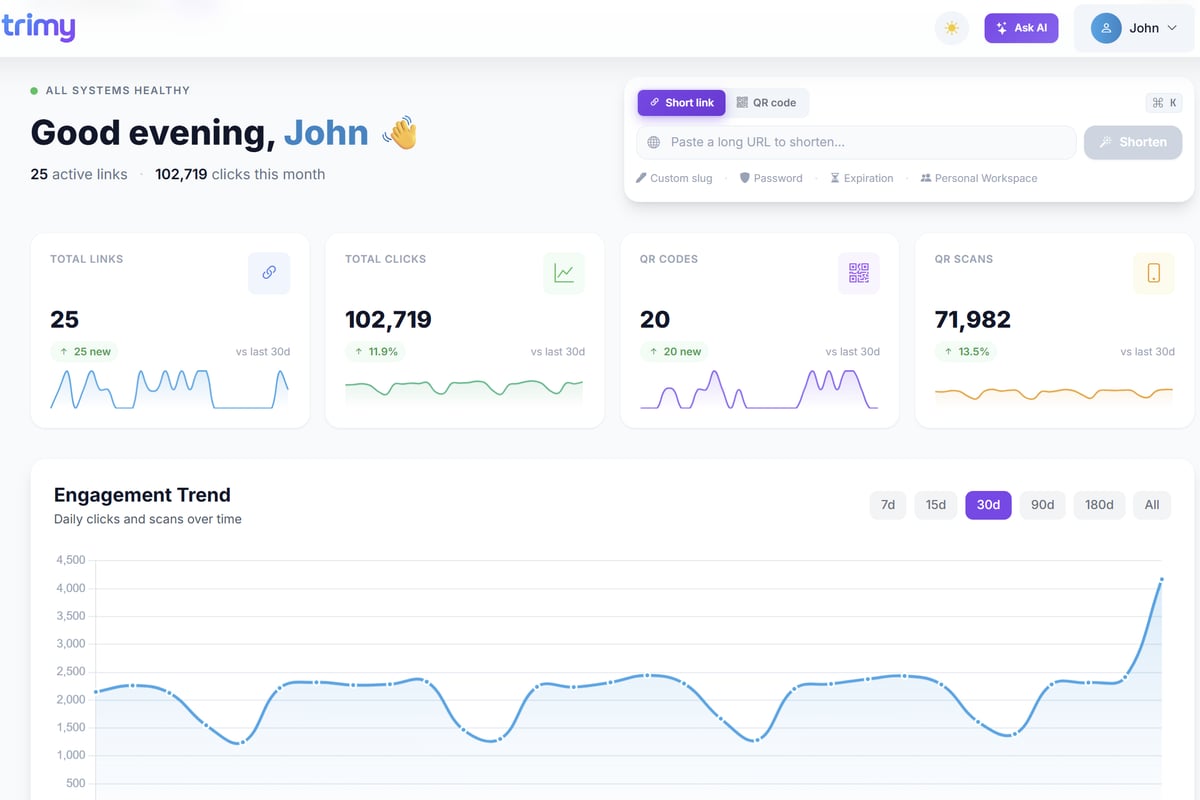
For businesses focused on link intelligence and campaign optimization, understanding what is a tracking pixel becomes essential for comprehensive analytics. Modern link management platforms have evolved to integrate pixel tracking capabilities alongside traditional URL metrics, creating a unified view of marketing performance.
When you share links across marketing channels, embedding tracking pixels allows you to monitor user behavior beyond the initial click. You can see whether users who clicked your shortened links actually converted, which traffic sources deliver the highest quality leads, and how different audience segments interact with your content.
Trimy combines these capabilities into a single platform, allowing marketers to manage both link analytics and pixel-based tracking. By adding retargeting pixels to your shortened URLs and monitoring conversion events alongside click data, you gain complete visibility into your marketing funnel from initial engagement through final conversion.
Advanced Analytics Through Pixel Integration
The combination of link tracking and pixel-based analytics unlocks sophisticated measurement capabilities:
- Multi-touch attribution: Connect first-click data from links with last-touch conversion pixels
- A/B testing validation: Verify that traffic split tests lead to actual conversion differences
- Channel performance comparison: Measure which marketing channels drive not just clicks but valuable actions
- Customer journey mapping: Visualize the complete path from link click through multiple interactions to conversion
Privacy Considerations and Compliance Requirements
As powerful as tracking pixels are, their use comes with significant privacy and compliance responsibilities. Legal frameworks around the world now regulate how businesses can deploy tracking technologies and what disclosures they must make to users.
Regulatory Landscape in 2026
The privacy environment has evolved considerably, with regulations like GDPR in Europe, CCPA in California, and similar laws in other jurisdictions setting strict requirements for tracking pixel deployment. These regulations generally require:
- Explicit user consent before placing tracking pixels
- Clear disclosure of what data is collected and how it's used
- Easy opt-out mechanisms for users who don't want to be tracked
- Data minimization practices that limit collection to necessary information
- Secure storage and transmission of collected data
Security Risks and Mitigation
Security concerns surrounding tracking pixels have grown as cyber threats become more sophisticated. Malicious actors can potentially exploit pixels to inject harmful code, track users without consent, or harvest sensitive information.
Organizations deploying tracking pixels should implement security best practices including regular audits of third-party pixels, encryption of data transmission, and monitoring for unauthorized pixel installations. Understanding what is a tracking pixel from a security perspective means recognizing both its legitimate uses and potential vulnerabilities.
| Security Concern | Potential Impact | Mitigation Strategy |
|---|---|---|
| Unauthorized data collection | Privacy violations, regulatory fines | Regular pixel audits and consent management |
| Cross-site tracking | User privacy invasion | First-party data focus, cookie restrictions |
| Malicious code injection | Website compromise | Content Security Policy implementation |
| Data breaches | Customer trust loss | Encryption and secure data handling |
Implementation Best Practices
Knowing what is a tracking pixel is only the first step. Successful implementation requires careful planning and adherence to best practices that balance data collection needs with user privacy and experience.
Strategic Pixel Placement
The effectiveness of tracking pixels depends heavily on where and how you deploy them. Place conversion pixels on pages that represent meaningful business outcomes, such as purchase confirmations, lead form submissions, or account creation pages. Avoid over-pixeling, which can slow page load times and create privacy concerns.
Consider implementing a tag management system to organize and control all your tracking pixels from a centralized platform. This approach simplifies deployment, reduces errors, and makes it easier to update or remove pixels as needed.
Testing and Validation
Before launching campaigns that rely on tracking pixel data, thoroughly test each pixel to ensure it fires correctly and captures the intended information. Use browser developer tools or specialized testing extensions to verify pixel activation and examine the data being transmitted.
Common testing scenarios include:
- Cross-browser compatibility: Verify pixels work across Chrome, Safari, Firefox, and Edge
- Mobile responsiveness: Test on various mobile devices and operating systems
- Ad blocker interaction: Understand how common ad blockers affect pixel functionality
- Load time impact: Measure whether pixels significantly slow page rendering
The Future of Tracking Technology
As we progress through 2026, the landscape of tracking pixels continues evolving in response to privacy regulations, browser restrictions, and changing user expectations. Major browsers have implemented increasingly strict tracking prevention measures, forcing marketers to adapt their strategies.
Server-Side Tracking Evolution
One significant trend involves the shift from client-side to server-side tracking. Traditional tracking pixels execute in the user's browser, making them vulnerable to ad blockers and privacy tools. Server-side tracking moves data collection to the server level, where interactions are logged before content reaches the user's device.
This approach offers several advantages:
- Greater accuracy due to reduced ad blocker interference
- Improved page load speeds since less code runs in the browser
- Better data quality through controlled server environments
- Enhanced privacy control over what information gets shared
First-Party Data Focus
Understanding what is a tracking pixel in the context of privacy-first marketing means recognizing the shift toward first-party data strategies. Rather than relying solely on third-party tracking pixels from advertising platforms, businesses are developing their own tracking infrastructure using pixels that collect data directly into their systems.
This first-party approach provides more reliable data, reduces dependence on external platforms, and gives businesses complete control over their customer information. Combined with proper consent management and transparent privacy policies, first-party tracking pixels can deliver valuable insights while respecting user privacy.

Measuring ROI with Tracking Pixels
The ultimate value of understanding what is a tracking pixel lies in its ability to demonstrate marketing return on investment. By connecting marketing activities to actual business outcomes, pixels transform abstract metrics like impressions and clicks into concrete revenue data.
Attribution Modeling
Tracking pixels enable sophisticated attribution models that assign credit to different marketing touchpoints along the customer journey. Whether you use last-click, first-click, linear, or time-decay attribution, pixels provide the underlying data that makes these models possible.
Modern marketers often employ multi-touch attribution that recognizes the contribution of every interaction. A customer might first discover your brand through a social media ad (tracked by a pixel), click an email link weeks later (tracked by an email pixel), and finally convert after clicking a retargeting ad (tracked by a conversion pixel). Each pixel captures a piece of the journey, creating a complete picture of what drove the sale.
Campaign Optimization Strategies
The real-time data from tracking pixels allows for continuous campaign optimization. When you understand which creative variations, audience segments, and channels drive conversions, you can reallocate budget to the highest-performing elements and pause underperforming campaigns.
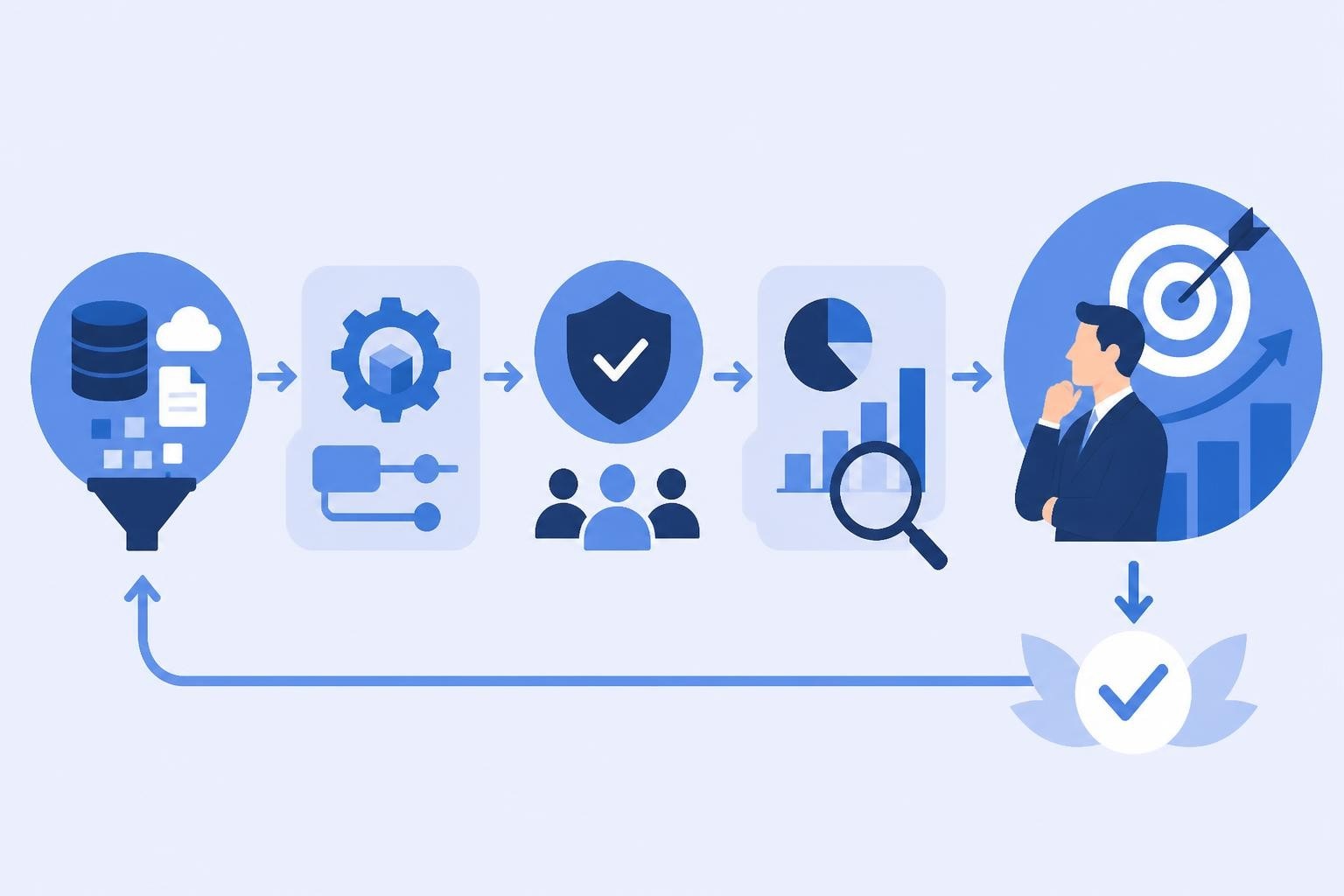
This optimization process follows a cycle:
- Deploy tracking pixels across all marketing touchpoints
- Collect performance data over a statistically significant period
- Analyze which variables correlate with desired outcomes
- Adjust campaigns based on data-driven insights
- Repeat the measurement and optimization cycle
Technical Challenges and Solutions
Even with a solid understanding of what is a tracking pixel, marketers often encounter technical challenges during implementation and maintenance. Browser updates, platform changes, and evolving privacy standards can disrupt tracking accuracy.
Cross-Domain Tracking Complexities
When users navigate between multiple domains within your marketing ecosystem, maintaining consistent tracking becomes complex. A user might click a link in your email, land on a landing page hosted on one domain, and complete a purchase on your main ecommerce site on another domain.
Solving cross-domain tracking requires careful coordination:
- Configure pixels to share user identifiers across domains
- Implement consistent cookie policies across all properties
- Use URL parameters to pass tracking information between domains
- Ensure all domains are properly configured in your analytics platform
Ad Blocker Mitigation
With a significant percentage of users employing ad blockers, tracking pixel functionality can be compromised. While respecting user privacy choices is paramount, businesses need accurate data to make informed decisions.
Strategies to maintain measurement accuracy include using first-party tracking domains, implementing server-side tracking where appropriate, and developing statistical models to account for unmeasured traffic. Some platforms also offer probabilistic matching techniques that estimate blocked tracking data based on observable patterns.
Integration with Marketing Technology Stacks
Understanding what is a tracking pixel also means recognizing how it fits within the broader marketing technology ecosystem. Pixels rarely operate in isolation; they integrate with CRM systems, email platforms, advertising networks, and analytics tools to create unified customer data.
Data Flow Architecture
A well-designed tracking pixel implementation feeds data into a central repository where it can be analyzed alongside other customer information. This might include:
- CRM data showing customer relationship history
- Transaction data from ecommerce platforms
- Email engagement metrics from marketing automation tools
- Social media interaction data from advertising platforms
- Website analytics from tools like Google Analytics
By connecting pixel data with these other sources, you create a comprehensive view of customer behavior that drives more accurate segmentation, personalization, and prediction.
API-Based Tracking Extensions
Modern tracking pixel implementations often extend beyond the basic image tag to include API-based tracking that sends data programmatically. This approach offers greater flexibility in what data gets collected, when it's sent, and how it's processed.
API tracking enables real-time data synchronization between platforms, allowing immediate action on user behavior. For example, when a conversion pixel fires, an API call might instantly add the user to a specific email nurture sequence or update their profile in your CRM.
Tracking pixels have become an essential component of modern digital marketing, providing the data foundation that drives campaign optimization and business growth. By understanding what is a tracking pixel, how it collects information, and the privacy considerations involved, marketers can leverage this technology responsibly and effectively. Whether you're measuring email engagement, tracking conversions, or building retargeting audiences, pixels deliver the insights needed to connect marketing activities with revenue outcomes. Trimy helps you take this further by combining pixel tracking with advanced link intelligence, giving you complete visibility into your marketing funnel from initial click through final conversion, all while maintaining the privacy standards users expect in 2026.