Create QR from URL: Complete Guide for 2026

QR codes have evolved from simple black-and-white squares into sophisticated marketing tools that bridge physical and digital experiences. When you create QR from URL, you're building a direct pathway between offline touchpoints and online destinations. This technology has become essential for businesses seeking to track customer journeys, optimize conversion funnels, and deliver seamless omnichannel experiences. Understanding how to effectively generate, customize, and deploy URL-based QR codes can dramatically improve your marketing ROI and provide actionable intelligence about audience behavior.
Understanding URL to QR Code Conversion
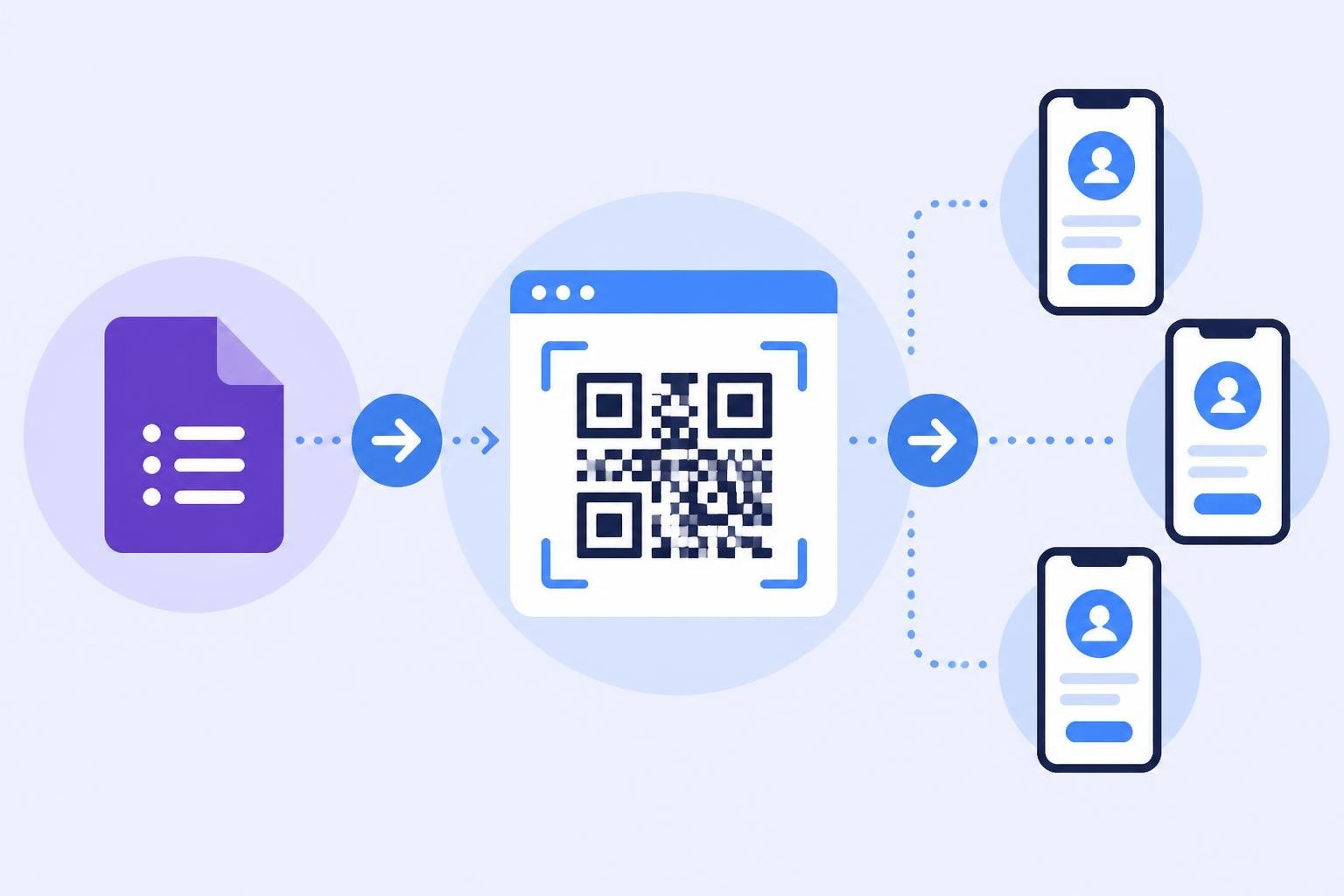
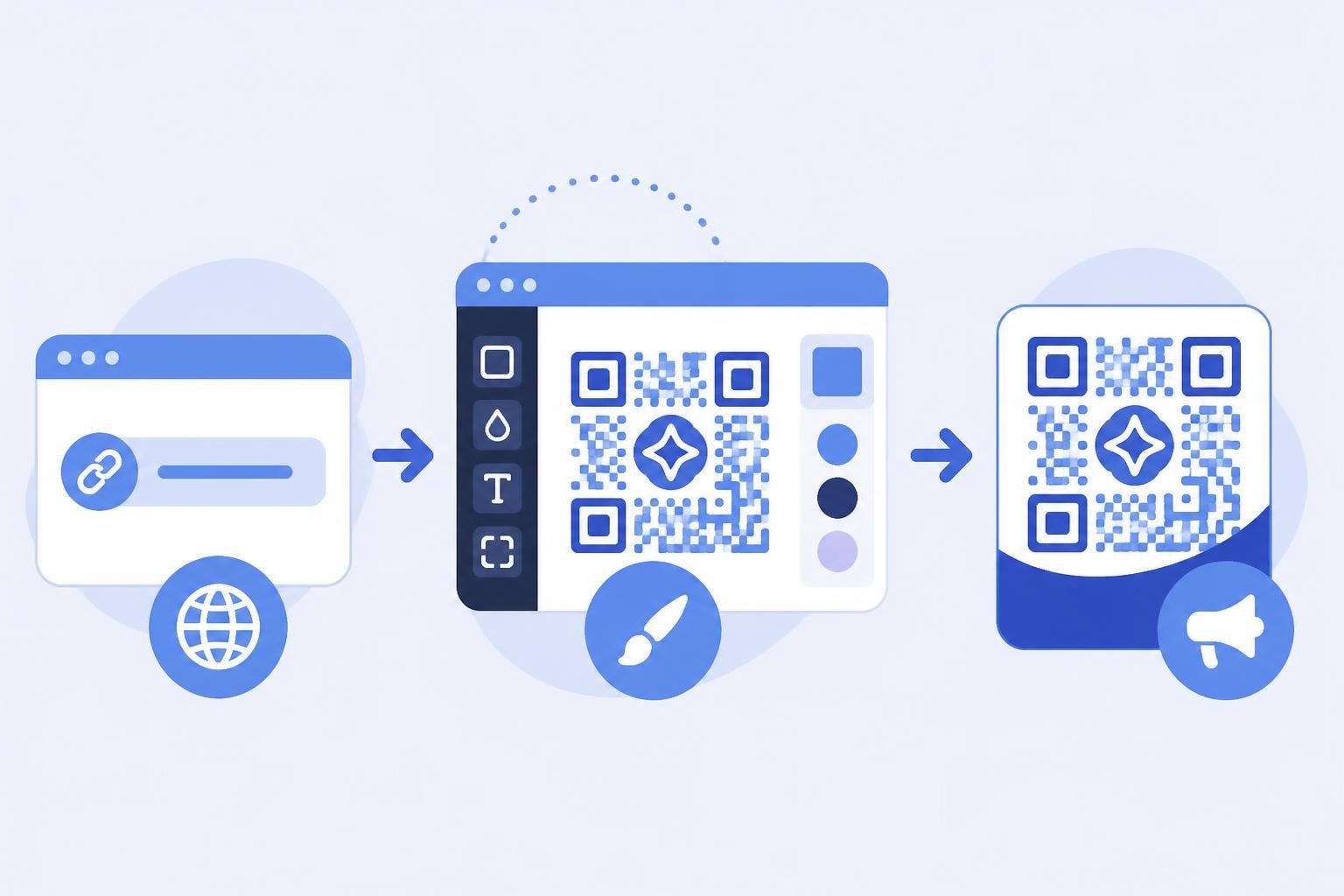
When you create QR from URL, you're essentially encoding a web address into a scannable matrix barcode. The process involves converting your destination URL into a visual pattern that smartphone cameras can decode instantly. This transformation relies on error correction algorithms and data encoding standards that ensure reliability across different scanning conditions.
The technical foundation of QR codes allows them to store various data types, but URLs remain the most common application. Modern QR generators use Reed-Solomon error correction, which means your code remains scannable even if up to 30% of the image is damaged or obscured. This resilience makes QR codes ideal for printed materials, outdoor signage, and packaging where wear and tear are inevitable.
How QR Code Generation Works
The generation process follows a structured workflow that determines the final code's capacity and appearance. First, your URL is analyzed for length and character complexity. Longer URLs require higher-density QR patterns with more data modules, which impacts minimum size requirements for reliable scanning.
Key technical considerations include:
- Data capacity limitations (typically 2,953 bytes for binary data)
- Error correction level selection (L, M, Q, or H)
- Version selection (1-40, determining matrix size)
- Encoding mode optimization (numeric, alphanumeric, or byte)
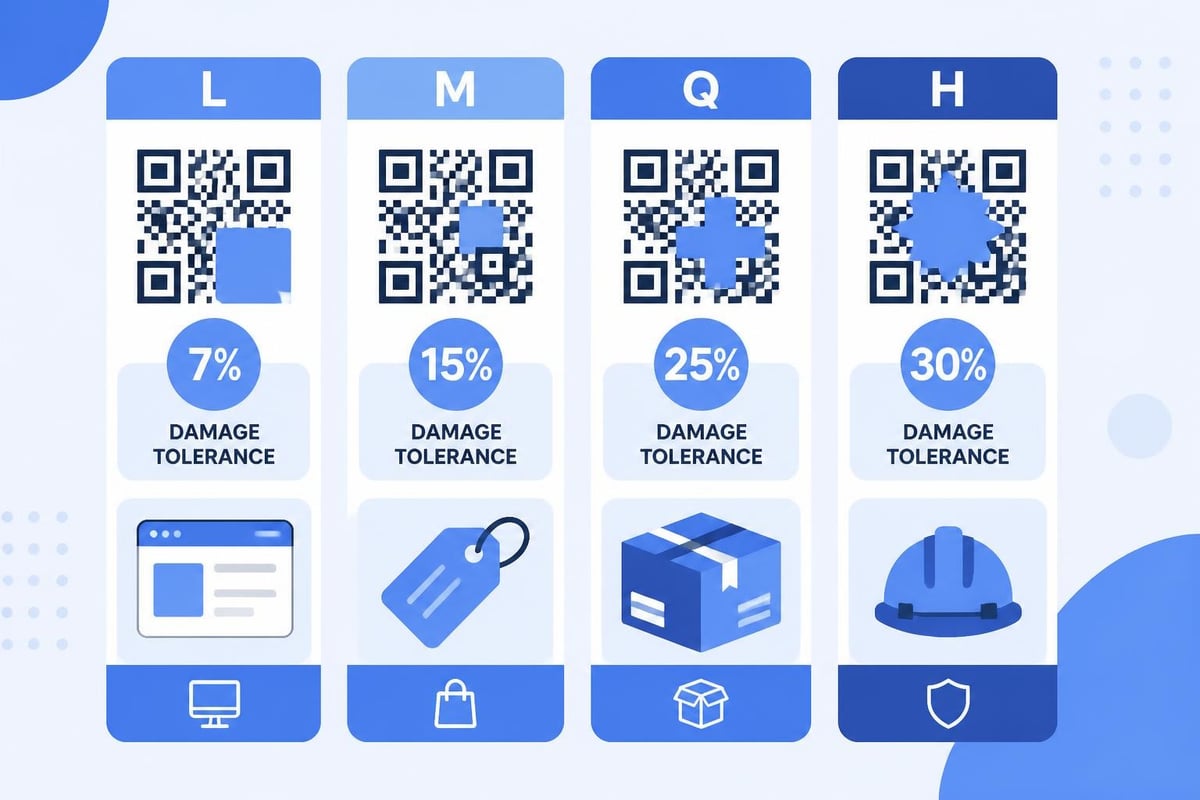
The error correction level you choose directly affects your QR code's resilience. Level L provides 7% error recovery, suitable for controlled environments. Level M offers 15% recovery for general use. Level Q gives 25% recovery for codes that might experience moderate damage. Level H provides 30% recovery, ideal for industrial applications or outdoor placement where environmental factors pose significant challenges.
Choosing the Right QR Code Generator
Not all generators deliver the same quality or functionality when you create QR from URL. The market offers dozens of options, ranging from basic free tools to enterprise platforms with advanced tracking and analytics capabilities. Your choice should align with your specific business needs, technical requirements, and budget constraints.
Professional marketers require generators that provide more than simple code creation. Look for platforms offering URL shortening, click tracking, dynamic code editing, and campaign management features. These capabilities transform static QR codes into intelligent marketing assets that deliver measurable results.
Essential Generator Features
| Feature | Basic Generators | Professional Platforms |
|---|---|---|
| URL encoding | Yes | Yes |
| Custom domains | No | Yes |
| Click analytics | Limited | Comprehensive |
| Dynamic editing | No | Yes |
| A/B testing | No | Yes |
| API access | Rarely | Standard |
| White-labeling | No | Available |
When evaluating platforms to create QR from URL, consider the destination URL's permanence. Static QR codes lock your URL into the visual pattern permanently. If you need to update the destination later, you'll require a completely new code. Dynamic QR codes solve this problem by encoding a redirect URL that you control, allowing destination changes without regenerating the code itself.
This detailed guide on QR code creation demonstrates various platform options for different operating systems and use cases.
Best Practices for URL-Based QR Codes
Success with QR codes extends beyond simple generation. Following established best practices ensures optimal scan rates and positive user experiences. The comprehensive best practices outlined by industry experts emphasize the critical relationship between physical specifications and scanning reliability.
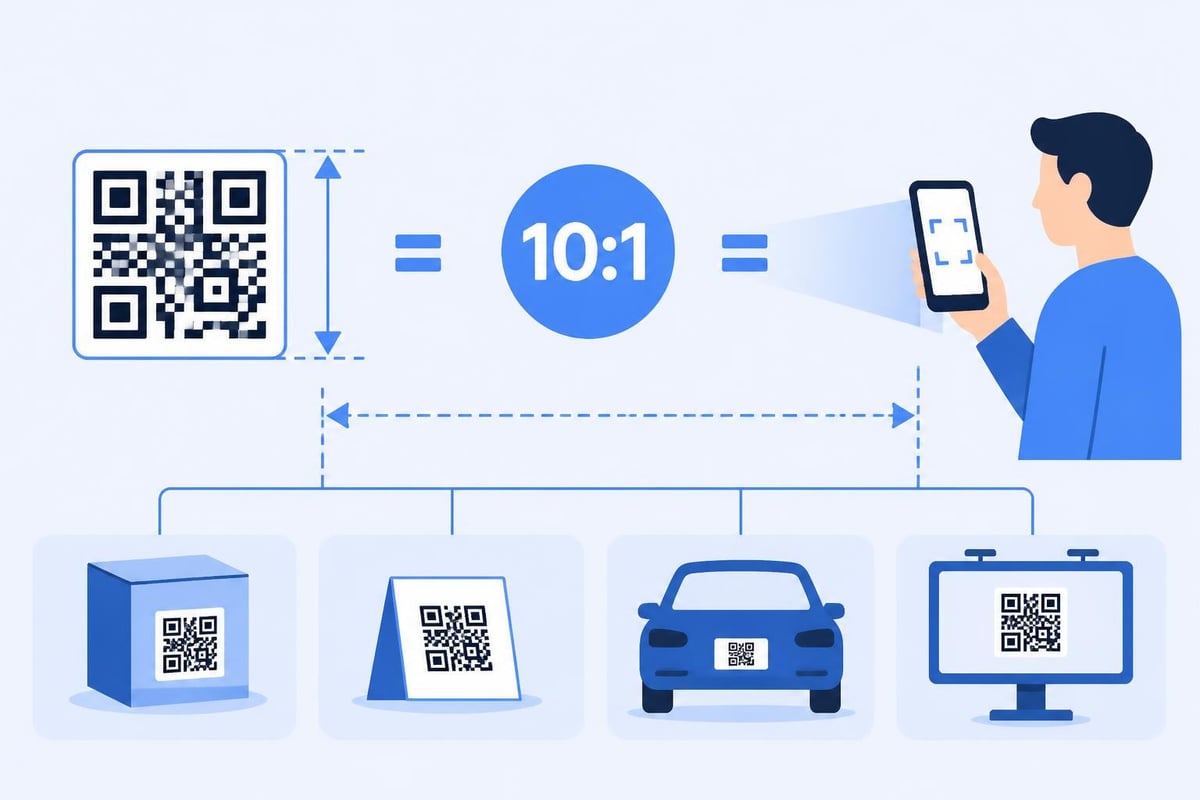
Size matters significantly when you create QR from URL for different applications. The minimum scanning distance follows a 10:1 ratio-a QR code should be at least one-tenth the distance from which you expect users to scan. For a poster scanned from three feet away, your code needs at least 1.2 inches per side. Larger formats require proportionally bigger codes to maintain this ratio.
Design and Customization Guidelines
Modern QR codes don't need to be plain black-and-white squares. Strategic customization enhances brand recognition without compromising functionality. However, certain design principles remain non-negotiable for successful scanning.
- Maintain high contrast between foreground and background elements
- Preserve the quiet zone (white border) of at least four modules
- Test thoroughly across different devices and lighting conditions
- Avoid complex backgrounds that interfere with pattern recognition
- Keep logos under 30% of the total code area
Color selection requires careful consideration. While black on white offers maximum contrast, you can use alternative color combinations. Dark colors on light backgrounds work reliably. Avoid low-contrast pairs like yellow on white or light blue on white, which cameras struggle to differentiate. The design best practices from QRZone.io provide specific guidance on color selection and visual customization that maintains scanning integrity.
Strategic URL Shortening for QR Codes
Long URLs create dense, complex QR patterns that increase minimum size requirements and reduce scanning reliability. When you create QR from URL, shortening the destination address improves code simplicity and scanning performance. Each character in your URL adds data modules, making the pattern more intricate and potentially harder to scan from distance.
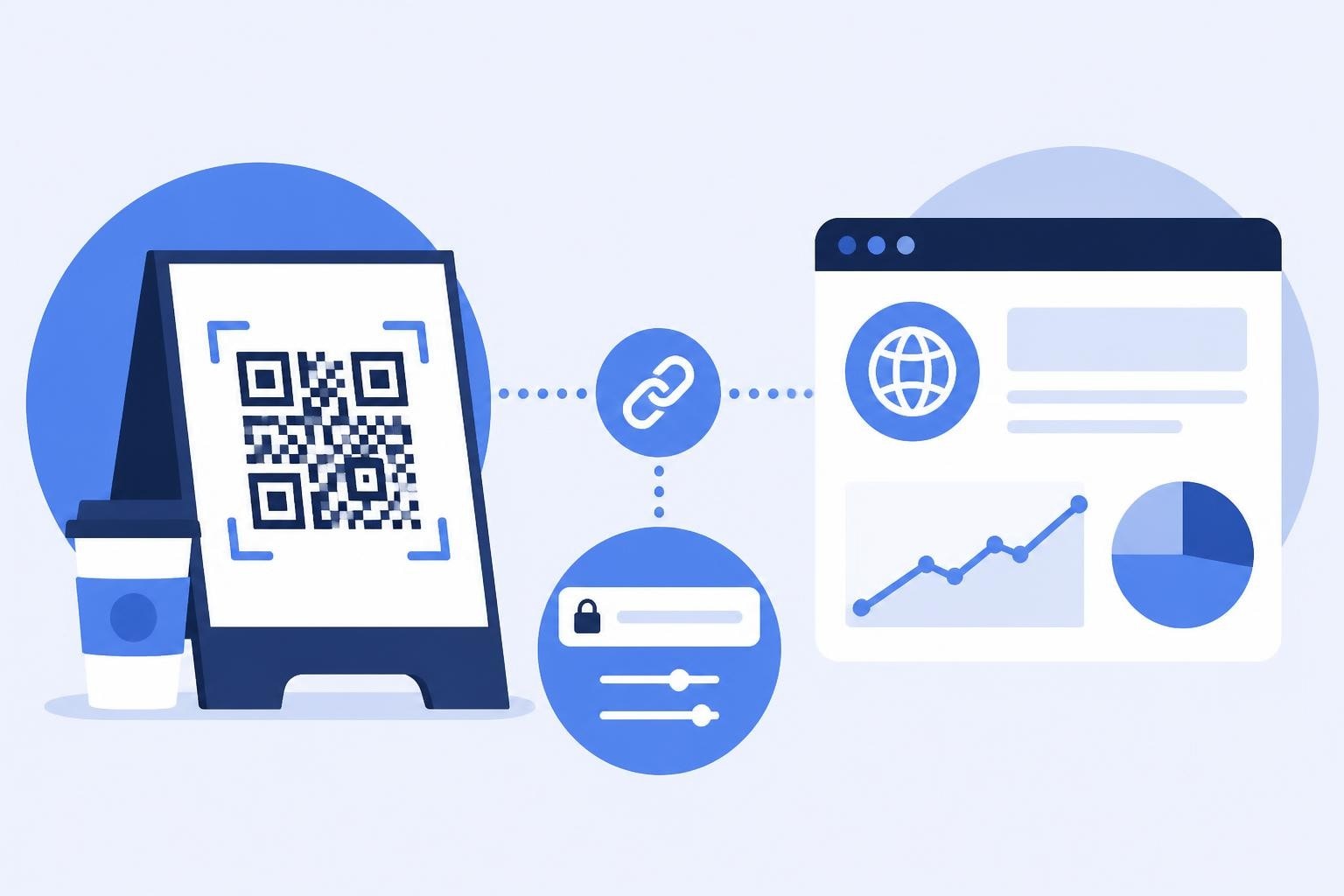
URL shortening serves multiple purposes beyond size reduction. Shortened links provide cleaner, more professional appearances on marketing materials. They enable tracking and analytics that reveal scan behavior, geographic distribution, and device types. Most importantly, they allow dynamic destination management without regenerating physical QR codes.
Advanced URL Management Strategies
- Implement custom branded domains for link trust and recognition
- Structure campaigns hierarchically with organized slug patterns
- Add UTM parameters systematically for attribution tracking
- Enable retargeting pixels on destination pages for audience building
- Set up A/B testing to optimize landing page performance
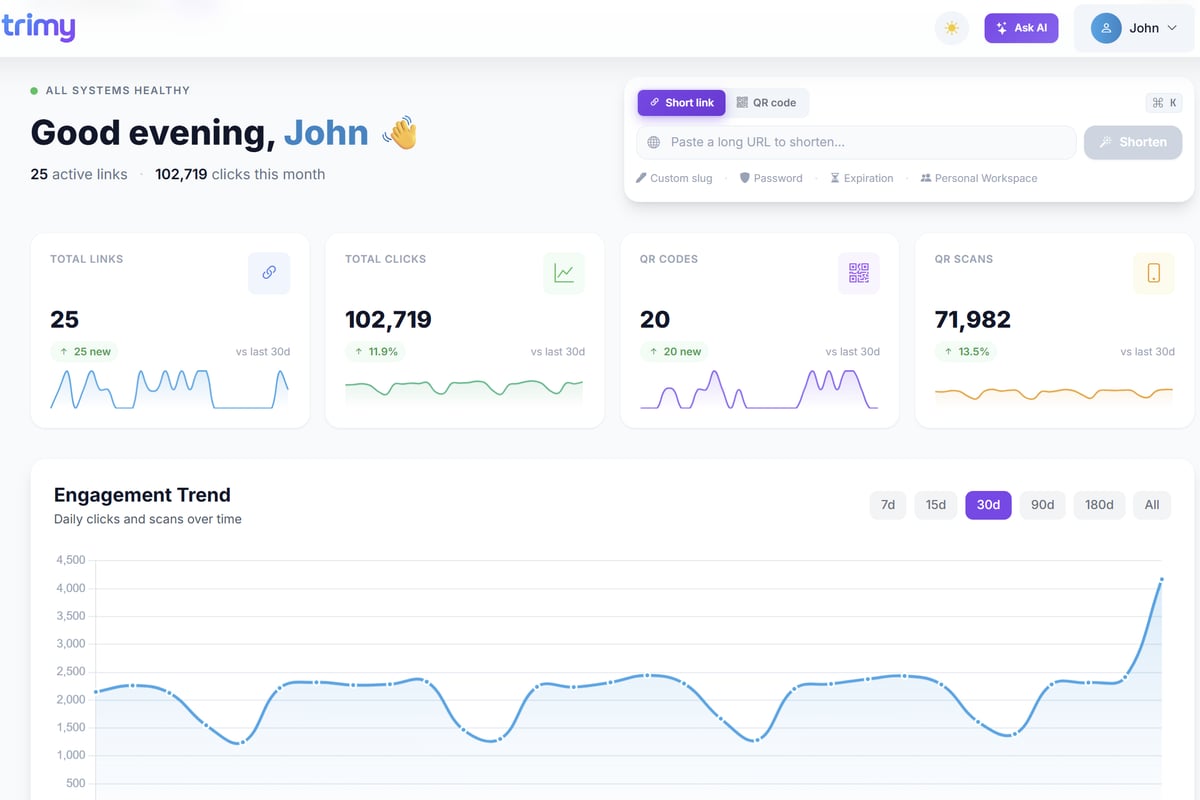
Trimy offers sophisticated link management capabilities specifically designed for marketers who need complete control over their QR code destinations. With built-in URL shortening, comprehensive analytics, and dynamic routing features, you can create QR from URL while maintaining full intelligence about user interactions and campaign performance.
Tracking and Analytics for QR Campaigns
Simply generating codes isn't enough-you need visibility into performance metrics. When you create QR from URL with tracking enabled, you unlock insights that inform optimization decisions and prove ROI. Analytics transform QR codes from passive bridges into active data collection points.
Comprehensive tracking captures multiple data dimensions. Basic metrics include total scans, unique users, and scan frequency. Intermediate analytics add geographic location, device types, operating systems, and scan timing patterns. Advanced platforms correlate QR scans with downstream conversion events, attributing revenue to specific codes and campaigns.
Critical Metrics to Monitor
| Metric Category | Data Points | Strategic Value |
|---|---|---|
| Engagement | Total scans, unique users, repeat scans | Campaign reach and interest |
| Technical | Device type, OS version, browser | Optimization targets |
| Geographic | Country, region, city | Audience distribution |
| Temporal | Scan time, day patterns | Timing optimization |
| Conversion | Click-through, actions, revenue | ROI measurement |
Attribution becomes particularly valuable when you create QR from URL for multichannel campaigns. By comparing QR scan data against other traffic sources, you can identify which offline touchpoints drive the highest-quality traffic. This intelligence informs budget allocation across channels and reveals unexpected audience behaviors.
The best practices guide from Honest QR emphasizes the importance of landing page optimization in conjunction with QR tracking, ensuring that scan data reflects genuine conversion potential rather than just curiosity-driven traffic.
Dynamic QR Codes vs Static Codes
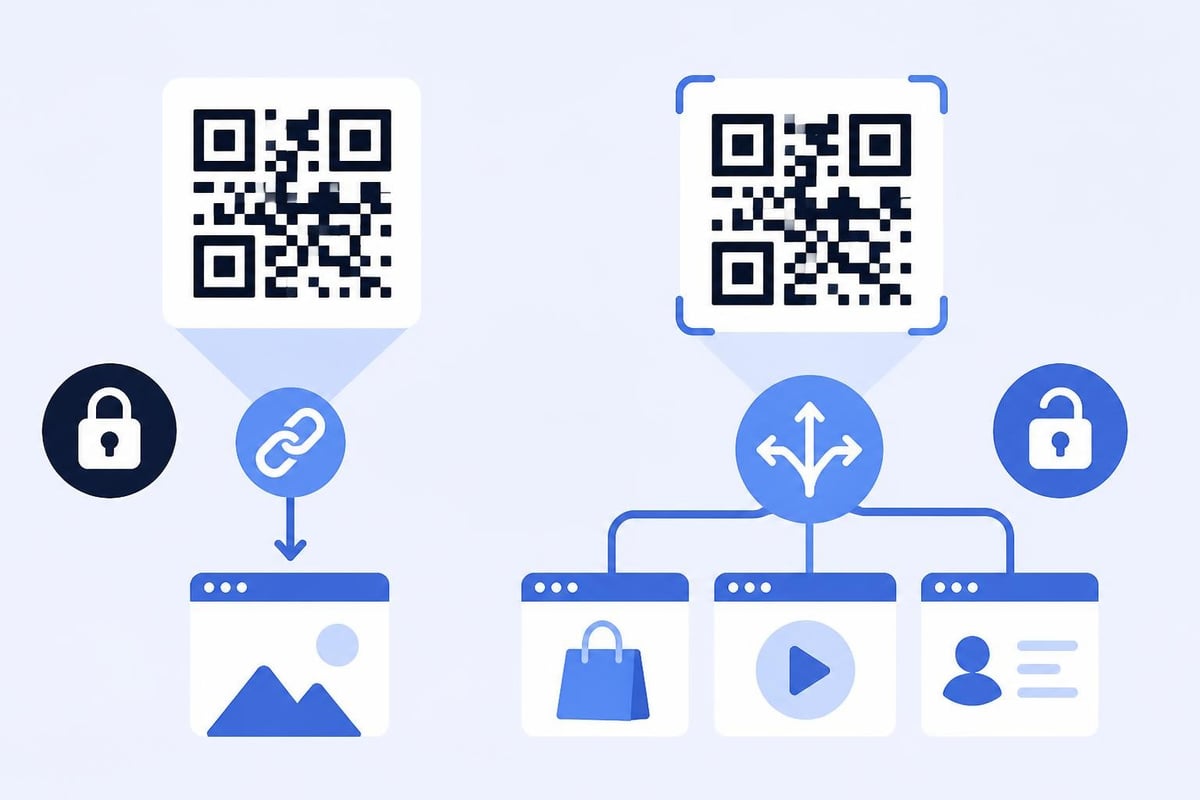
The distinction between dynamic and static QR codes fundamentally affects flexibility and tracking capability when you create QR from URL. Static codes permanently encode your destination URL into the visual pattern. Once printed, the destination cannot change without creating entirely new codes. Dynamic codes encode a redirect URL that forwards users to your actual destination, which you can update at any time.
Dynamic codes offer significant advantages for professional marketers. Beyond destination flexibility, they enable comprehensive tracking that static codes cannot provide. Each scan passes through your redirect infrastructure, capturing detailed analytics before forwarding users to the final destination. This architecture supports sophisticated use cases like time-based routing, geographic targeting, and device-specific destinations.
When to Use Each Type
Static codes work well for permanent applications where the destination will never change-think product information, instructional content, or reference materials. They require no ongoing infrastructure and function indefinitely without depending on third-party services.
Dynamic code applications include:
- Marketing campaigns with evolving offers
- Seasonal promotions requiring destination updates
- Print materials with long shelf lives
- Testing scenarios requiring A/B comparison
- Applications requiring detailed analytics
Dynamic codes do introduce dependencies. They require ongoing hosting for the redirect infrastructure. If your QR management platform experiences downtime, scans fail. If you discontinue the service, codes stop working. These considerations make static codes preferable when permanence and zero dependencies are priorities.
Security and Privacy Considerations
When you create QR from URL, security implications affect both your business and end users. QR codes can obscure malicious URLs behind innocent-looking patterns, making them vectors for phishing attacks and malware distribution. Responsible QR deployment requires attention to security best practices that protect users and maintain trust.
URL transparency presents a fundamental challenge. Users cannot verify a QR code's destination without scanning it, creating vulnerability to social engineering attacks. Malicious actors exploit this limitation by placing fraudulent codes over legitimate ones or distributing codes that lead to credential harvesting sites.
Protecting Users and Your Brand
- Use HTTPS exclusively for all destination URLs
- Implement branded short domains that users recognize and trust
- Display preview URLs on printed materials when possible
- Monitor for code duplication or unauthorized usage
- Educate audiences about safe scanning practices
Privacy considerations extend to data collection practices. When tracking scans, maintain transparency about what information you collect and how you use it. Comply with GDPR, CCPA, and other privacy regulations by providing clear opt-out mechanisms and data handling disclosures. Anonymous analytics often suffice for optimization purposes without requiring personal data collection.
Multi-Platform QR Code Deployment
Successful QR implementation spans diverse physical and digital environments. When you create QR from URL for cross-platform deployment, consider the unique constraints and opportunities each medium presents. Print materials, packaging, signage, and digital displays each demand specific approaches to sizing, placement, and design.
Printed materials require careful attention to resolution and reproduction quality. QR codes need sufficient pixel density to maintain sharp edges and clear module definition. A minimum of 50 pixels per module ensures reliable printing across most commercial print processes. Lower resolution creates fuzzy boundaries that confuse scanning algorithms.
Platform-Specific Optimization
- Print advertising: Size for viewing distance, test under expected lighting
- Product packaging: Account for curved surfaces and reflective materials
- Outdoor signage: Use weather-resistant materials, increase size substantially
- Digital screens: Consider screen refresh rates and viewing angles
- Business cards: Balance size with available space, ensure high print quality
Testing becomes essential when you create QR from URL for diverse environments. Codes that scan perfectly on computer screens may fail on reflective packaging or in low-light conditions. Conduct field testing with various devices, distances, and lighting scenarios before final deployment. The guide on generating QR codes discusses platform-specific considerations for different deployment scenarios.
Advanced QR Code Applications
Modern QR technology extends far beyond simple URL encoding. Advanced implementations create sophisticated user experiences that leverage location awareness, time-based routing, and conditional logic. When you create QR from URL with these capabilities, you transform static bridges into intelligent interaction points.
Smart routing directs users to different destinations based on contextual factors. A single QR code can send users to language-specific pages based on device settings, route to mobile-optimized content on smartphones while directing desktop scanners elsewhere, or display different offers during specific time windows. This flexibility maximizes relevance without requiring multiple physical codes.
Innovative Use Cases
| Application | Implementation | Business Value |
|---|---|---|
| Geo-targeting | Location-based routing | Regional offers, store locators |
| Time-based | Scheduled destination changes | Event schedules, flash sales |
| Device-aware | OS-specific destinations | App store deep links |
| Usage limits | Scan count restrictions | Exclusive access control |
| Multi-language | Language detection routing | Global campaigns |
Retargeting integration represents particularly powerful functionality. When users scan your QR code and visit the destination page, they can be added to retargeting audiences for subsequent advertising. This creates persistent relationships from single physical interactions, extending the value of each scan far beyond the initial visit.
QR Code Testing and Quality Assurance
Before deploying codes at scale, rigorous testing prevents costly failures and ensures positive user experiences. When you create QR from URL, testing validates both technical functionality and practical usability across real-world conditions. Systematic quality assurance identifies issues before they affect your audience.
Testing methodology should address multiple dimensions. Technical testing verifies that codes scan reliably and direct users to correct destinations. Usability testing evaluates the entire user journey from initial scan through destination page interaction. Environmental testing simulates actual deployment conditions including lighting variations, viewing distances, and surface characteristics.
Comprehensive testing checklist:
- Scan from multiple devices (iOS, Android, various models)
- Test different scanning apps and native camera apps
- Verify correct destination URL and parameter passing
- Check landing page load speed and mobile optimization
- Assess readability at intended physical size and distance
- Evaluate performance under various lighting conditions
- Confirm tracking and analytics data collection
- Validate error correction at different damage levels
Research on scanning-robust QR code generation demonstrates the technical considerations that affect reliability, particularly when balancing aesthetic customization with functional requirements.
Measuring QR Campaign Success
Defining success metrics before you create QR from URL ensures alignment between deployment efforts and business objectives. Meaningful measurement extends beyond vanity metrics like total scans to focus on actions that drive business value. Different campaign types demand different success criteria.
Awareness campaigns prioritize reach metrics-total scans, unique users, and geographic distribution. Engagement campaigns focus on downstream actions like video views, content downloads, or social shares. Conversion campaigns measure concrete outcomes: purchases, sign-ups, or appointment bookings attributable to QR traffic.
Building Effective Measurement Frameworks
- Define primary KPIs aligned with campaign objectives
- Establish baseline benchmarks from historical data or industry standards
- Set up conversion tracking on destination pages
- Implement multi-touch attribution for complex customer journeys
- Schedule regular reporting to identify trends and optimization opportunities
Compare QR performance against other traffic sources to understand relative effectiveness. If QR codes drive higher conversion rates than social media or email, increase investment in offline touchpoints. If engagement lags, investigate whether destination pages are optimized for mobile or if physical placement needs adjustment.
Creating effective QR codes from URLs requires balancing technical precision, design best practices, and strategic deployment considerations. By focusing on user experience, implementing robust tracking, and continuously optimizing based on performance data, you can transform simple codes into powerful marketing assets that drive measurable results. Trimy combines all the essential tools you need to create, manage, and optimize QR campaigns-from URL shortening and custom domains to advanced analytics and A/B testing-giving you complete control over your link intelligence and helping you transform every scan into actionable revenue signals.