FB BusinessManager Guide: Setup, Strategy & Best Practices
Managing advertising campaigns, pages, and marketing assets across Facebook and Instagram requires more than just a personal account. Enter fb businessmanager, the centralized platform that Meta built specifically for businesses, agencies, and marketing teams to organize, secure, and scale their social media operations. Whether you're running campaigns for multiple clients, managing a portfolio of brands, or simply need better control over who accesses your advertising accounts, understanding how to leverage fb businessmanager effectively can transform your workflow and protect your business assets. This comprehensive guide walks through everything you need to know to master this essential platform in 2026.
Understanding FB BusinessManager Architecture
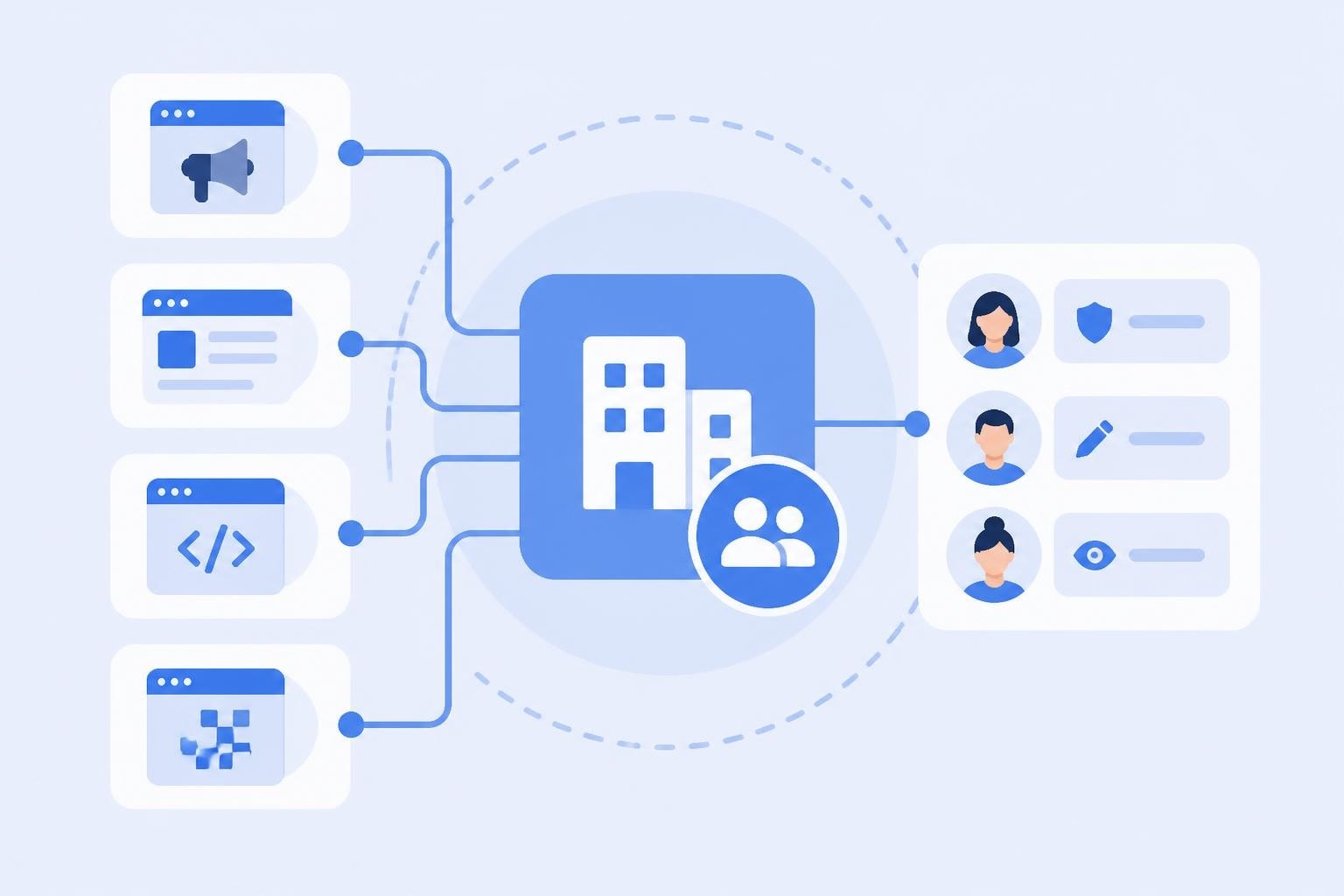
FB businessmanager operates as a container that holds all your marketing assets in one secure location. Rather than having ad accounts, Pages, and pixels scattered across personal profiles, the platform centralizes everything under a business entity that you control completely.
The architecture separates ownership from access. Your business owns the assets, while individuals receive permission to work with them. This distinction becomes critical when team members leave, agencies change, or you need to revoke access quickly.
Core Components and Asset Types
The platform manages several distinct asset categories, each serving a specific function in your marketing ecosystem:
- Ad accounts for campaign creation and budget management
- Pages representing your brand presence on Facebook and Instagram
- Pixels and conversions for tracking website activity and measuring results
- Catalogs for dynamic product advertising and e-commerce integration
- Custom audiences built from your customer data
- Instagram accounts linked to your business portfolio
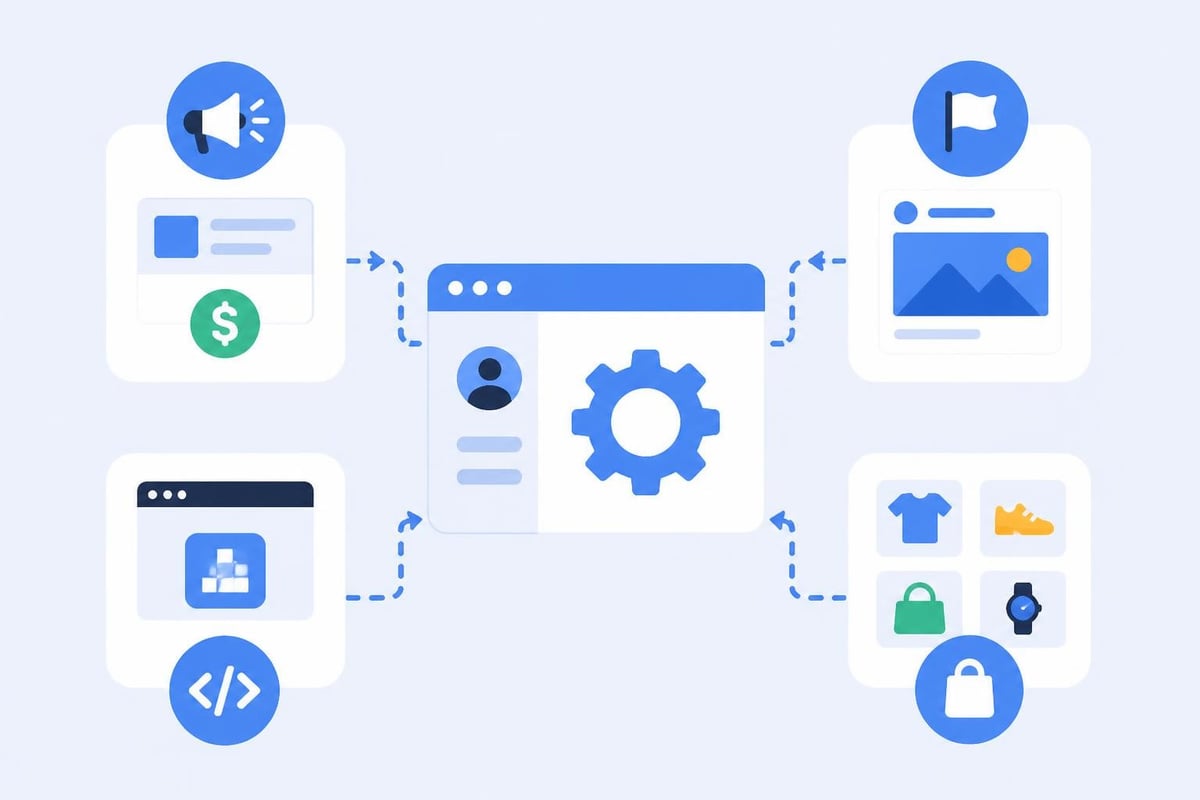
These components work together seamlessly. A single campaign might use your ad account for budget, pull creative from your Page, track conversions through your pixel, and retarget audiences you've built from website visitors. Meta's official Business Manager documentation provides detailed technical specifications for each asset type.
Setting Up Your Business Manager Account
Creating your fb businessmanager account requires careful attention to detail. Meta has tightened verification requirements significantly, and mistakes during setup can delay your ability to run campaigns or even result in account restrictions.
Initial Configuration Steps
Start by visiting business.facebook.com and clicking "Create Account." You'll need your business name, your name, and a business email address. Never use a personal email domain for this step. Use your company domain to establish credibility from the start.
- Enter accurate business information matching your legal entity
- Verify your email address through the confirmation link
- Add your business address and phone number
- Complete the two-factor authentication setup immediately
- Submit business verification documents if prompted
Business verification has become increasingly important. Meta now requires verification for many features, including higher spending limits and API access. The business verification process typically requires articles of incorporation, tax documents, or business licenses that match the information you provided during setup.
Avoiding Common Setup Mistakes
Many businesses encounter preventable issues during fb businessmanager setup:
| Mistake | Consequence | Solution |
|---|---|---|
| Using personal email | Reduced credibility, harder recovery | Use company domain email |
| Incomplete verification | Spending limits, feature restrictions | Submit all required documents upfront |
| Single admin account | Access loss if account disabled | Add 2-3 admin users immediately |
| Weak security settings | Account takeover risk | Enable 2FA for all users |
The platform allows you to add multiple admins, and you absolutely should. If your primary admin account experiences issues, having backup administrators ensures business continuity.
Managing Assets and Permissions Strategically
Once your fb businessmanager is operational, effective asset management becomes your primary concern. The permission system offers granular control, but complexity increases with team size.
Permission Levels and Best Practices
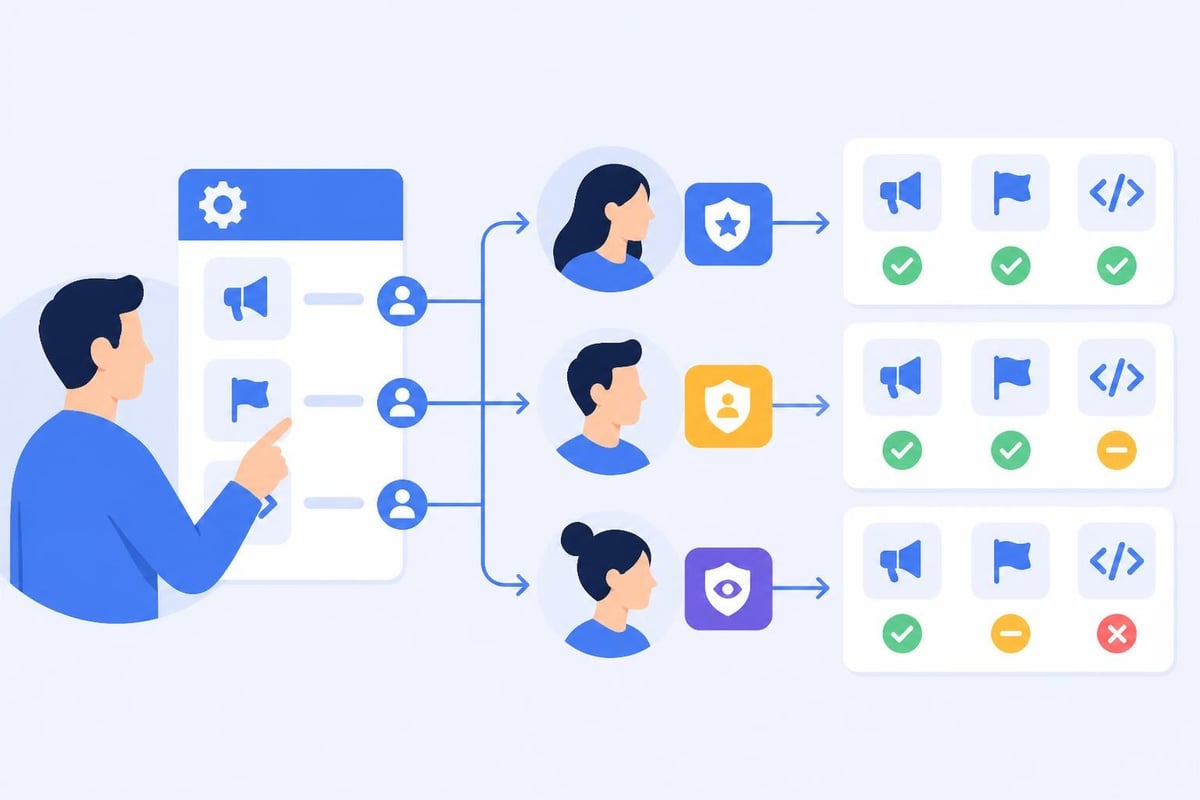
The platform offers different permission tiers for each asset type. Understanding these levels helps you grant appropriate access without compromising security.
For ad accounts, three permission levels exist:
- Ad account admin can manage all aspects including users and settings
- Ad account advertiser can create and edit campaigns but not manage access
- Ad account analyst has read-only access to reports and data
Assign the minimum permission level necessary for each team member to complete their work. A content creator who only needs to publish to your Page doesn't need admin access to your ad account.
Pages work similarly, with role options including page admin, editor, moderator, advertiser, and analyst. Most team members need only editor access to create posts and respond to comments.
Organizing Multiple Businesses and Clients
Agencies and businesses managing multiple brands face a choice: create separate fb businessmanager accounts for each entity or manage everything through one master account.
Separate accounts work best when:
- You manage completely independent businesses with different ownership
- Clients require full ownership transfer capability
- You need clear financial and legal separation
Single account structures suit scenarios where:
- All brands belong to the same parent company
- You want centralized reporting and user management
- Asset sharing across brands provides operational efficiency
Sprout Social's comprehensive guide offers excellent frameworks for agencies structuring multi-client operations within fb businessmanager.
Integrating Pixels and Tracking Infrastructure
Your fb businessmanager serves as the control center for all conversion tracking and measurement. Proper pixel implementation determines whether you can accurately attribute revenue to campaigns and optimize effectively.
Pixel Setup and Configuration
The Meta Pixel (formerly Facebook Pixel) lives within your fb businessmanager and fires on your website to track visitor actions. Setting it up correctly requires both business manager configuration and technical implementation.
Inside Business Manager, navigate to Events Manager and create a new pixel. You'll receive a base pixel code that goes on every page of your website, plus event codes for specific actions like purchases, leads, or registrations.
Standard events you should implement immediately:
- ViewContent (product pages)
- AddToCart (shopping cart actions)
- InitiateCheckout (checkout start)
- Purchase (transaction completion)
- Lead (form submissions)
Advanced marketers leverage custom conversions for actions beyond standard events. If you want to track specific page views, button clicks, or user segments, custom conversions built through Meta's Pixel documentation extend your measurement capabilities significantly.
For link-based campaigns where you're driving traffic to landing pages, conversion tracking becomes absolutely critical. When you combine fb businessmanager pixel data with advanced link analytics, you create a complete view of the customer journey from ad click to final conversion.
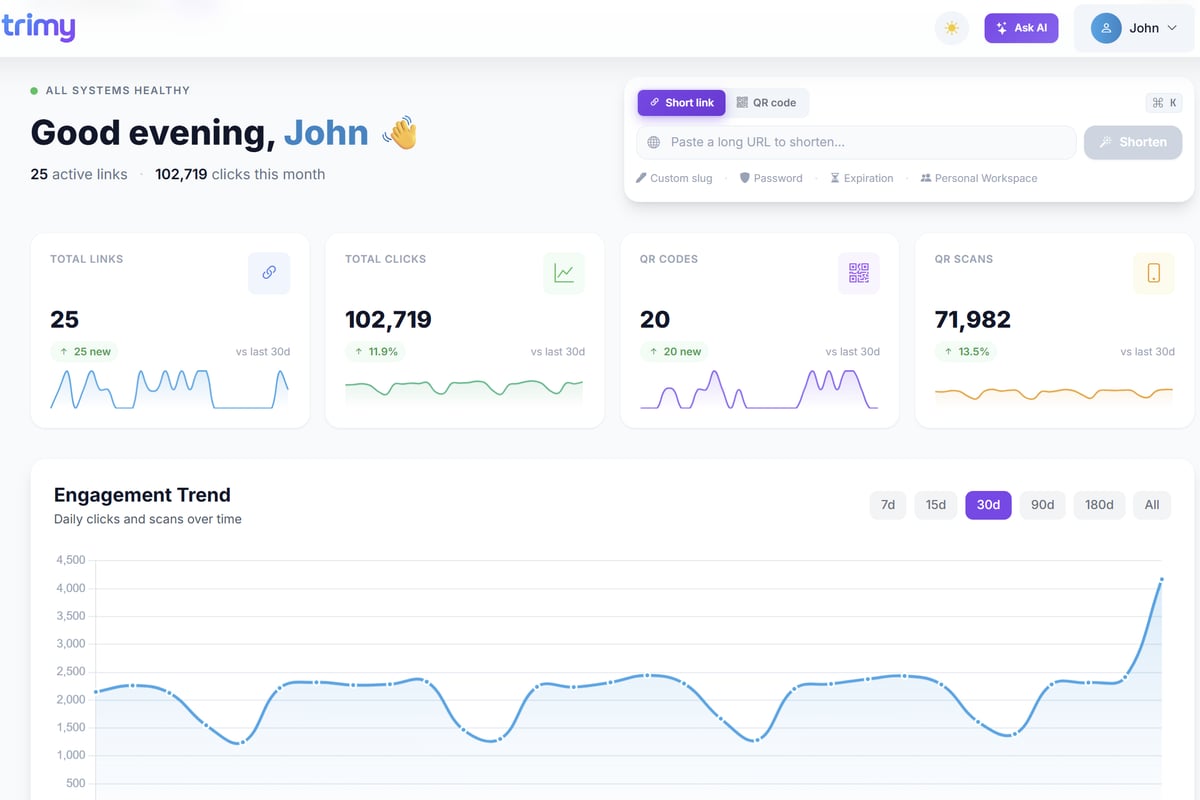
Many marketing teams struggle with attribution because they can see pixel fires in fb businessmanager but can't connect them to specific campaign variations or traffic sources. Trimy solves this by adding intelligence to every link you share, letting you A/B test landing pages, route traffic based on device or geography, and connect Meta's pixel data with granular link-level insights. This creates a unified view of which ads, audiences, and destinations actually drive revenue.
Conversion API Implementation
Beyond the browser-based pixel, fb businessmanager now supports the Conversions API for server-side tracking. This method sends conversion data directly from your server to Meta, bypassing browser limitations like ad blockers and iOS privacy restrictions.
The Conversions API requires technical implementation through Meta's Marketing API, but it dramatically improves data accuracy. For e-commerce businesses or lead generation campaigns, implementing both pixel and Conversions API together (called "redundant" tracking) provides the most reliable measurement.
Advanced Campaign Management Features
FB businessmanager unlocks advertising features unavailable through personal ad accounts. Understanding these advanced capabilities separates sophisticated marketers from beginners.
Campaign Budget Optimization and Testing
At the campaign level, Campaign Budget Optimization (CBO) lets fb businessmanager automatically distribute budget across ad sets based on performance. Rather than manually allocating spend, the algorithm shifts budget toward the best-performing audiences and placements in real time.
CBO works best when:
- Ad sets target genuinely different audiences (not slight variations)
- You provide sufficient budget for the algorithm to learn
- Creative quality is consistent across ad sets
- You're optimizing for the same conversion event across sets
For testing creative variations, ad set budget optimization (ABO) often works better because it ensures equal spend across test cells. The platform provides A/B testing tools directly within fb businessmanager, letting you structure formal experiments with statistical significance calculations.
Audience Management and Sharing
Custom audiences built from your customer data, website visitors, or engagement represent your most valuable targeting assets. FB businessmanager lets you create these audiences once and share them across multiple ad accounts.
| Audience Type | Source | Use Case | Retention |
|---|---|---|---|
| Custom Audience | Customer list, pixel data | Retargeting, exclusion | Up to 180 days |
| Lookalike Audience | Custom audience seed | Prospecting similar users | Refreshes automatically |
| Saved Audience | Interest/demographic targeting | Cold prospecting | Permanent until deleted |
When you share audiences across ad accounts within your fb businessmanager, changes propagate everywhere. Update your customer exclusion list once, and all campaigns automatically respect the new data.
Security, Compliance, and Risk Management
Security breaches in fb businessmanager can devastate your advertising operation. Meta has responded to increasing account takeover attempts by requiring stronger security measures and offering more protective features.
Implementing Account Protection
Two-factor authentication is no longer optional. FB businessmanager requires 2FA for all admin users and strongly recommends it for everyone with asset access. Use authentication apps like Google Authenticator rather than SMS-based codes for better security.
Security checklist for your business manager:
- Enable 2FA for every user without exception
- Audit user access quarterly and remove inactive accounts
- Never share login credentials between team members
- Monitor the Activity Log for unauthorized changes
- Set up multiple admin accounts as backup
- Use IP allowlisting if your team works from fixed locations
Regular security audits prevent problems. Review your People and Assets sections monthly to verify that only current team members have access and that permission levels remain appropriate.
Handling Account Issues and Appeals
Despite best efforts, fb businessmanager accounts sometimes face restrictions or disablement. Common triggers include:
- Sudden spending increases that look suspicious
- Policy violations in ad creative or landing pages
- Unusual payment patterns or failed charges
- Shared access from high-risk IP addresses
If your account faces restrictions, respond quickly through the Account Quality section of Business Manager. HubSpot's practical guide includes detailed troubleshooting steps for common account issues.
Meta's appeal process has improved, but prevention remains far easier than recovery. Stay current on advertising policies, monitor your account health score, and address warnings immediately before they escalate to restrictions.
Automating Workflows and Integration
FB businessmanager offers extensive automation capabilities through its API and integration partnerships. For teams managing large-scale campaigns or multiple clients, automation saves hours of repetitive work.
API Access and Development
The Marketing API provides programmatic access to nearly every fb businessmanager function. Developers can build custom tools to create campaigns, pull reports, manage audiences, and update creative at scale.
Access to the API requires business verification and agreement to Meta's terms. Once approved, you can use Meta's official SDKs to interact with your business manager assets programmatically.
Common API use cases include:
- Automated campaign creation from product feeds
- Custom reporting dashboards pulling real-time data
- Bulk creative testing across multiple campaigns
- Audience synchronization from CRM systems
- Bid and budget adjustments based on external signals
Third-Party Integration Options
For non-developers, fb businessmanager integrates with numerous marketing platforms through official partnerships and tools like Zapier. Zapier's integration guide demonstrates workflows connecting Business Manager to CRM systems, analytics platforms, and project management tools.
These integrations automate tasks like:
- Creating custom audiences from new CRM contacts
- Alerting your team when campaign budgets near limits
- Logging campaign performance to data warehouses
- Syncing offline conversions from point-of-sale systems
The platform's webhook capabilities let your own systems receive real-time notifications when campaign status changes, budgets exhaust, or ads receive disapprovals.
Reporting and Attribution Analysis
Understanding campaign performance across the customer journey requires sophisticated measurement approaches. FB businessmanager provides multiple reporting tools, each serving different analytical needs.
Attribution Window Configuration
Attribution windows determine how long after seeing or clicking an ad fb businessmanager credits conversions to that campaign. The default setting uses a 7-day click and 1-day view window, but you can customize this based on your sales cycle.
Longer attribution windows suit businesses with:
- Extended consideration periods (B2B, high-ticket items)
- Multi-touch customer journeys spanning weeks
- Brand awareness goals alongside direct response
Shorter windows work better for:
- Impulse purchases and e-commerce
- Time-sensitive offers with urgency
- Attribution models focused on last-click value
Ads Manager within fb businessmanager lets you view performance across multiple attribution windows simultaneously. Compare 1-day click versus 7-day click attribution to understand how much delayed conversion your campaigns generate.
Custom Reporting and Data Export
The platform's reporting interface offers dozens of metrics, but custom reports tailored to your specific KPIs provide more actionable insights. Build saved reports that automatically track the metrics your business actually cares about.
Export options include:
- Manual CSV downloads for ad-hoc analysis
- Scheduled email reports sent to stakeholders automatically
- API data pulls for integration with business intelligence tools
- Automated Reporting through Rules and webhooks
Cross-referencing fb businessmanager data with your own analytics reveals attribution gaps. If Business Manager shows 100 conversions but your website only recorded 85 purchases, investigate pixel implementation, deduplication issues, or tracking discrepancies.
Scaling Operations Across Teams and Geographies
As your fb businessmanager operation grows, organizational structure becomes critical. Businesses expanding into new markets or adding team members need systems that scale without creating chaos.
Multi-Region Campaign Management
Operating campaigns across different countries through a single fb businessmanager requires attention to currency, creative localization, and audience targeting. Create separate ad accounts for each currency you spend to simplify accounting and budget tracking.
Best practices for international campaigns:
- Use naming conventions that identify market (US_Prospecting, UK_Retargeting)
- Build country-specific custom audiences to prevent cross-contamination
- Set up separate pixels per domain if you operate localized websites
- Adjust attribution windows based on regional purchasing behavior
Some businesses create regional business managers for major markets, then use the Business Manager platform's Partner integration features to share assets as needed. This approach works well when local teams need autonomy while corporate maintains oversight.
Agency and Partner Relationships
FB businessmanager includes robust tools for working with external partners. Rather than giving agencies access to your entire business, you can grant them access to specific assets with defined permission levels.
When an agency requests access through the platform, you see exactly which assets they want to use and what permissions they need. You maintain ownership of all assets, and you can revoke access instantly if the relationship ends.
The platform distinguishes between partners who work on your business versus partners who work with your business:
- Agencies running campaigns need asset access within your Business Manager
- Technology partners providing tools need limited permissions for specific integrations
- Measurement partners analyzing performance might need read-only data access
Always review partner access requests carefully. Many security breaches occur when businesses grant broader permissions than necessary to third parties.
Meta's evolving enterprise strategy, including recent platform changes affecting business tools, means staying informed about platform updates protects your workflows from unexpected disruptions.
Leveraging Advanced Features for Competitive Advantage
Sophisticated fb businessmanager users go beyond basic campaign management to leverage advanced features that competitors often overlook. These capabilities can dramatically improve performance when implemented correctly.
Dynamic Creative and Automated Rules
Dynamic creative automatically tests different combinations of images, headlines, descriptions, and calls-to-action within a single ad. FB businessmanager's algorithm identifies the best-performing combinations for each user and optimizes delivery accordingly.
This differs from traditional A/B testing because you're not manually creating each variation. Instead, you provide creative components and let the system assemble them dynamically.
Automated Rules take optimization further by making campaign adjustments based on performance triggers. Set rules to:
- Increase budget 20% when ROAS exceeds target
- Pause ad sets with cost per result above threshold
- Send notifications when daily spend hits limits
- Adjust bids based on time-of-day performance
Rules save time and respond to performance changes faster than manual monitoring allows. For businesses running dozens of campaigns simultaneously, automation becomes essential rather than optional.
Collaborative Ads and Partnership Features
FB businessmanager supports collaborative ads where brands and retailers run joint campaigns. A manufacturer can collaborate with retailers to create ads featuring the retailer's storefront while the manufacturer funds the campaign.
These partnership features extend to:
- Brand Collabs Manager for influencer partnerships
- Spark Ads promoting organic creator content
- Partnership Ads accessing partner audiences with permission
For brands distributing through retail channels, collaborative advertising through fb businessmanager reaches customers at the point of purchase while maintaining brand consistency across partners.
Mastering fb businessmanager transforms social advertising from a fragmented series of campaigns into a cohesive, scalable marketing operation. The platform's depth rewards the time invested in learning its capabilities, from basic asset management to advanced automation and partnership features.
For marketers running traffic campaigns through Facebook and Instagram, the journey from click to conversion depends on more than just fb businessmanager alone. When you combine Meta's targeting and delivery with intelligent link management, you gain complete visibility into what happens after users click your ads. Trimy extends your marketing intelligence by adding advanced analytics, A/B testing, and smart routing to every link you share, transforming simple URLs into revenue signals that complement your Business Manager insights. Start optimizing the complete customer journey today.