Google Ads Conversion Tracking: Complete 2026 Guide
Understanding which marketing investments drive actual business results separates successful campaigns from budget waste. Google Ads conversion tracking provides the measurement foundation that transforms click data into actionable revenue intelligence. As privacy regulations tighten and third-party cookies fade, marketers and developers need sophisticated tracking strategies that balance accuracy with compliance. This guide explores the technical implementation, strategic considerations, and evolving best practices for google ads conversion tracking in 2026.
Why Conversion Tracking Matters for Link-Based Campaigns
Every shortened link, UTM parameter, and campaign URL represents a hypothesis about customer behavior. Without proper measurement, you're flying blind.
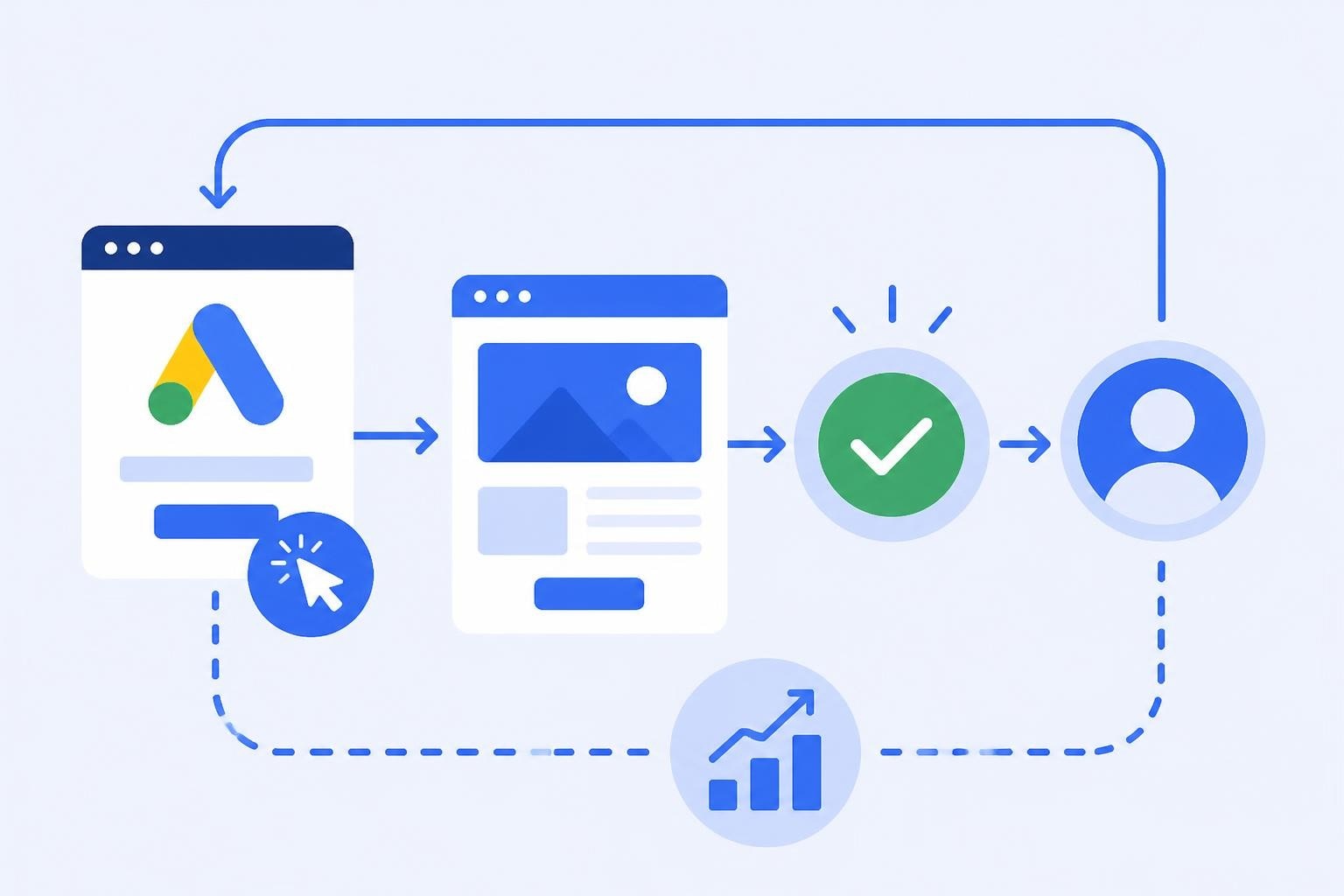
Google ads conversion tracking bridges the gap between ad spend and business outcomes. It connects the initial click on your advertisement to the final conversion event, whether that's a purchase, signup, download, or qualified lead. This attribution loop enables budget optimization, automated bidding strategies, and performance reporting that actually reflects ROI.
For link management platforms and marketing teams, conversion data serves multiple functions:
- Campaign attribution: Which UTM parameters, link variants, or traffic sources generate conversions
- Bid optimization: Smart Bidding algorithms require conversion signals to maximize performance
- Audience building: Conversion-based remarketing lists target high-intent users
- Testing validation: A/B tests need conversion metrics to determine winners
The technical challenge lies in maintaining measurement accuracy as browsers restrict cookies, users opt out of tracking, and privacy regulations demand consent-first data collection. Modern conversion tracking requires both client-side and server-side capabilities.
Setting Up Google Ads Conversion Actions
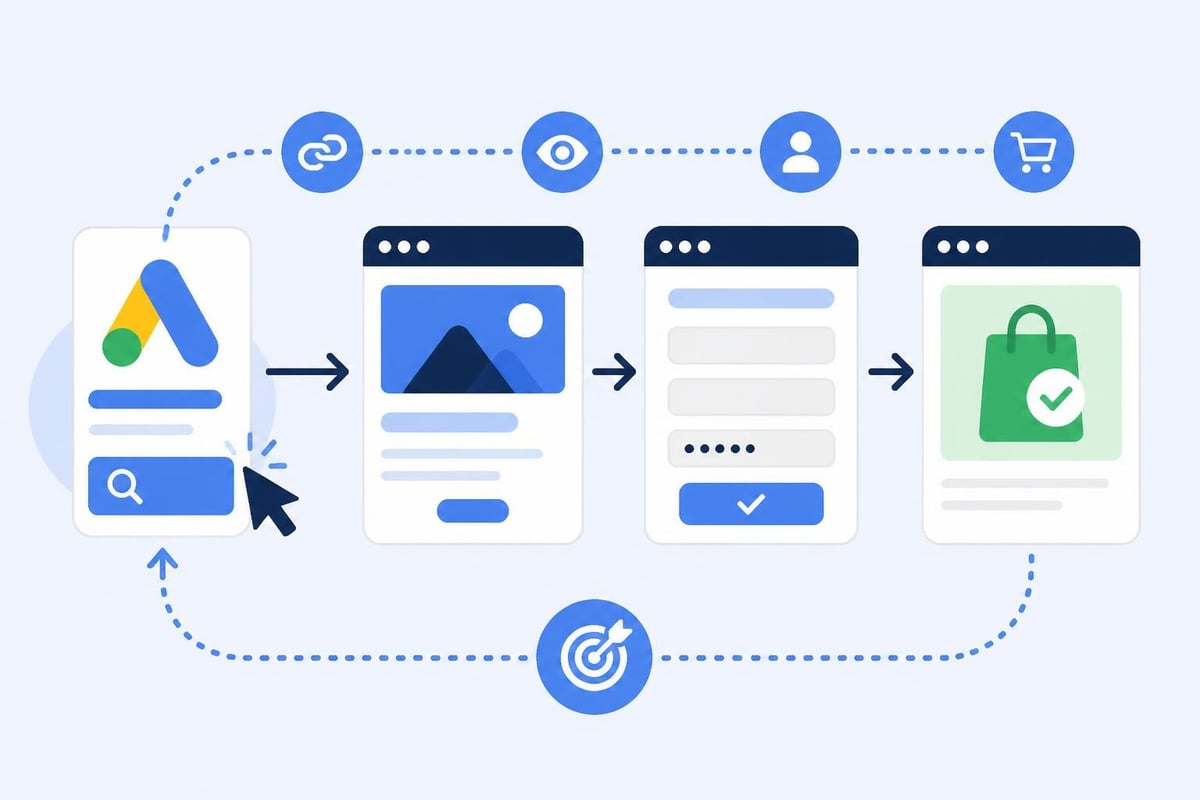
Conversion actions define what success looks like for your campaigns. Each action represents a specific user behavior you want to measure and optimize toward.
Creating Your First Conversion Action
Navigate to Tools & Settings > Measurement > Conversions in your Google Ads account. Click the plus button to create a new conversion action. You'll choose from several categories:
| Conversion Type | Use Case | Data Source |
|---|---|---|
| Website | Page visits, form fills, purchases | Google Tag, Google Analytics 4 |
| App | In-app actions, installs | Firebase, third-party app analytics |
| Phone calls | Call tracking, click-to-call | Call tracking provider, Google forwarding |
| Import | Offline conversions, CRM data | Manual upload, API, CRM integration |
For most link-based campaigns, website conversions tracked via Google Tag provide the starting point. You'll need to specify the conversion name, value (fixed or dynamic), count method (every conversion or one per click), and conversion window (how long after a click to attribute conversions).
Value Assignment Strategies
Assigning accurate conversion values transforms tracking from simple event counting into revenue measurement. Three approaches dominate:
Fixed values work when every conversion delivers consistent worth. A newsletter signup might receive $5, a demo request $50. Simple but limited.
Dynamic values pull actual transaction amounts from your website. E-commerce implementations pass order totals to the conversion tag, providing precise revenue data. This requires additional development but delivers accurate ROAS calculations.
Predicted values use machine learning to estimate future customer worth based on historical patterns. Google's tools can predict the downstream value of early-funnel conversions, though this requires significant data volume to train effectively.
For link management workflows, consider assigning values based on the average lifetime value of customers acquired through different channels. A conversion from a high-intent campaign might warrant higher valuation than awareness traffic.
Client-Side Implementation with Google Tag
The Google tag (formerly known as Global Site Tag) forms the foundation of client-side conversion tracking. This JavaScript snippet loads on your website and communicates user actions back to Google Ads.
Basic implementation requires two components: the global Google tag that initializes on every page, and event snippets that fire when specific conversions occur. The global tag establishes session context and enables remarketing. Event snippets trigger when users complete desired actions.
Installation steps:
- Copy your Google tag ID from the conversion action setup
- Place the global tag in your site's
<head>section, before other scripts - Add event snippets immediately after the conversion event (form submission confirmation, thank you page load, purchase completion)
- Test using Google Tag Assistant or the browser console to verify tags fire correctly
Enhanced Conversions for Better Attribution
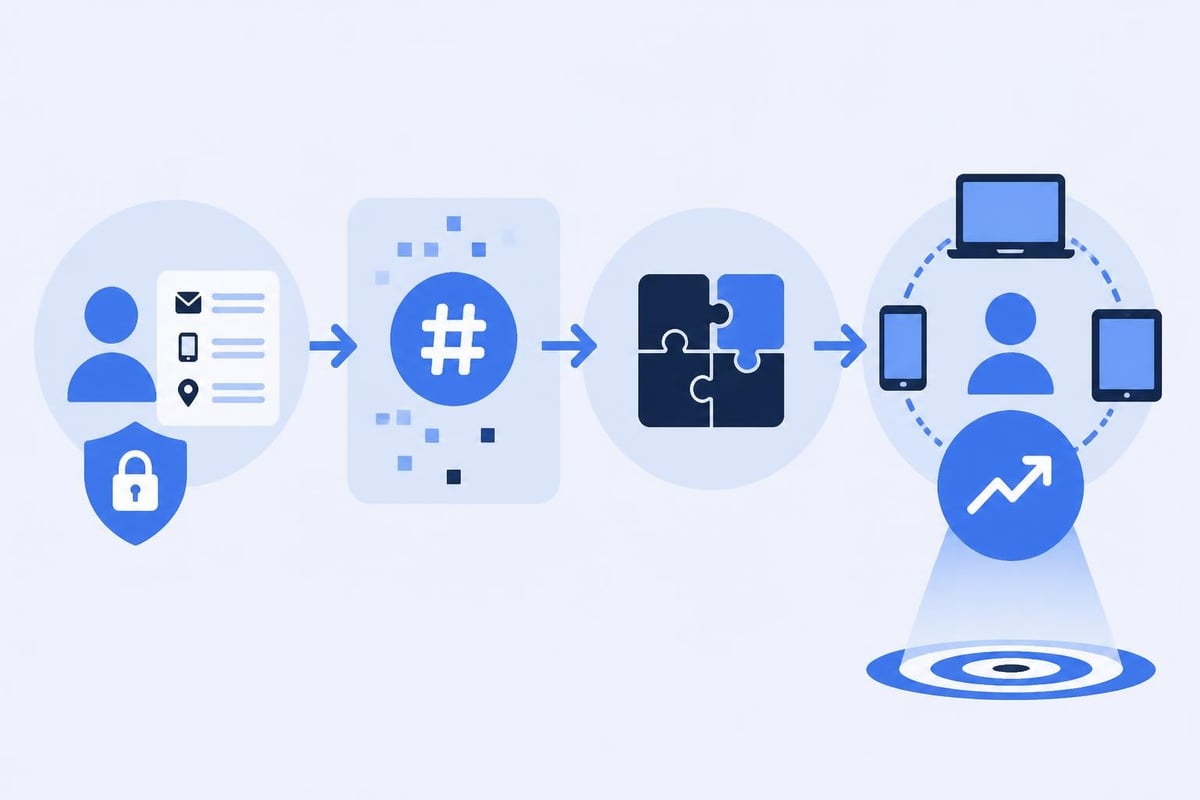
Enhanced conversions improve measurement accuracy by sending hashed first-party data alongside conversion events. When users provide email addresses, phone numbers, or other identifiable information during conversion, Enhanced Conversions hashes this data and sends it to Google.
This technique addresses cookie deletion and cross-device journeys. If a user clicks an ad on mobile but converts on desktop after providing their email, enhanced conversions can connect the two actions through the hashed identifier.
Implementation requires code modifications to capture form data, hash it using SHA-256, and include it in the conversion event. Google provides automatic detection for common form patterns, or you can manually configure which fields to include. Privacy compliance demands careful handling, user consent must permit this data sharing under GDPR, CCPA, and similar regulations.
Server-Side Tracking for Privacy and Accuracy
Browser-based tracking faces mounting challenges. Ad blockers strip tracking pixels, Intelligent Tracking Prevention (ITP) limits cookie lifespans, and users increasingly disable JavaScript. Server-side conversion tracking bypasses these limitations by measuring conversions on your server rather than in the browser.
Understanding the Server-Side Architecture
Instead of firing conversion tags directly from the user's browser, server-side tracking sends conversion data from your web server to Google Ads. The user completes an action, your server receives the request, and your backend system makes an API call to register the conversion.
Server-side Google Tag Manager provides a powerful implementation path. You deploy a GTM server container (typically in Google Cloud) that receives events from your website or app, processes them, and forwards conversion data to Google Ads. This architecture offers several advantages:
- Improved reliability: Conversions register even when client-side scripts fail or get blocked
- Data control: You decide exactly what information to send and when
- PII handling: Sensitive data stays on your server; only hashed identifiers reach Google
- Reduced page weight: Fewer scripts in the browser improve load times
The technical complexity increases significantly. You'll need to provision server infrastructure, implement event forwarding logic, and manage conversion API authentication. For high-volume campaigns or privacy-sensitive industries, the investment pays dividends in measurement accuracy.
Click ID Management
Both client-side and server-side implementations depend on click identifiers (GCLID for Google Ads) to connect conversions back to specific ad clicks. When a user clicks your ad, Google appends a GCLID parameter to the landing page URL. Your tracking system must capture and preserve this identifier throughout the user journey.
For link management platforms, GCLID preservation requires careful URL handling. If your system redirects users or rewrites URLs, ensure the GCLID passes through each hop. Store the GCLID in a cookie or session variable so it's available when the conversion occurs, potentially days or weeks after the initial click.
Common GCLID pitfalls:
- URL shorteners that strip query parameters during redirection
- Single-page applications that don't preserve parameters across route changes
- Multi-step funnels where GCLID gets lost between pages
- Cross-domain tracking without proper parameter forwarding
Robust link intelligence platforms maintain GCLID integrity automatically, passing tracking parameters through redirects, maintaining them in shortened URLs, and ensuring they're available for conversion attribution.
Offline Conversion Tracking
Not every valuable action happens on your website. Lead-generation businesses often close deals days or weeks after the initial ad click. Sales teams work opportunities through CRM systems before revenue materializes. Offline conversion tracking connects these delayed conversions back to their originating campaigns.
CRM Integration Workflows
The standard workflow captures the GCLID when a lead first arrives, stores it in your CRM alongside the contact record, and later uploads conversion data when the lead converts. HubSpot's offline conversion documentation illustrates a common implementation where the marketing automation platform manages the GCLID-to-deal relationship automatically.
For custom implementations, you'll use the Google Ads API or manual CSV uploads to import conversions. Each import requires:
- The GCLID or other click identifier
- Conversion timestamp
- Conversion action name (matching your Google Ads setup)
- Conversion value (if applicable)
- Optional: Currency code for international campaigns
Timing matters significantly. Google Ads accepts conversions within the attribution window you specified (typically 30-90 days). Import conversions regularly rather than in batch, monthly uploads lose optimization opportunities as Smart Bidding algorithms wait for feedback.
Implementation with Trimy
Link management platforms that maintain the complete click-to-conversion journey offer natural integration points. Trimy captures GCLID parameters automatically when users click shortened links, preserves them through redirects, and provides analytics that connect link performance to downstream conversion events. For marketing teams running complex multi-channel campaigns with UTM parameters, A/B tests, and smart routing, maintaining clean conversion attribution requires infrastructure that handles tracking parameters at every touchpoint.
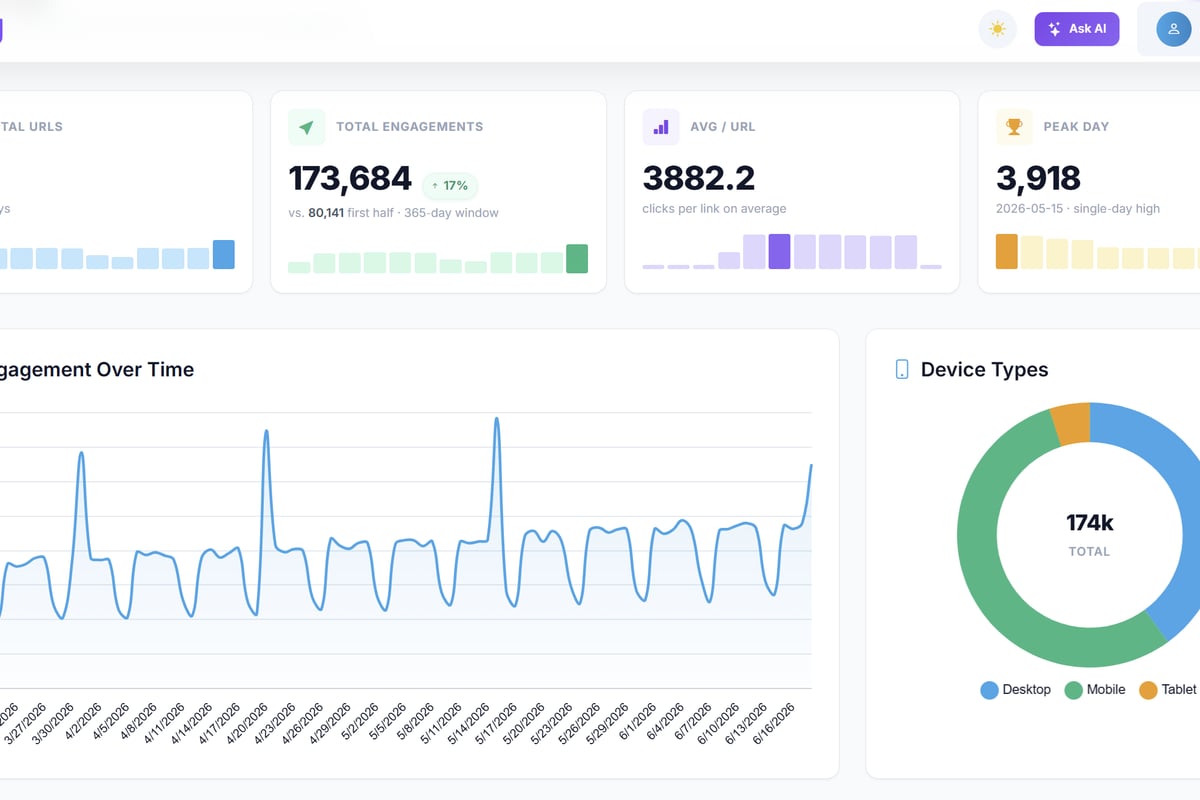
This level of link intelligence transforms basic URL shortening into a revenue attribution system. When your link management platform understands google ads conversion tracking requirements natively, you eliminate the manual parameter management that typically breaks attribution chains.
Attribution Models and Conversion Windows
Not all conversions occur immediately after ad clicks. Understanding attribution models and conversion windows ensures you credit campaigns appropriately for their contribution to results.
Attribution Model Options
Google Ads offers several attribution models that distribute conversion credit across multiple touchpoints:
| Model | Credit Distribution | Best For |
|---|---|---|
| Last click | 100% to final click | Direct response, short sales cycles |
| First click | 100% to initial click | Awareness campaigns, new customer acquisition |
| Linear | Equal credit to all clicks | Understanding full customer journey |
| Time decay | More credit to recent clicks | Balancing early and late touchpoints |
| Position-based | 40% first, 40% last, 20% middle | Valuing both discovery and conversion drivers |
| Data-driven | ML algorithm assigns credit | High-volume campaigns with sufficient data |
Data-driven attribution requires at least 3,000 ad interactions and 300 conversions per action within 30 days. When you have sufficient volume, machine learning identifies patterns in your specific conversion paths and assigns credit based on actual contribution to outcomes.
For link-based campaigns with multiple UTM parameter combinations, attribution modeling reveals which parameters (source, medium, campaign, content, term) genuinely influence conversion likelihood versus merely appearing in the path.
Conversion Window Configuration
The conversion window defines how long after an ad interaction Google should attribute conversions. A 30-day window means conversions occurring within 30 days of a click count toward that campaign. View-through conversions use a separate window (typically shorter) for impressions without clicks.
Longer windows capture more conversions but may include spurious attribution where users would have converted regardless of the ad. Shorter windows provide tighter cause-effect relationships but potentially undervalue campaigns that start customer journeys.
Analyze your typical sales cycle duration. If leads normally convert within 7 days, a 90-day window adds noise. If enterprise deals take months, a 30-day window misses most valuable conversions. Adjust windows based on business reality, not default settings.
Privacy Considerations and Future-Proofing
The measurement landscape continues evolving as privacy standards tighten. Understanding current requirements and anticipating changes protects your tracking infrastructure from sudden obsolescence.
Consent Management Requirements
GDPR in Europe, CCPA in California, and similar regulations worldwide now mandate explicit user consent before setting tracking cookies or collecting personal data. Your conversion tracking implementation must respect these consent signals.
Modern consent management platforms (CMPs) integrate with Google tags to block conversion tracking until users accept cookies. The technical implementation typically uses consent mode, where tags load but don't set cookies or send user data until consent is granted. When users decline, you can still measure conversions in aggregate using cookieless pings, though individual-level attribution degrades.
Consent mode offers two operating states:
- Basic consent mode: Tags don't load until users consent, ensuring full compliance but losing data from users who decline
- Advanced consent mode: Tags load but adjust behavior based on consent status, sending conversion pings without cookies when consent is denied
Advanced consent mode preserves some measurement while respecting privacy choices. Google uses modeling to fill gaps in conversion data from non-consented users, providing directionally accurate campaign metrics without violating privacy rules.
Preparing for Privacy Sandbox
As third-party cookies disappear from Chrome by late 2027, Privacy Sandbox APIs will reshape conversion measurement. The Attribution Reporting API enables browsers to measure conversions without cross-site tracking, using on-device processing and aggregated reporting.
This shift requires technical preparation. Conversion tracking will move toward privacy-preserving alternatives where individual-level data becomes less accessible but aggregate campaign performance remains measurable. Server-side tracking gains importance as browser-based measurement capabilities become more restricted.
Early adoption of enhanced conversions, server-side implementations, and first-party data strategies positions your measurement infrastructure for upcoming changes. The transition won't happen overnight, but waiting until cookies completely disappear leaves you scrambling to rebuild tracking systems under pressure.

Optimization Strategies Using Conversion Data
Accurate tracking only matters if you act on the insights. Converting measurement into campaign improvements requires systematic analysis and testing discipline.
Smart Bidding Configuration
Google's automated bidding strategies consume conversion data to optimize toward your goals. Target CPA (cost per acquisition) bids to achieve specific conversion costs. Target ROAS (return on ad spend) maximizes revenue relative to spend. Maximize conversions drives volume within budget constraints.
These algorithms require quality signals. Insufficient conversion volume (fewer than 30 conversions per month per campaign) prevents effective learning. Inconsistent value assignment confuses the system about what truly matters. Delayed conversion imports mean the algorithm optimizes on stale data.
Best practices for Smart Bidding with conversion tracking:
- Consolidate conversion actions when possible to increase signal volume per action
- Set appropriate values that reflect true business impact, not arbitrary numbers
- Allow learning periods of 2-3 weeks after major changes before judging performance
- Monitor conversion lag to ensure imports happen fast enough for timely optimization
- Segment high-value conversions into separate actions for specialized bidding strategies
For campaigns promoting different link destinations, products, or offers, consider creating conversion action sets that group related actions for optimization purposes. This maintains granular tracking while giving Smart Bidding sufficient volume to learn effectively.
Conversion Rate Optimization Testing
Google ads conversion tracking reveals which campaigns drive clicks, but landing page optimization determines whether clicks become conversions. A/B testing landing page variants provides the feedback loop for improving conversion rates systematically.
Your link management infrastructure plays a crucial role here. Running traffic splits to different landing page versions requires maintaining consistent GCLID parameters across test variants, ensuring conversion attribution remains clean regardless of which version users experience.
Advanced implementations use smart routing to direct traffic based on user characteristics, time of day, or predicted conversion likelihood. When combined with conversion tracking, these routing decisions become testable hypotheses rather than guesses.
Troubleshooting Common Tracking Issues
Even well-implemented conversion tracking encounters problems. Recognizing symptoms and diagnosing root causes keeps your measurement accurate.
Conversion Discrepancies
Your analytics platform reports 100 conversions but Google Ads shows 75. Discrepancies stem from several sources:
Attribution differences: Google Ads uses last-click attribution by default while GA4 uses data-driven. The same user journey credits different channels.
Deduplication logic: If users convert multiple times, count settings (one per click vs. every conversion) create different totals.
Conversion windows: Google Ads conversions may fall outside the date range you're viewing in analytics.
Tag firing issues: Conversions that fire client-side tags but not server-side imports create platform-specific blind spots.
Systematically compare settings across platforms. Verify attribution models match, check conversion window alignment, and ensure both systems count conversions consistently (first vs. all). Perfect agreement is rare, but understanding why numbers differ matters more than forcing identical reports.
Missing Conversions
When conversions stop appearing entirely, work through a diagnostic checklist:
- Verify tag installation: Use Google Tag Assistant to confirm tags load and fire on conversion pages
- Check click ID capture: Ensure GCLIDs appear in landing page URLs and persist through the user journey
- Review conversion action status: Disabled actions don't record conversions
- Inspect date ranges: Recent conversions may not show in reports immediately due to processing delays
- Validate API authentication: Server-side imports fail silently when credentials expire
For link-based campaigns, confirm your URL shortening or redirect infrastructure preserves tracking parameters. One misconfigured redirect can break attribution for entire traffic segments.
Advanced Measurement Techniques
Organizations with sophisticated tracking needs push beyond standard conversion tracking into custom measurement frameworks.
Value Rules and Dynamic Adjustments
Conversion values rarely stay static. Seasonal promotions, inventory levels, and customer segments affect true conversion worth. Value rules let you adjust conversion values based on audience characteristics, device type, location, or custom parameters.
A lead from a Fortune 500 company IP range might receive higher valuation than consumer traffic. Mobile conversions could get discounted if app usage (not measured by web tracking) represents the primary revenue driver. Geographic value differences account for market-specific profit margins.
Implementing value rules requires data infrastructure that passes the relevant signals to your conversion tracking. Server-side implementations excel here, as your backend systems already know customer segment, order details, and contextual factors before sending conversion data.
Cross-Domain Tracking
Many businesses operate across multiple domains. Your main website, subdomain landing pages, checkout systems, and confirmation pages might span different URLs. Google ads conversion tracking needs explicit configuration to maintain attribution across domain boundaries.
Linker parameters automatically pass click IDs across domains. When properly configured, the Google tag appends special parameters to outbound links, carrying GCLID information to the destination domain where subsequent tags can access it.
For complex multi-domain architectures, consider whether server-side tracking simplifies the implementation. Rather than coordinating linker parameters across numerous domains, your server receives conversion notifications regardless of which domain they originate from.
Effective google ads conversion tracking transforms marketing from guesswork into science, connecting every dollar spent to measurable business outcomes. As measurement evolves through privacy regulations and browser restrictions, the fundamentals remain constant: capture clean attribution signals, respect user privacy, and act on conversion insights to improve campaign performance. When your link infrastructure maintains tracking parameter integrity across shortened URLs, redirects, and A/B tests, conversion attribution stays accurate even as technical complexity increases. Trimy provides the link intelligence layer that preserves GCLID parameters, tracks UTM campaigns, and delivers the analytics foundation that makes sophisticated conversion tracking possible at scale.