LinkedIn Ads Manager: Complete Guide for 2026
LinkedIn Ads Manager, officially known as Campaign Manager, has become the cornerstone platform for B2B marketers seeking to reach decision-makers and professionals at scale. In 2026, the platform continues to evolve with sophisticated targeting capabilities, diverse ad formats, and robust analytics that enable precise campaign optimization. Whether you're launching your first campaign or refining existing strategies, understanding how to leverage LinkedIn Ads Manager effectively can dramatically improve your return on ad spend and help you connect with high-value audiences that other platforms simply cannot reach.
Understanding LinkedIn Ads Manager's Core Functionality
LinkedIn Ads Manager serves as the central hub for creating, managing, and optimizing all LinkedIn advertising campaigns. The platform provides access to LinkedIn's professional network of over 900 million members, allowing marketers to target users based on job title, industry, company size, seniority, skills, and dozens of other professional attributes that make B2B targeting uniquely powerful.
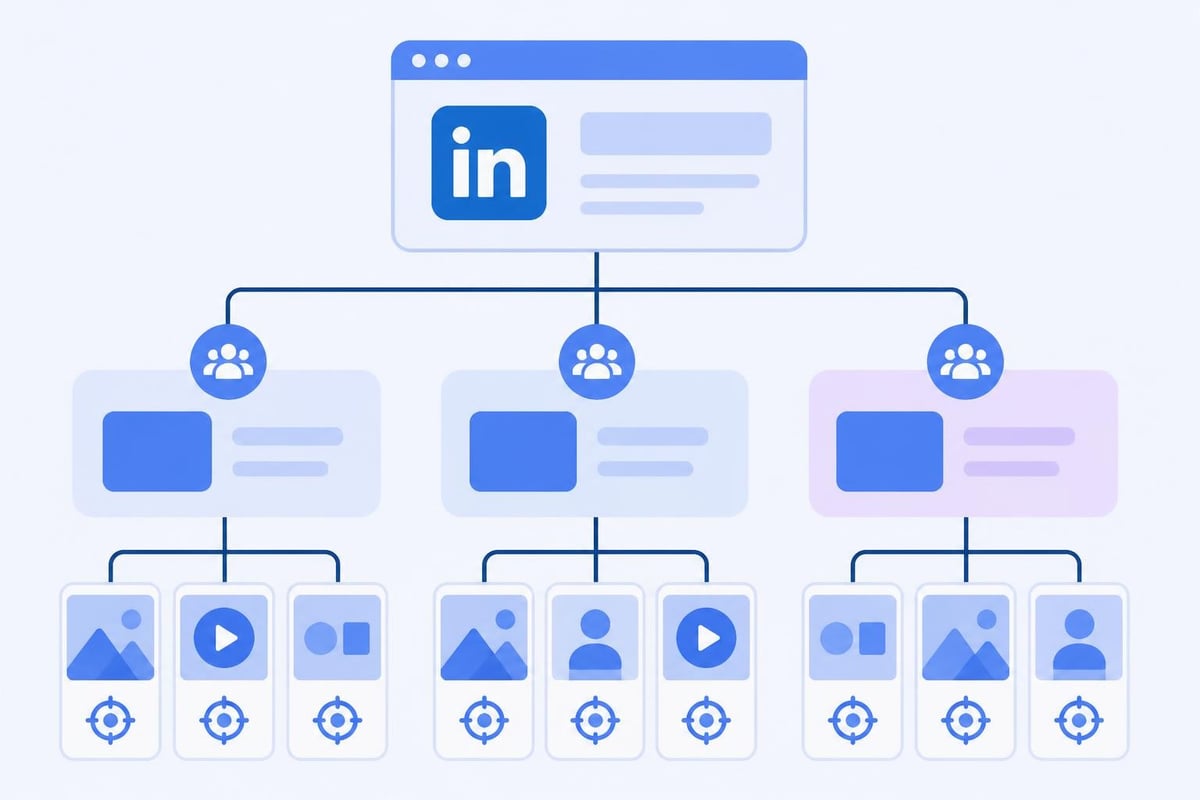
The interface organizes campaigns into a hierarchical structure: campaign groups at the top level, individual campaigns in the middle, and ads at the bottom. This structure enables marketers to test different approaches, allocate budgets strategically, and maintain organization across multiple initiatives simultaneously.
Setting Up Your Account and Campaign Foundation
Before launching campaigns in LinkedIn Ads Manager, you need to establish your account infrastructure properly. Start by creating a Campaign Manager account linked to your company's LinkedIn Page, as Page association is mandatory for most ad formats.
Essential setup steps include:
- Verifying your company's LinkedIn Page and ensuring page followers represent your target audience
- Installing the LinkedIn Insight Tag on your website for conversion tracking and retargeting
- Defining conversion events that align with your business objectives
- Setting up matched audiences from your CRM, email lists, or website visitors
- Establishing naming conventions for campaigns, ad groups, and creatives
The Insight Tag deserves special attention because it unlocks advanced features like website retargeting, conversion tracking, and demographic reporting. Without proper tag implementation, you'll operate with limited visibility into campaign performance and miss critical optimization opportunities.
Payment methods and billing thresholds must be configured during initial setup. LinkedIn accepts major credit cards and allows you to set monthly spending limits to control costs as you test and learn.
Choosing the Right Campaign Objective
LinkedIn Ads Manager organizes campaigns around specific objectives that determine which ad formats, bidding options, and optimization strategies become available. The platform offers several objective-based advertising options designed to align with different stages of the marketing funnel.
Awareness Objectives
Brand awareness campaigns maximize reach and impressions among your target audience. This objective works best when launching new products, entering new markets, or building long-term brand recognition among specific professional segments.
The platform optimizes delivery to show your ads to people most likely to view and remember them, using predictive algorithms trained on billions of LinkedIn interactions.
Consideration Objectives
Consideration campaigns drive engagement with your content and brand. Available formats include:
- Website visits: Optimized for clicks to your landing pages
- Engagement: Designed to generate likes, comments, shares, and follows
- Video views: Focused on maximizing view completion rates
These objectives suit middle-funnel activities where you need to educate prospects, demonstrate thought leadership, or nurture relationships before asking for conversion commitments.
Conversion Objectives
Conversion campaigns prioritize specific actions on your website: form submissions, content downloads, trial sign-ups, or purchases. LinkedIn's conversion tracking requires the Insight Tag and properly configured conversion events.
The algorithm learns which audience segments convert most efficiently and automatically adjusts delivery to prioritize high-intent users. Lead generation campaigns using LinkedIn's native lead forms can dramatically reduce friction by pre-populating forms with profile data.
| Objective | Best For | Key Metric | Typical Cost |
|---|---|---|---|
| Brand Awareness | New market entry, product launches | Impressions, reach | Lower CPM |
| Website Visits | Traffic generation, content promotion | Clicks, CTR | Medium CPC |
| Engagement | Community building, content amplification | Likes, shares, comments | Variable CPE |
| Lead Generation | Database growth, qualification | Leads, cost per lead | Higher CPL |
| Conversions | Sales, trials, registrations | Conversions, ROAS | Highest CPA |
Targeting Your Professional Audience
LinkedIn Ads Manager's targeting capabilities represent its most significant competitive advantage. The platform enables precision targeting based on verified professional data that users actively maintain in their profiles.
Demographic and Firmographic Targeting
Build audiences using professional attributes including job title, job function, seniority level, years of experience, company name, company industry, company size, and member skills. Layer multiple criteria to narrow your reach to highly specific segments.
For example, you might target "Marketing Directors at technology companies with 500-1000 employees in the United States," creating an audience perfectly suited for a marketing automation platform.
Interest and Behavioral Targeting
Beyond static profile attributes, LinkedIn allows targeting based on member groups, interests, and traits. The platform analyzes engagement patterns, content consumption, and network connections to infer additional targeting dimensions.
Audience expansion features use LinkedIn's algorithms to find similar users beyond your defined parameters, potentially discovering high-value segments you hadn't considered.
Matched Audiences
Upload customer lists, target website visitors, or create lookalike audiences modeled after your best customers. Matched audiences enable retargeting campaigns that re-engage users who previously interacted with your brand.
Matched audience types:
- Contact targeting using email addresses or company names
- Website retargeting using Insight Tag data
- Lookalike audiences built from seed lists of 300+ contacts
- Account targeting for ABM campaigns focused on specific companies
These advanced audiences typically deliver higher engagement rates and conversion rates because they focus on users with demonstrated interest or similarity to proven customers.
Selecting Ad Formats and Creative Strategies
LinkedIn supports multiple ad formats optimized for different objectives and creative approaches. Understanding format specifications and best practices directly impacts campaign performance.
Sponsored Content
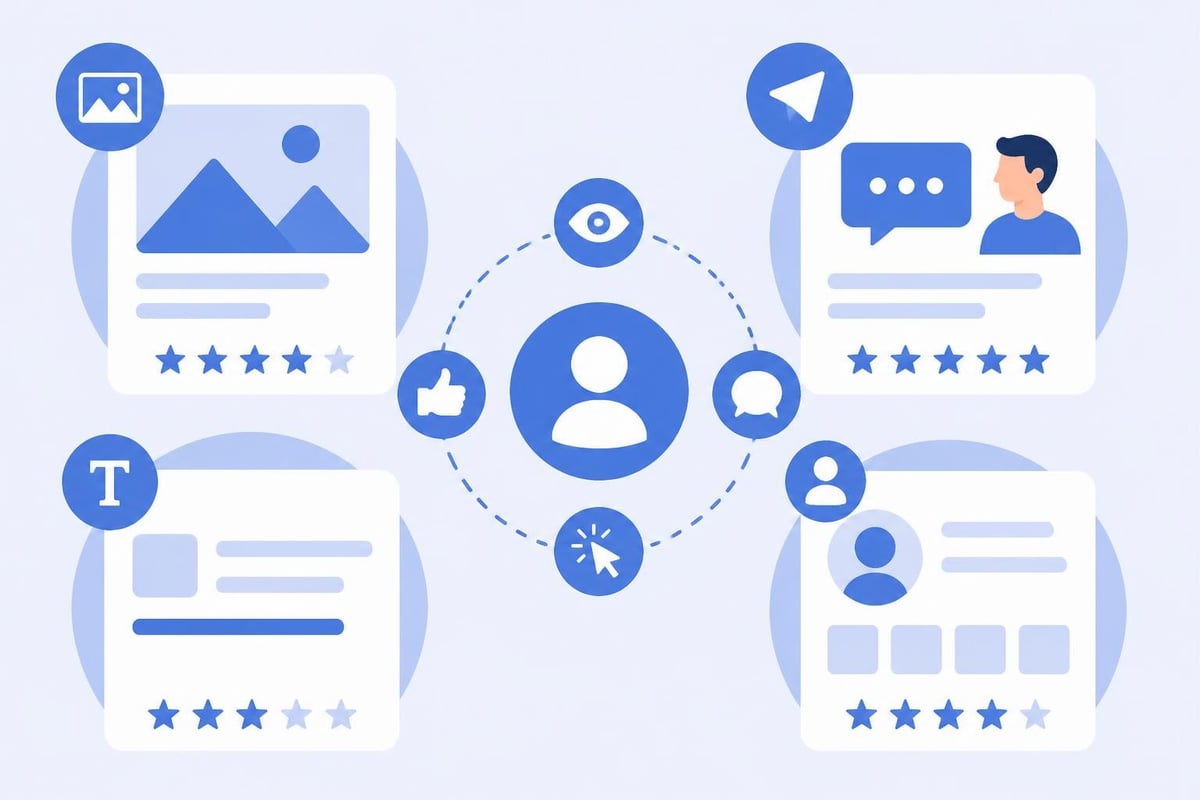
Sponsored content appears in the LinkedIn feed alongside organic posts. Single image ads, video ads, carousel ads, and event ads all fall within this category. These native ad units blend naturally into the browsing experience, typically generating higher engagement than more intrusive formats.
Video content performs particularly well in 2026, with completion rates exceeding other social platforms when content provides genuine professional value. Keep videos under 30 seconds for optimal completion rates, and include captions since most viewing happens with sound off.
Message Ads
Formerly called Sponsored InMail, message ads deliver personalized messages directly to LinkedIn inboxes. These ads only send when recipients are actively using LinkedIn, improving open rates compared to email.
Message ads excel for event invitations, webinar registrations, and high-touch sales outreach. Personalization tokens let you dynamically insert recipient names, companies, and other profile data.
Text and Dynamic Ads
Text ads appear in the right rail on desktop LinkedIn, offering a lower-cost awareness option. Dynamic ads personalize creative using member profile photos and data, creating eye-catching, individualized experiences at scale.
While these formats typically generate lower engagement than feed-based ads, they can efficiently build reach and brand recognition within targeted audiences.
Budgeting and Bidding Strategies
LinkedIn Ads Manager requires thoughtful budget allocation and bidding strategy selection to maximize efficiency. The platform operates on an auction model where advertisers compete for audience attention.
Budget Types and Pacing
Set daily budgets to control spending per day or total budgets for campaign lifetime limits. LinkedIn distributes budget throughout the campaign period to maintain consistent delivery rather than exhausting budgets immediately.
Standard delivery spreads impressions evenly, while accelerated delivery prioritizes speed over cost efficiency. Most campaigns benefit from standard delivery to avoid rapid budget depletion during high-competition periods.
Bid Strategy Options
Choose between automated bidding (letting LinkedIn optimize bids for your objective) or manual bidding (setting maximum bids yourself). Automated bidding typically delivers better results for new advertisers who lack historical performance data.
Manual bidding provides more control for experienced marketers who understand their target cost per result and want to cap maximum bid amounts. LinkedIn provides suggested bid ranges based on competitor activity in your target audience.
Bidding strategy recommendations:
- Maximum delivery: Automated bidding optimized for reach within budget constraints
- Cost cap: Automated bidding while maintaining target cost per result
- Manual bidding: Fixed maximum bid amounts for precise cost control
Testing different bid strategies across identical audiences reveals performance differences and helps you identify optimal approaches for your specific goals.
Campaign Management and Optimization
Launching campaigns represents only the beginning of your LinkedIn Ads Manager journey. Effective campaign management requires continuous monitoring, testing, and refinement based on performance data.
Performance Monitoring
LinkedIn provides comprehensive reporting dashboards showing impressions, clicks, engagement, conversions, and costs across all campaigns. Demographic breakdowns reveal which audience segments perform best, enabling budget reallocation toward high-performing groups.
Track these key metrics consistently:
- Click-through rate (CTR): Indicates creative and targeting relevance
- Cost per click (CPC): Measures efficiency of traffic generation
- Conversion rate: Shows landing page and offer effectiveness
- Cost per conversion: Ultimate measure of campaign profitability
- Relevance score: LinkedIn's quality rating for your ads
Low relevance scores increase costs and reduce delivery, so maintaining high-quality, relevant creative is essential for sustainable performance.
A/B Testing Frameworks
Systematic testing isolates variables and identifies performance drivers. Test one element at a time: creative, headline, call-to-action, landing page, or audience segment.
Run tests with sufficient budget and duration to achieve statistical significance. LinkedIn's built-in A/B testing features simplify experiment setup and automatically declare winners when confidence thresholds are met.
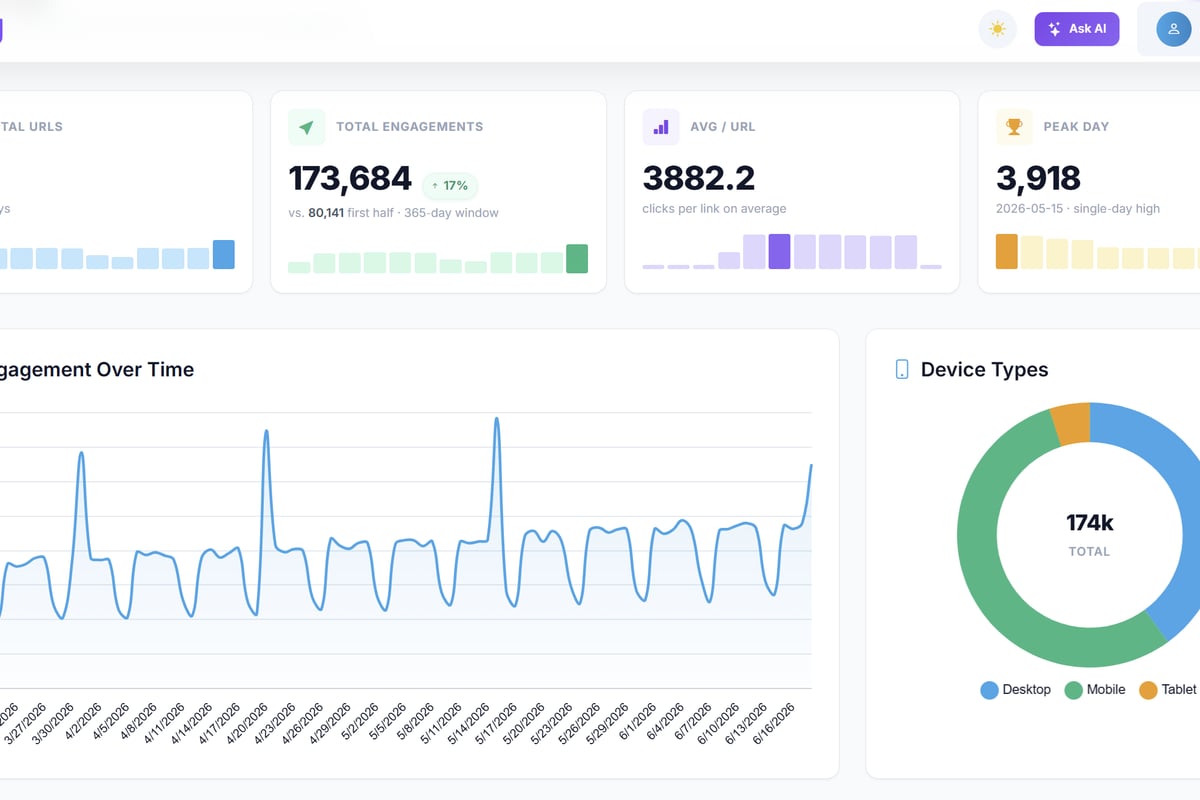
For marketers seeking to optimize their LinkedIn campaign URLs, comprehensive link management becomes critical. Trimy offers advanced analytics, A/B testing, and smart routing capabilities that complement LinkedIn Ads Manager perfectly. By transforming your campaign links into intelligence signals, you gain granular insights into traffic quality, conversion paths, and audience behavior beyond what LinkedIn's native reporting provides.
Optimization Tactics
Apply these proven optimization techniques once campaigns accumulate performance data:
- Pause underperforming audience segments and reallocate budget to top performers
- Refresh creative every 4-6 weeks to combat ad fatigue
- Adjust bids based on time-of-day and day-of-week performance patterns
- Exclude converted users from awareness campaigns to reduce wasted spend
- Expand successful audiences using lookalike modeling
Campaign setup best practices emphasize starting with broader audiences and narrowing based on data rather than beginning with overly restrictive targeting that limits learning.
Advanced Features and Integrations
LinkedIn Ads Manager provides sophisticated capabilities for enterprise marketers and technical users seeking maximum control and integration with existing marketing stacks.
Conversion Tracking and Attribution
Beyond basic conversion tracking, LinkedIn supports view-through conversions, multi-touch attribution, and revenue reporting. Configure conversion windows to measure delayed conversions that occur days or weeks after initial ad exposure.
Integration with CRM systems enables closed-loop reporting that connects ad spend to actual revenue. When LinkedIn conversions sync with Salesforce, HubSpot, or Microsoft Dynamics, you gain complete visibility into campaign ROI and customer lifetime value by segment.
Lead Gen Forms and CRM Sync
LinkedIn's native lead gen forms eliminate landing page friction by pre-filling contact information from member profiles. Users submit leads with two clicks, dramatically improving conversion rates compared to traditional form experiences.
Configure automatic CRM sync to push leads directly into your sales systems within minutes of submission, enabling immediate follow-up while prospect interest remains high. Add custom questions to qualify leads and gather specific information beyond standard contact details.
API Access and Programmatic Management
Developers can access LinkedIn's Marketing API to programmatically create campaigns, update bids, retrieve reporting data, and automate optimization workflows. API access enables sophisticated campaign management at scale, particularly valuable for agencies managing hundreds of client accounts.
Build custom dashboards that combine LinkedIn data with other marketing channels, creating unified reporting that shows cross-channel attribution and comparative performance.
Industry Benchmarks and Realistic Expectations
Understanding typical LinkedIn Ads Manager performance helps you set realistic goals and identify when campaigns underperform. Benchmarks vary significantly by industry, objective, and audience size.
2026 Performance Benchmarks
Based on aggregated data across thousands of campaigns, typical metrics include:
| Metric | Average | Good | Excellent |
|---|---|---|---|
| CTR (Sponsored Content) | 0.45% | 0.8% | 1.2%+ |
| CTR (Message Ads) | 2.5% | 4% | 6%+ |
| CPC | $5.50 | $4.00 | $3.00 |
| CPL (Lead Gen Forms) | $65 | $45 | $30 |
| Conversion Rate | 2.5% | 4% | 6%+ |
These benchmarks serve as general guidelines. B2B software companies targeting IT decision-makers typically see higher costs but also higher lead values. Professional services firms often achieve better engagement rates due to thought leadership content.
Cost Considerations
LinkedIn Ads Manager typically requires higher budgets than other social platforms. Minimum daily budgets start at $10, but effective campaigns usually run $50-100+ daily to generate sufficient data for optimization.
Plan for a learning phase of 7-14 days where LinkedIn's algorithm optimizes delivery. Performance often improves significantly after this initial period as the system identifies high-converting audience segments.
Troubleshooting Common Challenges
Even experienced marketers encounter obstacles when running LinkedIn campaigns. Recognizing common issues and their solutions accelerates performance improvement.
Low Delivery and Limited Reach
When campaigns fail to spend budgets or deliver impressions, several factors might be responsible. Audience size below 50,000 members often struggles to achieve consistent delivery. Consider broadening targeting criteria or expanding geographic reach.
Bids below suggested ranges lose auctions to competitors. Review bid guidance and increase maximum bids incrementally until delivery stabilizes. Low relevance scores also throttle delivery, requiring creative refreshes or targeting refinements.
High Costs and Poor Conversion Rates
Expensive clicks and low conversion rates typically indicate targeting or landing page problems rather than LinkedIn platform issues. Audit your funnel systematically:
- Targeting: Are you reaching decision-makers who can act on your offer?
- Creative: Does your ad clearly communicate value and relevance?
- Landing page: Does the page match ad messaging and load quickly?
- Offer: Is your offer compelling enough to justify the ask?
Broader paid advertising strategies emphasize message-match between ad copy and landing page content. Inconsistency between these elements destroys conversion rates regardless of traffic quality.
Tracking and Attribution Gaps
Missing conversion data usually traces back to Insight Tag implementation problems. Verify tag installation using browser developer tools or LinkedIn's tag helper browser extension. Ensure conversion events fire correctly when users complete desired actions.
Cookie restrictions and privacy changes in 2026 impact conversion tracking accuracy. Implement first-party tracking solutions and server-side conversion APIs to maintain visibility despite browser limitations.
Scaling Successful Campaigns
Once you identify winning campaign formulas in LinkedIn Ads Manager, systematic scaling amplifies results while maintaining efficiency.
Horizontal Scaling Approaches
Create additional campaigns targeting similar audiences in new geographic markets or industries. Replicate successful creative and targeting templates rather than starting from scratch.
Expand into new ad formats that reach the same audiences through different touchpoints. Users who ignore sponsored content might engage with message ads or dynamic ads.
Vertical Scaling Methods
Increase budgets on top-performing campaigns by 20-30% every few days while monitoring efficiency metrics. Aggressive budget increases can disrupt algorithm learning and reduce performance temporarily.
Broaden targeting within successful campaigns by adding related job titles, industries, or seniority levels. Monitor segment-level performance to ensure new audience additions maintain acceptable conversion rates.
Account-Based Marketing Integration
LinkedIn's ABM capabilities enable highly focused campaigns targeting specific companies or accounts. Upload lists of target accounts and create tailored messaging for different stakeholders within those organizations.
Coordinate LinkedIn campaigns with sales outreach, email nurturing, and other ABM tactics to create surround-sound presence with target accounts. Multi-touch engagement across channels accelerates pipeline velocity and deal sizes.
Mastering LinkedIn Ads Manager requires understanding platform mechanics, audience targeting, creative optimization, and continuous testing. The skills and strategies outlined here position you to run profitable campaigns that reach decision-makers and drive meaningful business results.
When you're ready to take your LinkedIn campaigns to the next level, Trimy provides the link intelligence and management tools to track, test, and optimize every campaign URL. Transform your LinkedIn traffic into actionable insights with advanced analytics, A/B testing, and smart routing that reveal exactly which messages, audiences, and offers drive revenue.