Turn a Link into a QR Code: Complete 2026 Guide

QR codes have evolved from inventory tools into powerful marketing assets that bridge the gap between physical and digital experiences. In 2026, the ability to turn a link into a QR code represents a fundamental skill for marketers, developers, and business owners who want to track offline-to-online conversions, simplify user journeys, and measure campaign performance with precision. Understanding the technical requirements, security implications, and analytics opportunities helps teams deploy QR strategies that deliver measurable results rather than just aesthetic additions to printed materials.
Why Modern Marketers Turn Links into QR Codes
The resurgence of QR code adoption since 2020 has fundamentally changed how businesses connect physical touchpoints with digital properties. Mobile camera apps now include native QR scanning capabilities, eliminating the friction that once required users to download dedicated scanner applications.
When you turn a link into a QR code, you create a scannable gateway that removes the need for manual URL entry on mobile devices. This reduction in friction translates directly to higher conversion rates for printed advertisements, product packaging, event signage, business cards, and retail displays.
Tracking Offline Campaign Performance
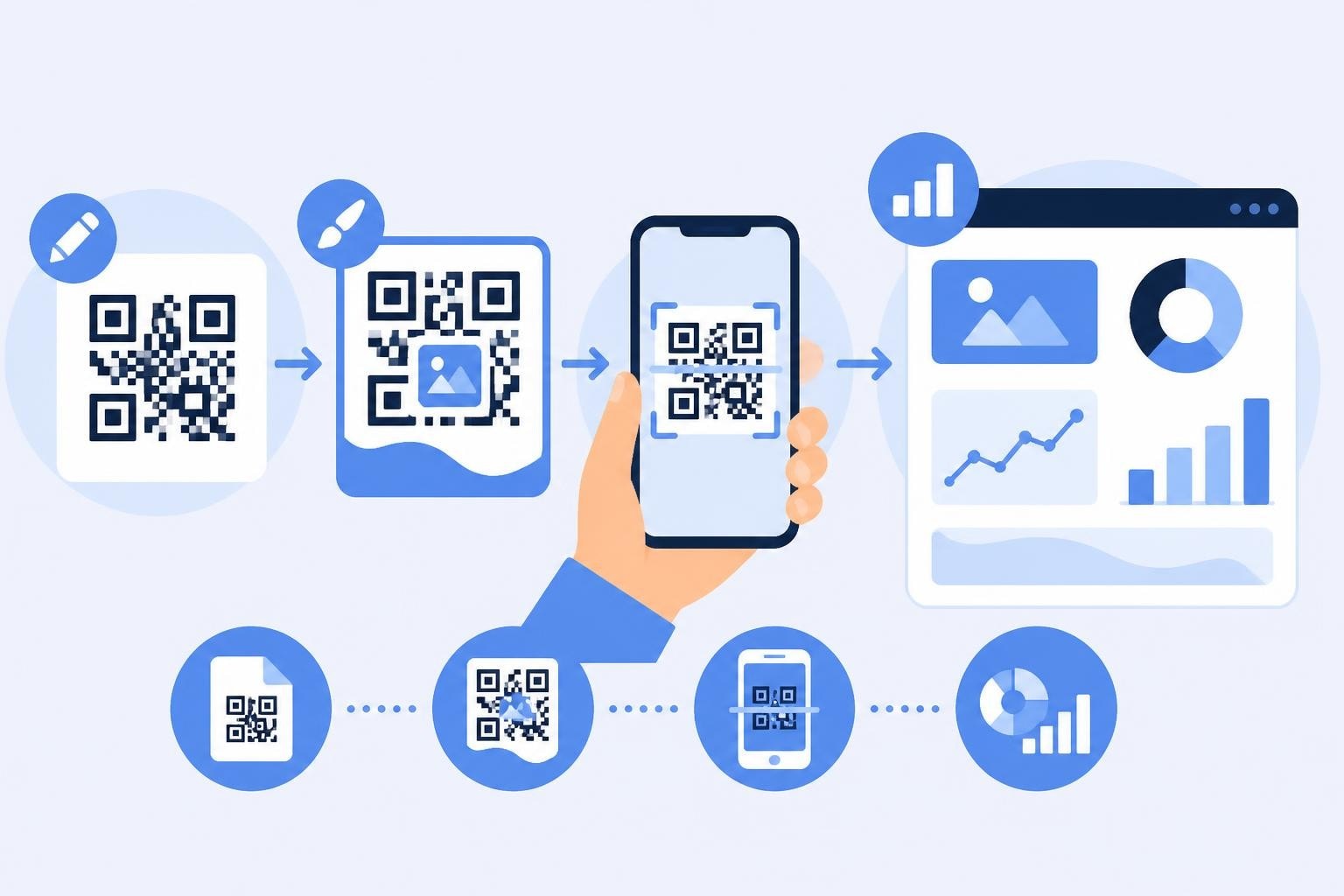
Traditional print media presents measurement challenges that digital channels solved decades ago. QR codes close this gap by routing users through trackable shortened URLs before reaching the final destination.
Every scan generates data points including:
- Geographic location of the scanner
- Timestamp and day-of-week patterns
- Device type and operating system
- Unique versus returning visitors
- Conversion path from scan to action
This attribution data transforms print campaigns from unmeasurable brand exercises into performance channels with clear ROI metrics.

Reducing User Friction in Multi-Step Journeys
Consider the alternative to QR codes: a user sees a poster, manually types a URL into their browser, corrects typos, and hopes they remembered the address correctly. Each step introduces abandonment risk.
QR codes compress this multi-step process into a single camera action. The difference in completion rates can exceed 300% compared to manual URL entry, particularly for longer destination addresses or URLs containing campaign parameters.
| User Action | Manual Entry | QR Code Scan |
|---|---|---|
| Steps Required | 5-7 actions | 1-2 actions |
| Average Time | 30-45 seconds | 3-5 seconds |
| Error Rate | 15-25% | <1% |
| Mobile Completion | 40-50% | 85-92% |
Technical Requirements for Converting Links to QR Codes
Not all URLs translate equally well into QR code format. The relationship between URL length and QR code complexity directly impacts scanning reliability and user experience.
URL Length and Error Correction
QR codes encode data as patterns of black and white modules. Longer URLs require more modules, creating denser patterns that become harder for smartphone cameras to decode accurately, especially under poor lighting or at oblique angles.
A 200-character URL generates a QR code approximately 40% denser than a 20-character shortened link. This density difference affects scanning distance, lighting tolerance, and print quality requirements.
Error correction capabilities allow QR codes to remain scannable even when partially obscured or damaged, but this resilience decreases as data density increases. Shorter URLs maximize the error correction margin, improving reliability across varying print conditions and scanning environments.
Character Encoding and Special Symbols
QR codes support multiple encoding modes with different efficiency characteristics. Alphanumeric mode (numbers, uppercase letters, and limited punctuation) encodes more efficiently than binary mode required for lowercase letters and special characters.
A URL using only uppercase letters and numbers generates a smaller QR code than an identical-length URL containing lowercase letters or special characters. This technical reality favors shortened links using alphanumeric short codes over complex URLs with mixed-case parameters.
Common URL components and their encoding impact:
- Uppercase letters and numbers: Most efficient encoding
- Lowercase letters: Requires binary mode, larger code
- Special characters (%, &, =): Binary encoding, increased size
- UTF-8 characters: Significant size increase, avoid when possible
Methods to Turn a Link into a QR Code
Multiple approaches exist for generating QR codes from URLs, each with distinct advantages for different use cases and technical requirements.
Server-Side Generation APIs
Programmatic QR code generation enables automated workflows where codes are created dynamically based on user input, database records, or campaign parameters. Developers can integrate QR generation into existing applications using established libraries.
The ZXing library provides robust barcode encoding and decoding capabilities across multiple programming languages. Java implementations offer extensive customization options for error correction levels, output formats, and size specifications.
For production environments, server-side generation ensures consistent quality control, centralized tracking link assignment, and integration with campaign management systems. This approach scales efficiently for organizations generating thousands of unique QR codes for different products, locations, or campaign variations.
Client-Side JavaScript Libraries
Web-based tools can generate QR codes directly in the user's browser without server processing. The qrcodejs library demonstrates this approach with a lightweight JavaScript implementation that creates QR codes from HTML elements.
Client-side generation offers advantages for privacy-sensitive applications, reduces server load, and enables real-time preview functionality as users modify destination URLs or design parameters.
However, client-side approaches require careful consideration of tracking implementation. Without server-side URL shortening and click tracking, these locally-generated codes miss the attribution capabilities that make QR campaigns measurable.
Integrated Link Management Platforms
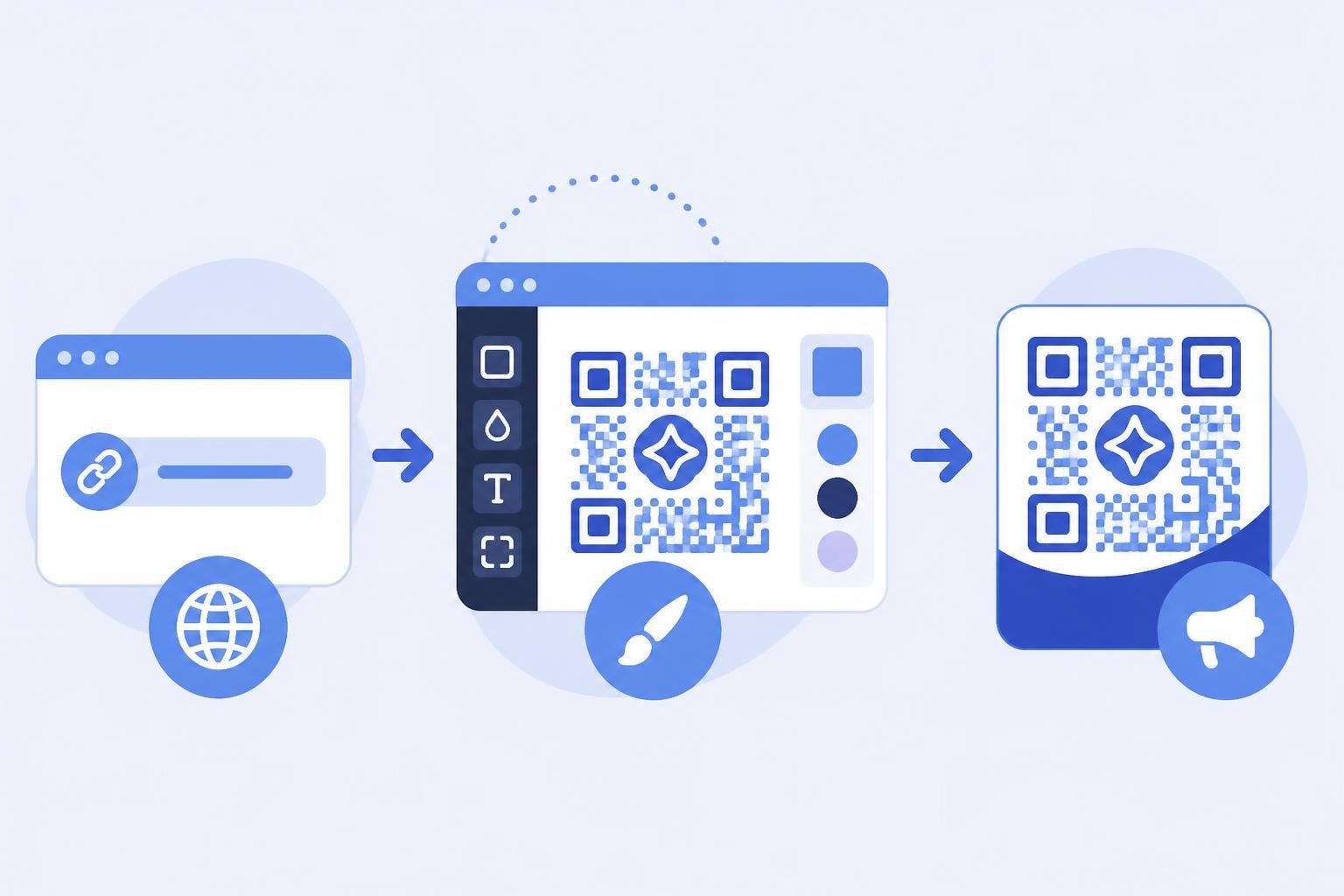
Modern link management platforms combine URL shortening, QR code generation, and analytics tracking in unified workflows. When you turn a link into a QR code through these systems, the platform automatically creates a shortened tracking URL, generates the QR code, and establishes the analytics infrastructure to measure performance.
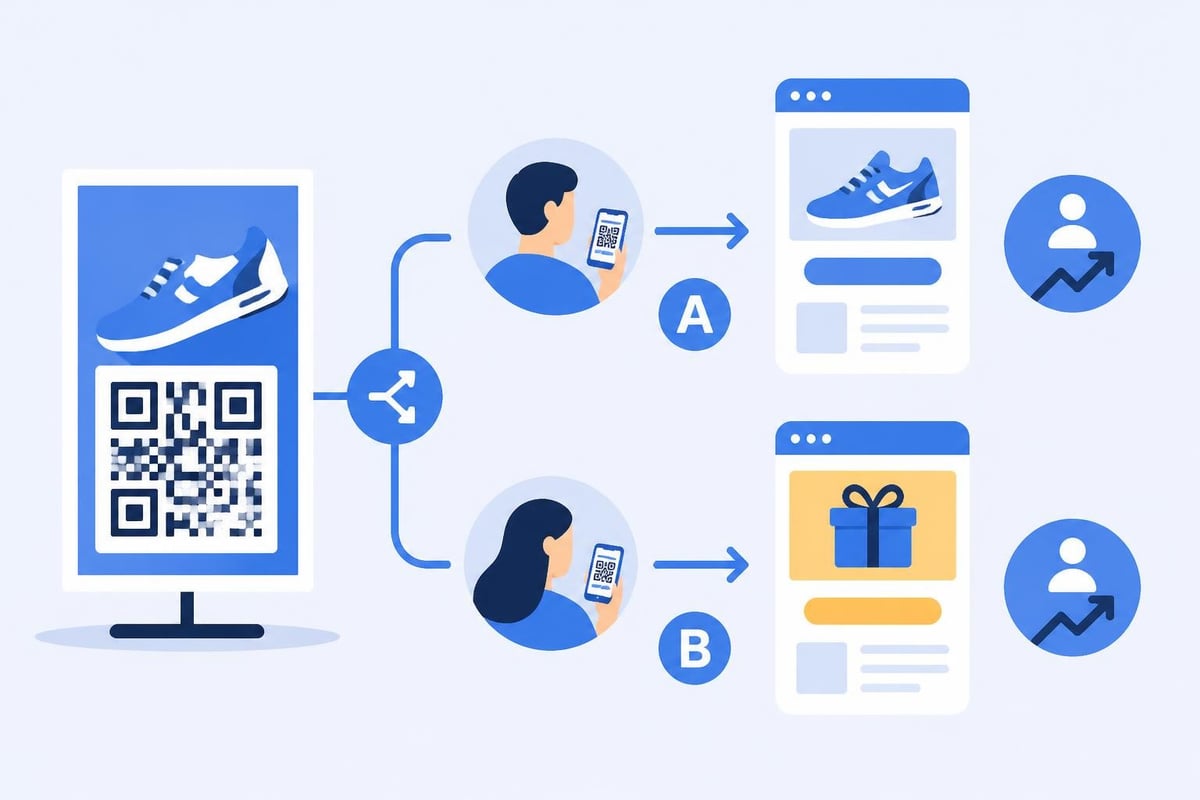
This integrated approach ensures every QR code connects to detailed engagement metrics without requiring manual configuration of tracking parameters or analytics tools. Teams can A/B test different destinations, rotate offers based on performance, and update target URLs without reprinting physical materials.
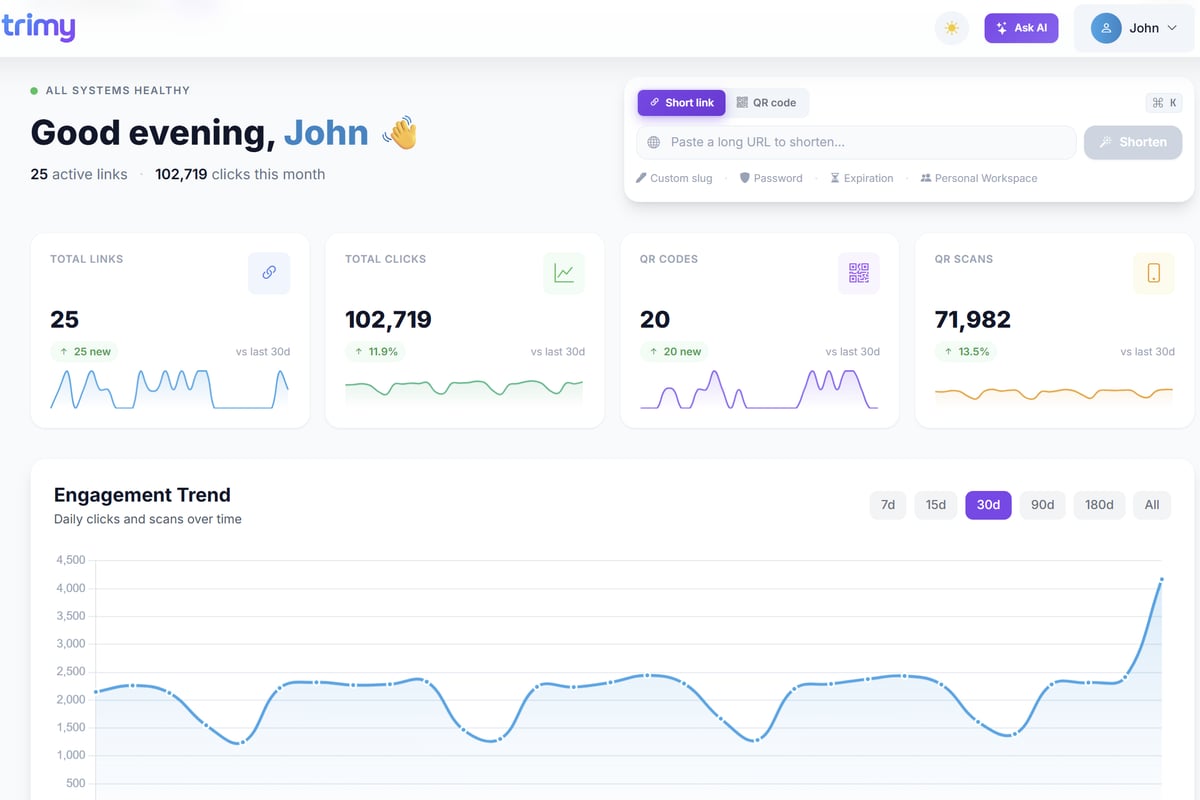
Trimy exemplifies this integrated approach by combining URL shortening, QR code generation, custom branded domains, A/B testing capabilities, and comprehensive analytics in a single platform. Marketers can create trackable QR codes while maintaining full visibility into scan patterns, conversion rates, and revenue attribution.
Security Considerations When Creating QR Codes
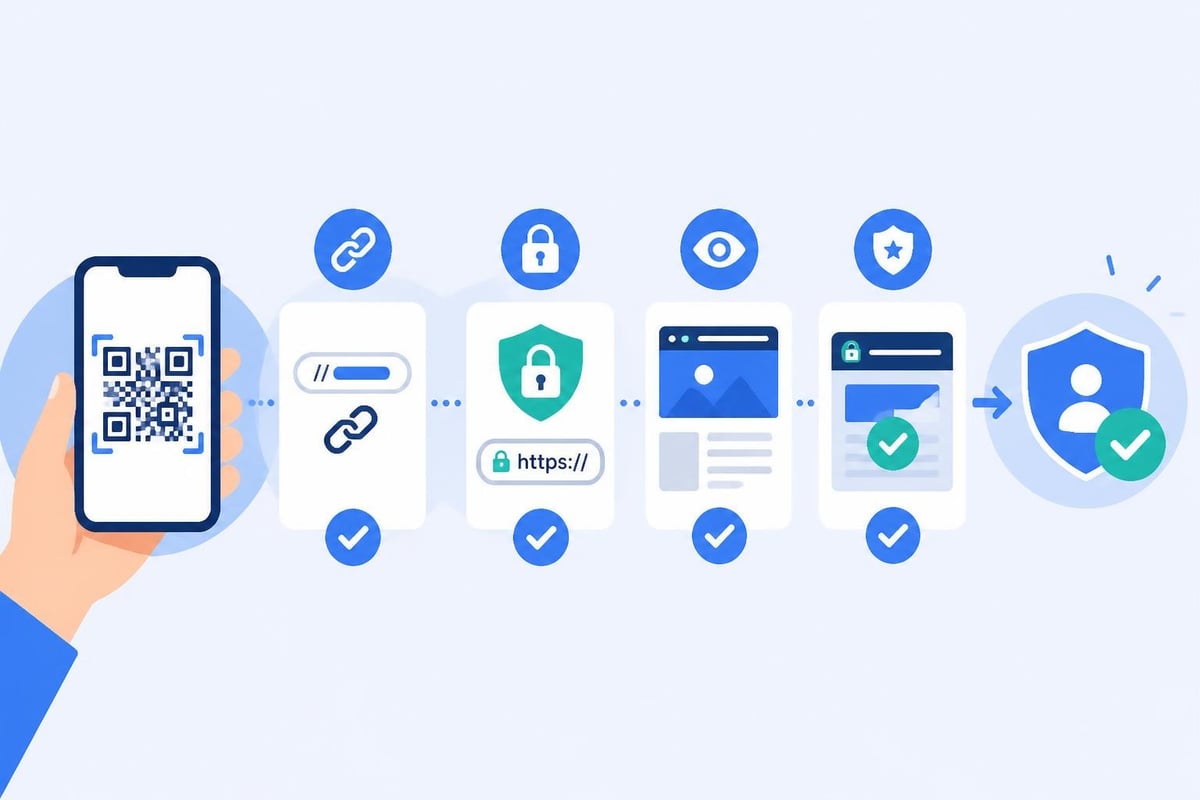
The ease of scanning QR codes creates security vulnerabilities that require proactive mitigation. Users typically cannot verify destination URLs before scanning, creating opportunities for malicious redirection.
QR Code Phishing (Qishing) Threats
Attackers can overlay malicious QR codes on legitimate printed materials, redirecting users to phishing sites that harvest credentials or distribute malware. The UK National Cyber Security Centre identifies these "qishing" attacks as growing threats in physical security contexts.
Organizations deploying QR codes must implement protective measures including:
- Tamper-evident materials: Use substrates that show visible damage if codes are replaced
- Printed context: Include visible partial URLs near codes so users can verify destinations
- Branded short domains: Use recognizable domains that users can trust
- SSL certificates: Ensure all destination pages use HTTPS encryption
- Regular audits: Physically inspect QR code placements for unauthorized modifications
URL Preview and Link Validation
Advanced QR code systems provide intermediate preview pages that display the full destination URL before automatic redirection. This transparency allows users to verify legitimacy before proceeding to the final page.
The Canadian Centre for Cyber Security guidance recommends organizations implement clear labeling practices that help users distinguish official QR codes from potentially malicious imitations.
Preview pages also create opportunities to present terms of service, data collection notices, or age verification requirements before users access content, addressing compliance requirements for regulated industries.
Design Best Practices for Scannable QR Codes
Technical generation represents only the first step. QR codes must be designed, sized, and positioned to ensure reliable scanning across varying environmental conditions and user capabilities.
Size and Resolution Requirements
The minimum scannable size depends on intended scanning distance and print quality. The U.S. Department of Energy guidance recommends a minimum 2cm × 2cm size for close-range scanning, with proportionally larger sizes for increased viewing distances.
A practical sizing formula: the QR code dimension should be at least one-tenth of the expected scanning distance. A poster viewed from 3 meters requires a minimum 30cm × 30cm code for reliable scanning.
Print resolution affects scanning reliability more than size alone. Codes should be printed at a minimum 300 DPI to ensure crisp module edges. Lower resolutions create blurred boundaries between black and white modules, reducing scan success rates.
Quiet Zone and Contrast Requirements
QR codes require a white border (quiet zone) of at least four modules width on all sides. This margin helps scanning software distinguish the code boundary from surrounding design elements.
Contrast ratio between dark modules and light background must exceed 60% for reliable scanning. While creative applications sometimes use colored QR codes, black-on-white remains the most reliably scannable combination across different lighting conditions and camera qualities.
Common design mistakes that reduce scannability:
- Insufficient quiet zone due to aggressive design cropping
- Low-contrast color combinations (light blue on white, dark red on black)
- Distortion from stretching or perspective warping
- Printing on textured, glossy, or reflective materials
- Overlaying logo images that obscure critical positioning patterns
Accessibility and Alternative Access Methods
Relying exclusively on QR codes creates barriers for users with visual impairments, outdated devices, or situational limitations that prevent camera use. Inclusive design requires complementary access methods.
WCAG Compliance for QR Code Implementation
The Web Content Accessibility Guidelines establish principles that extend beyond web interfaces to all digital access methods, including QR codes. Success criteria 1.4.1 (Use of Color) and 1.1.1 (Non-text Content) directly impact QR deployment strategies.
Accessible QR code implementations include:
- Visible text URL: Print a shortened URL alongside the QR code for manual entry
- Descriptive context: Explain what the QR code links to in adjacent text
- Alternative formats: Provide NFC tags or SMS shortcodes as parallel access methods
- Sufficient contrast: Ensure visual indicators meet 4.5:1 minimum contrast ratios
- Size flexibility: Make codes large enough for users with reduced dexterity or vision
Organizations must balance QR code convenience with universal access principles, ensuring no user group faces complete exclusion from content or functionality.
Campaign Tracking and Analytics Implementation
The strategic value of QR codes emerges from their measurement capabilities. Proper implementation requires planning tracking architecture before generating codes.
UTM Parameter Strategy
Towson University's guidance recommends consistent UTM tagging conventions that enable granular campaign attribution. Each QR code should include source, medium, and campaign parameters that identify its physical context.
Effective UTM structures for QR campaigns:
- utm_source: Physical location (downtown_poster, product_box, store_display)
- utm_medium: Always "qr" or "qrcode" for clear channel attribution
- utm_campaign: Campaign identifier (spring_2026, product_launch, event_promo)
- utm_content: Variant identifier for A/B testing different designs or placements
- utm_term: Optional keyword tracking for multiple QR codes within single campaigns
Shortened URLs mask these parameters from users while preserving complete attribution data in analytics platforms. A 200-character URL with full UTM tags compresses to a 20-character short link, dramatically improving QR code scannability while maintaining measurement integrity.
Performance Metrics and Optimization
Standard QR code campaign metrics extend beyond simple scan counts to include conversion funnel analysis and lifetime value attribution.
| Metric Category | Key Indicators | Optimization Use |
|---|---|---|
| Engagement | Scans, unique users, scan-to-click rate | Identify high-traffic placements |
| Demographics | Location, device, time patterns | Optimize placement timing and targeting |
| Conversion | Form submissions, purchases, signups | Calculate channel-specific ROI |
| Retention | Return scans, customer lifetime value | Measure long-term campaign impact |
Comparative analysis across different QR code placements, designs, and destination pages reveals optimization opportunities. A/B testing different offers, landing page designs, or call-to-action messaging through identical QR code placements isolates creative effectiveness from placement performance.
Advanced Use Cases for Link-to-QR Conversion
Beyond basic URL redirection, sophisticated implementations leverage QR codes for dynamic routing, personalized experiences, and multi-step user journeys.
Dynamic QR Codes with Smart Routing
Static QR codes permanently encode a single destination URL. Dynamic implementations separate the printed QR code from the destination, allowing updates without reprinting materials.
A dynamic QR code points to a permanent short URL that acts as a router. The destination URL can be updated in the link management platform, immediately changing where all existing QR codes redirect without physical replacement.
Smart routing extends this concept by directing users to different destinations based on:
- Geographic location: Route to nearest store or region-specific offers
- Time of day: Display breakfast menus in morning, dinner options in evening
- Device type: Optimize mobile app downloads versus desktop web experiences
- Previous visits: Show new content to returning users, onboarding to first-time scanners
- Inventory status: Redirect to available alternatives when promoted items are out of stock
Personalized QR Codes for Individual Users
Variable data printing enables unique QR code generation for each recipient in direct mail campaigns, product serialization, or ticketing applications.
Each code contains a unique identifier that connects the physical item to customer records, enabling:
- Warranty registration linked to purchase history
- Loyalty program integration upon product registration
- Personalized promotional offers based on purchase patterns
- Anti-counterfeiting verification for luxury goods
- Event check-in with attendee-specific access credentials
The technical challenge involves generating thousands or millions of unique shortened URLs, creating corresponding QR codes, and managing the printing workflow with correct code-to-recipient matching. Programmatic generation using APIs and database-driven print systems automate this process for scale.
Integration with Marketing Automation Workflows
QR codes function as trigger points in sophisticated marketing automation sequences. When integrated with customer data platforms and marketing automation tools, scans can initiate multi-touch nurture campaigns.
A QR code scan on a product manual might trigger:
- Immediate email with setup video and troubleshooting guide
- Three-day follow-up survey about product satisfaction
- Week-two cross-sell email for complementary accessories
- Month-one renewal or replenishment reminder for consumables
- Quarterly loyalty program updates and exclusive offers
This automated engagement transforms a simple scan into an ongoing customer relationship managed through triggered workflows. The scan serves as a zero-party data signal indicating active product engagement and interest in additional information.
Retargeting Pixel Implementation
Advanced link management platforms enable retargeting pixel installation on QR code destinations, building remarketing audiences from offline interactions.
A user who scans a QR code from a billboard becomes targetable for:
- Display advertising across premium publisher networks
- Social media retargeting campaigns on Facebook and Instagram
- YouTube pre-roll ads reinforcing brand messaging
- Search remarketing lists for customized keyword bidding
This offline-to-online audience building creates attribution pathways that connect physical advertising spend to digital conversion events, enabling true multi-channel attribution and budget optimization.
Converting URLs to QR codes transforms static links into dynamic marketing assets that bridge physical and digital experiences while generating actionable performance data. When implemented with proper security measures, accessibility considerations, and comprehensive analytics infrastructure, QR codes become measurable channels that optimize offline campaigns with digital precision. Trimy provides the integrated platform to shorten links, generate branded QR codes, track detailed engagement metrics, and optimize campaigns through A/B testing, giving marketers and developers the tools to turn every scan into actionable intelligence that drives revenue growth.