UTM Parameters: Complete Guide to Campaign Tracking
Every marketing professional faces the same fundamental challenge: proving which campaigns actually drive results. Without accurate tracking, you're essentially flying blind, unable to determine whether your email campaign outperformed your social media ads or which specific Facebook post generated the most conversions. This is precisely where UTM parameters become indispensable tools in your marketing technology stack.
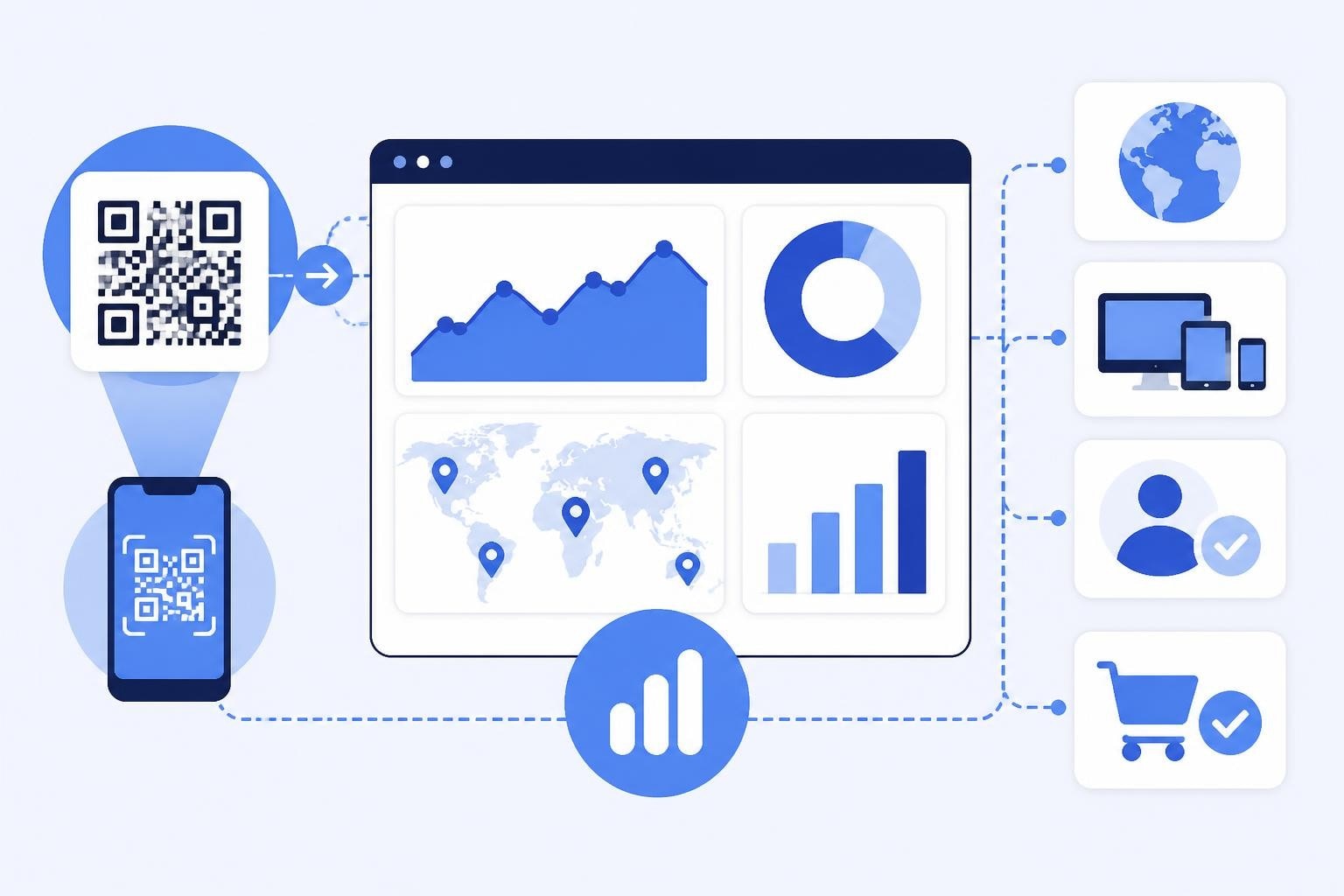
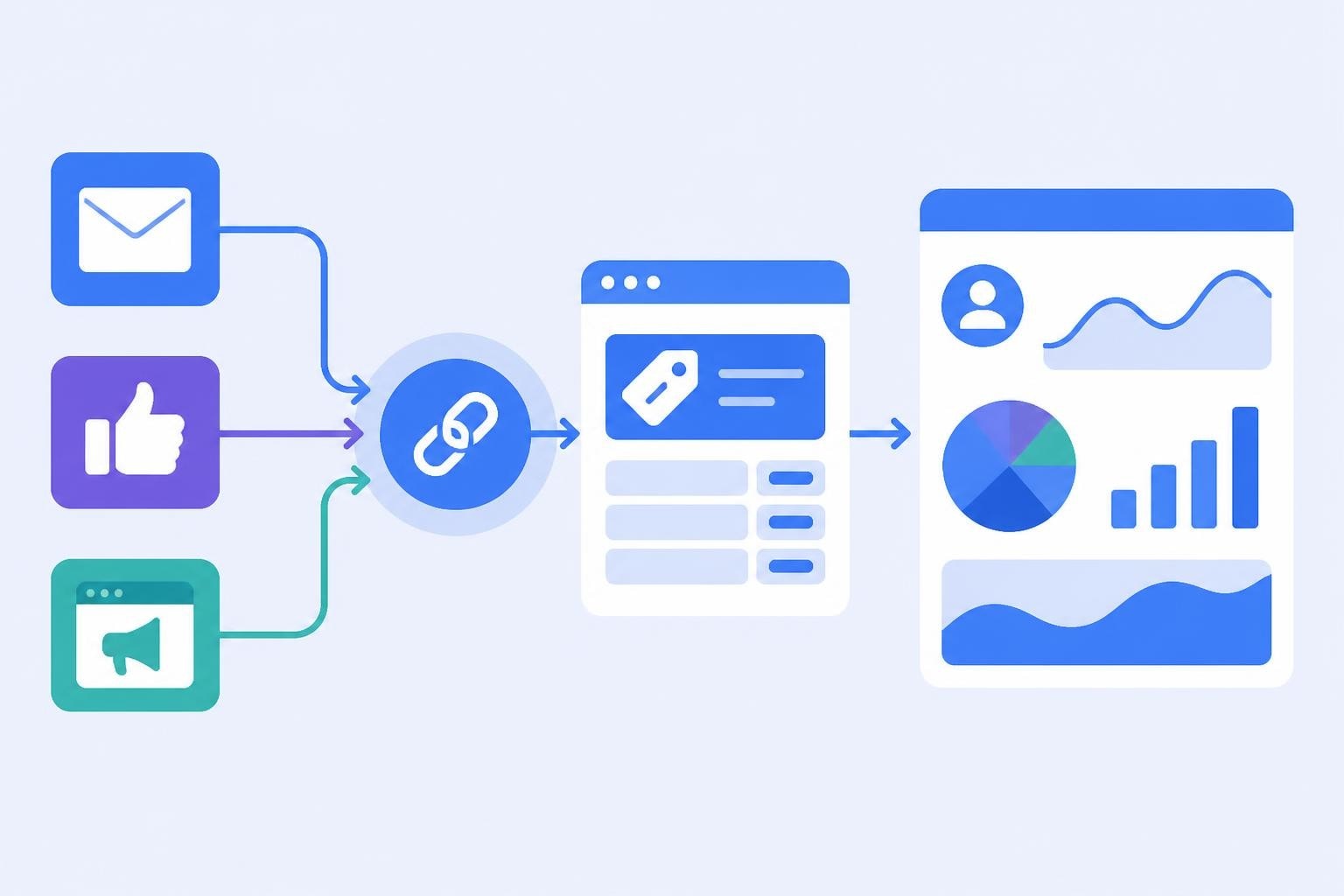
UTM parameters are simple text snippets added to the end of URLs that help analytics platforms identify exactly where your traffic originates. When someone clicks a link containing these parameters, the information travels with them to your website, allowing Google Analytics 4 and other platforms to attribute that visit to a specific campaign, source, or medium. For businesses managing multiple marketing channels simultaneously, this granular tracking transforms raw data into actionable intelligence.
Understanding the Five Core UTM Parameters
The UTM framework consists of five distinct parameters, each serving a specific tracking purpose. Three are required for effective campaign measurement, while two provide additional granularity for sophisticated marketers.
utm_source identifies the platform sending traffic to your site. This might be "facebook," "newsletter," "google," or any other traffic source. The source parameter answers the fundamental question: where did this visitor come from?
utm_medium describes the marketing medium or channel type. Common values include "email," "social," "cpc" (cost per click), "banner," or "referral." This parameter categorizes the general method of promotion.
utm_campaign names the specific promotional effort. Examples include "summer_sale_2026," "product_launch," or "webinar_series_q3." This parameter connects individual clicks to broader marketing initiatives.
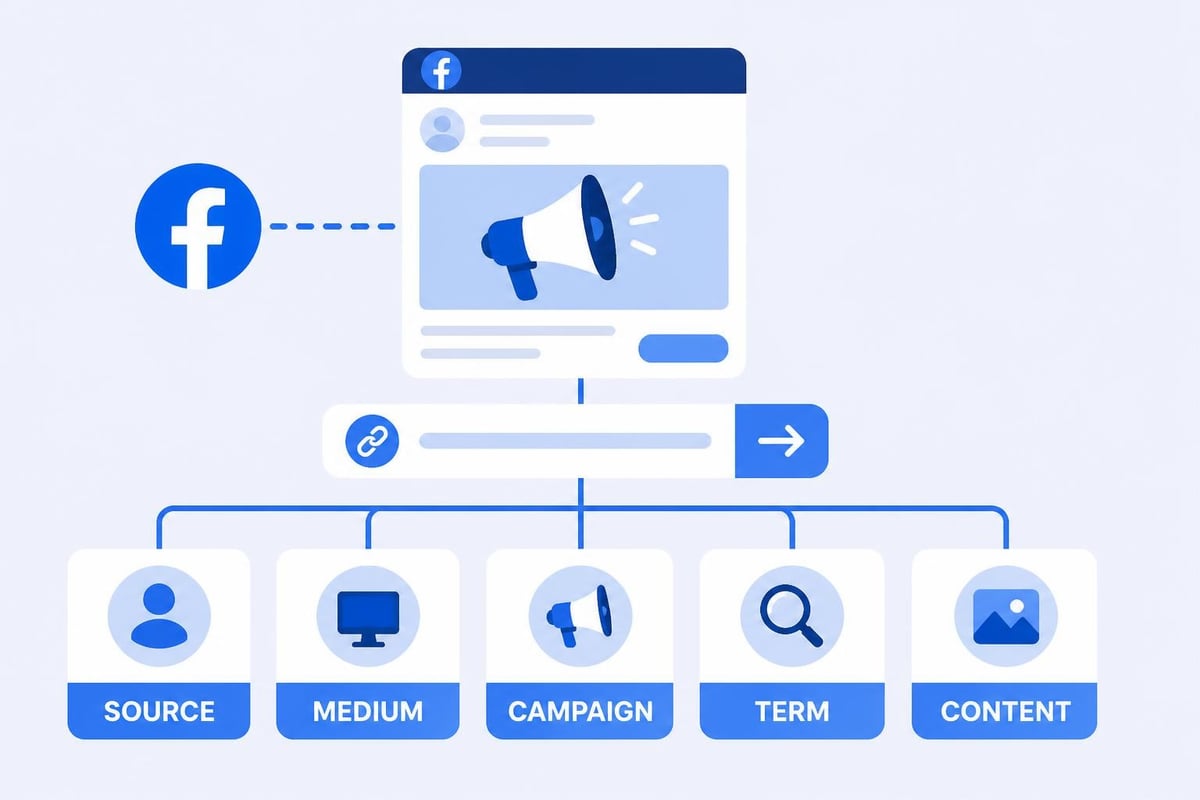
utm_term tracks paid search keywords. While originally designed for Google Ads and paid search campaigns, some marketers repurpose this field for other segmentation needs in non-search contexts.
utm_content differentiates similar content or links within the same campaign. This proves particularly valuable for A/B testing different call-to-action buttons, email variations, or ad creative versions.
How Analytics Platforms Process UTM Data
When a user clicks a URL containing UTM parameters, their browser sends the complete URL to your website server. Google Analytics 4 reads these campaign parameters from the URL query string and stores them as session-level dimensions associated with that user's visit.
This data structure allows you to segment reports by any combination of parameters. You can analyze all traffic from email campaigns, compare performance across different Facebook ad sets, or evaluate which specific newsletter edition drove the most revenue. The parameters themselves don't affect user experience-they're purely informational tags that remain invisible to most visitors.
Building Effective UTM Naming Conventions
Consistency separates useful tracking data from chaotic noise. Without standardized naming conventions, your analytics reports become cluttered with duplicate entries like "Facebook," "facebook," "FB," and "fb" all representing the same source.
Establish clear rules before launching tracked campaigns:
- Use lowercase exclusively to prevent case-sensitivity issues
- Replace spaces with underscores or hyphens
- Keep values concise but descriptive
- Document approved values for each parameter
- Train all team members on the established system
| Parameter | Good Example | Poor Example | Why It Matters |
|---|---|---|---|
| utm_source | LinkedIn Post | Lowercase prevents duplicates | |
| utm_medium | E-Mail Newsletter | Simple values group better | |
| utm_campaign | spring_sale_2026 | Spring Sale!!! | Clean strings avoid encoding issues |
| utm_content | blue_cta | Blue CTA Button - Top | Brevity improves reporting clarity |
Many organizations create shared spreadsheets or documents listing approved parameter values. This central reference ensures that everyone building tracked links uses identical terminology, resulting in clean, aggregated reporting.
Common UTM Implementation Mistakes
Even experienced marketers make predictable errors when implementing UTM parameters. Understanding URL parameter handling helps you avoid the most common pitfalls.
Inconsistent capitalization creates multiple entries for identical sources. "Newsletter," "newsletter," and "NEWSLETTER" appear as three separate sources in reports, fragmenting your data and obscuring the true performance of your email channel.
Over-tagging internal links pollutes your data with self-referential traffic. UTM parameters should track external traffic sources only. Never add them to links between pages on your own website, as this overwrites the visitor's original source attribution.
Special characters and spaces cause encoding problems and reporting errors. Stick to alphanumeric characters, underscores, and hyphens. Avoid punctuation, emoji, or anything requiring URL encoding.
Missing required parameters renders tracking incomplete. While you can technically build a URL with only utm_source, you'll lack the context to understand campaign performance fully. Always include source, medium, and campaign at minimum.
UTM Parameters Across Marketing Channels
Different marketing channels require tailored approaches to UTM implementation. What works for email campaigns may not suit paid search advertising.
Email Marketing Campaigns
Email platforms handle UTM parameters differently. Mailchimp automatically adds Google Analytics parameters when you enable the integration, but you should understand how to customize these values for your specific reporting needs.

For email campaigns, consider this structure:
- utm_source: newsletter, promotional_email, transactional
- utm_medium: email (consistent across all email)
- utm_campaign: specific campaign identifier
- utm_content: link position or content variant
SendGrid recommends similar approaches for tracking email performance, emphasizing the importance of using utm_content to differentiate multiple links within the same message.
Social Media Advertising
Social platforms present unique tracking challenges because organic posts and paid promotions require different attribution strategies.
For paid social campaigns:
- utm_source: facebook, instagram, linkedin, twitter
- utm_medium: paid_social, cpc, or paid
- utm_campaign: campaign objective or name
- utm_content: ad creative variation
- utm_term: audience segment (repurposing the term field)
Organic social posts benefit from simpler tagging:
- utm_source: facebook, instagram, linkedin, twitter
- utm_medium: social or organic_social
- utm_campaign: content theme or series
- utm_content: post identifier or format
Paid Search and Display Advertising
Google Ads and other PPC platforms offer auto-tagging features that automatically append tracking parameters. However, many advertisers prefer manual UTM implementation for consistency across platforms and more granular control.
When manually tagging paid search:
- utm_source: google, bing, duckduckgo
- utm_medium: cpc or paid_search
- utm_campaign: campaign name from ad platform
- utm_term: (dynamic insertion)
- utm_content: ad variation or ad group
Display advertising follows similar logic but typically uses "display" or "banner" as the medium value.
Advanced UTM Strategies for Data-Driven Teams
Beyond basic implementation, sophisticated marketers leverage UTM parameters for complex attribution and testing scenarios.
A/B Testing Campaign Elements
UTM parameters excel at comparing performance between campaign variations. By changing only the utm_content parameter while keeping source, medium, and campaign identical, you create perfect comparison groups.
For example, testing two email subject lines:
- Version A:
utm_content=subject_a - Version B:
utm_content=subject_b
This approach isolates the impact of that single variable while maintaining data consistency across other dimensions.
Multi-Touch Attribution Modeling
While UTM parameters capture the immediate click source, understanding the full customer journey requires more sophisticated tracking. Combine UTM data with other signals like user ID tracking, cross-device graphs, and CRM integration to build comprehensive attribution models.
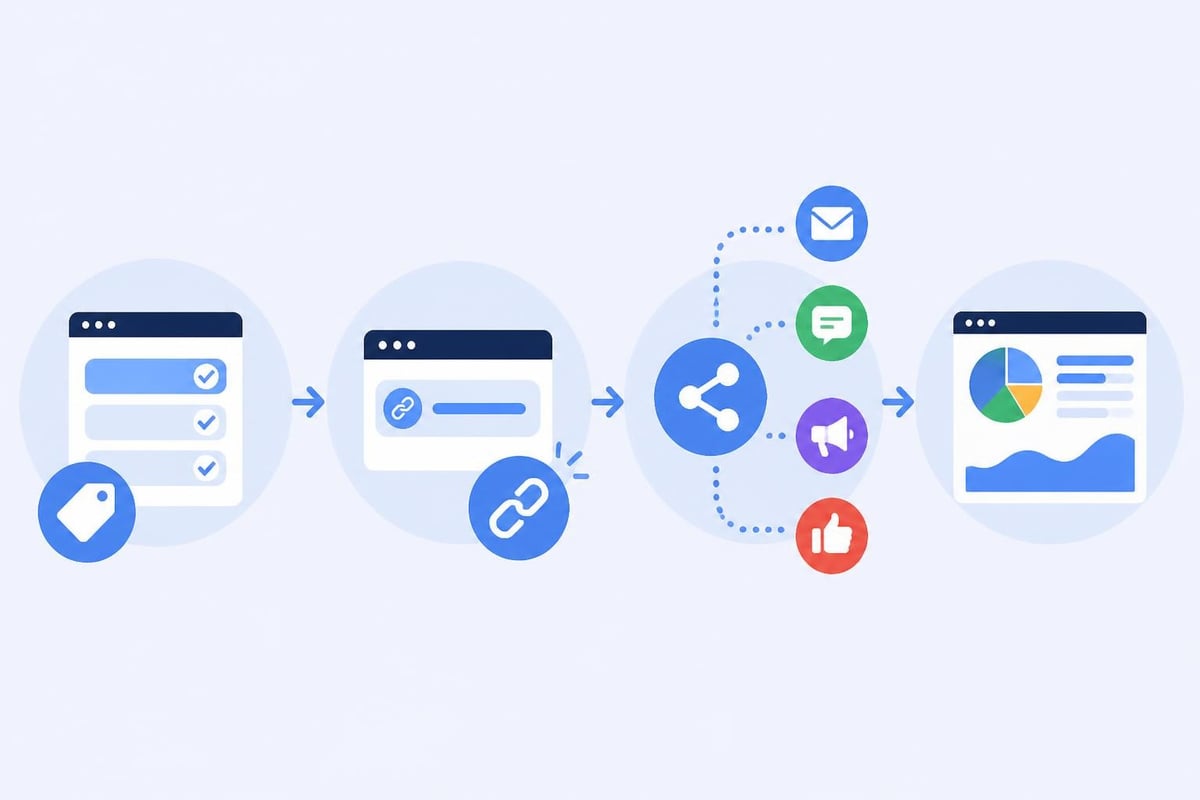
Consider how UTM data flows into your broader marketing technology stack:
- User clicks UTM-tagged link
- Analytics platform captures parameters
- Session data synchronizes with CRM
- Attribution model weighs touchpoint value
- Revenue gets allocated across campaigns
Dynamic Parameter Population
Many marketing platforms support dynamic UTM insertion, automatically populating parameters based on context. Email service providers can insert subscriber segments, A/B test variants, or personalization elements directly into UTM values.
Dynamic insertion examples:
utm_campaign=newsletter_{DATE}utm_content=cta_{SUBSCRIBER_SEGMENT}utm_term={PRODUCT_INTEREST}
This automation maintains consistency while enabling granular tracking without manual URL creation for every variation.
Managing UTM Campaigns at Scale
As marketing programs grow, manual UTM management becomes impractical. Professional link management platforms centralize creation, tracking, and analysis.
Link management platforms offer several advantages for UTM tracking:
- Centralized URL creation with enforced naming conventions
- Template libraries for consistent campaign structures
- Bulk link generation for large-scale campaigns
- Real-time performance dashboards showing UTM-level metrics
- Team collaboration with shared campaign tracking
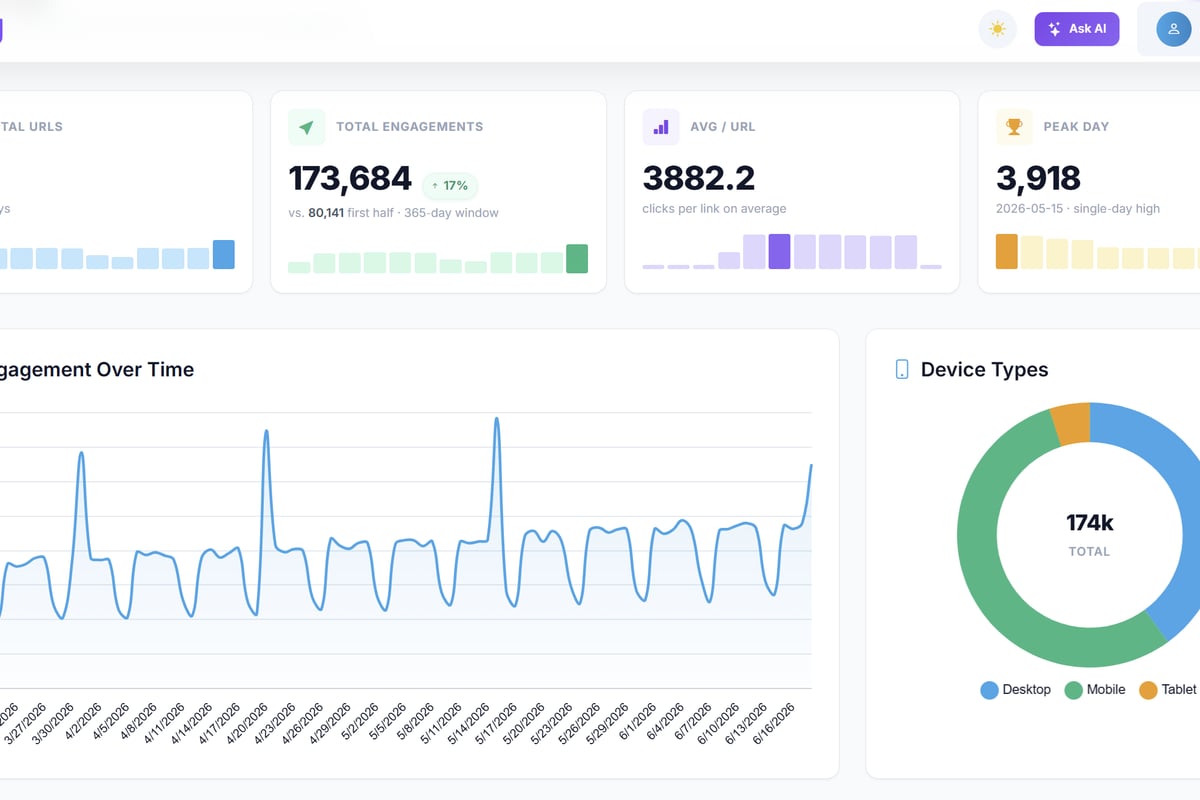
Trimy simplifies this entire workflow by combining URL shortening with comprehensive UTM campaign management. Trimy allows marketers to create branded short links while automatically preserving and tracking UTM parameters, providing real-time analytics that connect click data directly to revenue outcomes.
SEO Considerations and Best Practices
URL parameters can impact SEO when implemented carelessly. Search engines crawl and potentially index URLs with UTM parameters, creating duplicate content issues if not managed properly.
Use canonical tags to indicate the preferred version of pages accessible through multiple UTM-tagged URLs. This tells search engines which URL should appear in search results, preventing parameter-filled URLs from competing with clean versions.
Block parameter tracking in robots.txt for sensitive campaigns you don't want indexed. However, this prevents those URLs from passing link equity, so use selectively.
Configure URL parameters in Google Search Console to inform Google how to handle UTM parameters during crawling and indexing. Mark them as "Representative URL" parameters that don't change page content.
Avoid using UTM parameters in internal links, as this can confuse search engines about your site structure and waste crawl budget on parameter variations.
Analyzing UTM Performance Data
Collecting UTM data delivers value only when transformed into actionable insights. Analytics platforms like GA4 provide multiple reports for examining campaign performance through UTM dimensions.
Key Reports and Metrics
The Traffic Acquisition report in GA4 shows session counts and engagement metrics broken down by source/medium combinations. This high-level view reveals which channels drive the most traffic and engagement.
Campaign performance reports aggregate all traffic sharing the same utm_campaign value, enabling campaign-level ROI analysis regardless of how many sources or mediums you used to promote it.
Custom exploration reports let you combine UTM parameters with conversion data, user properties, and behavioral metrics for sophisticated analysis:
- Revenue per campaign
- Conversion rate by source/medium
- Average order value across content variations
- Engagement time by campaign type
Attribution Window Considerations
UTM parameters capture the immediate click source, but conversion timing affects how you interpret results. A user might click your email link on Monday, return directly on Wednesday, and purchase on Friday. Standard last-click attribution credits the direct visit, while first-click models assign value to your email campaign.
Configure attribution models that align with your business reality:
- Last click: Simple but ignores earlier touchpoints
- First click: Credits initial discovery but ignores nurturing
- Linear: Equal credit across all touchpoints
- Time decay: More recent interactions receive higher weight
- Data-driven: Algorithm determines optimal weighting
Integration with Marketing Automation Platforms
Modern marketing operates across interconnected platforms, each generating and consuming UTM data. HubSpot and similar marketing automation platforms can automatically apply UTM parameters to outbound links while also ingesting UTM data from incoming traffic to enrich contact records.
This bidirectional flow creates a closed-loop system:
- Marketing automation platform sends email with UTM tags
- Recipient clicks link, visits website
- Analytics platform captures UTM parameters and behavior
- Data syncs back to marketing automation platform
- Contact record updates with campaign engagement data
- Future communications personalize based on campaign interaction
CRM Integration and Lead Attribution
Connecting UTM data to your CRM transforms anonymous traffic into identified leads with source attribution. When form submissions or authenticated sessions occur, the UTM parameters from that session can populate CRM fields that track lead source.
This connection enables sales and marketing alignment around lead quality:
| UTM Source/Medium | Lead Volume | Conversion Rate | Cost Per Lead | Lead Quality Score |
|---|---|---|---|---|
| google/cpc | 450 | 2.3% | $42 | 7.2/10 |
| linkedin/paid_social | 180 | 4.1% | $67 | 8.5/10 |
| newsletter/email | 890 | 1.8% | $12 | 6.8/10 |
| organic/social | 320 | 0.9% | $0 | 5.4/10 |
This analysis reveals that while email generates high volume at low cost, LinkedIn paid social delivers superior lead quality despite higher acquisition costs.
Building a UTM Governance Framework
Enterprise organizations require formal processes to maintain UTM data quality across teams, regions, and business units. Without governance, inconsistent implementations fragment reporting and undermine data-driven decision making.
Documentation and Training
Create comprehensive documentation that addresses:
- Approved parameter values for each marketing channel
- Naming convention rules and examples
- Required vs. optional parameters by use case
- Quality assurance checklist before campaign launch
- Escalation process for questions or exceptions
Regular training sessions ensure new team members understand the system and existing staff stay updated on evolving best practices.
Quality Assurance Processes
Implement checkpoints that catch errors before campaigns launch:
- Automated validation tools that check URL structure
- Peer review requirements for high-budget campaigns
- Testing protocols that verify tracking before full deployment
- Audit schedules to identify and correct existing errors
Many link management platforms include validation features that flag common mistakes like missing parameters, inconsistent capitalization, or invalid characters.
Continuous Improvement Cycles
Review UTM taxonomy quarterly to identify opportunities for refinement. As your marketing sophistication grows, your tracking requirements evolve. Regular reviews prevent your system from becoming outdated or misaligned with current strategy.
Questions to address during reviews:
- Are current parameter values granular enough for decision-making?
- Do any values need consolidation to reduce fragmentation?
- Have new channels emerged that require taxonomy additions?
- Are team members following established conventions consistently?
Accurate campaign tracking through UTM parameters transforms marketing from guesswork into measurable science, enabling data-driven optimization across every channel. When you implement consistent naming conventions, avoid common pitfalls, and integrate UTM data throughout your marketing technology stack, you gain the visibility needed to allocate budget effectively and prove marketing ROI. Trimy brings this all together by combining powerful link management, automated UTM tracking, and advanced analytics in a single platform built specifically for teams that demand precision in their campaign measurement and optimization.